Fax
5-7
Introduction to Using Fax Functions
AnsMode
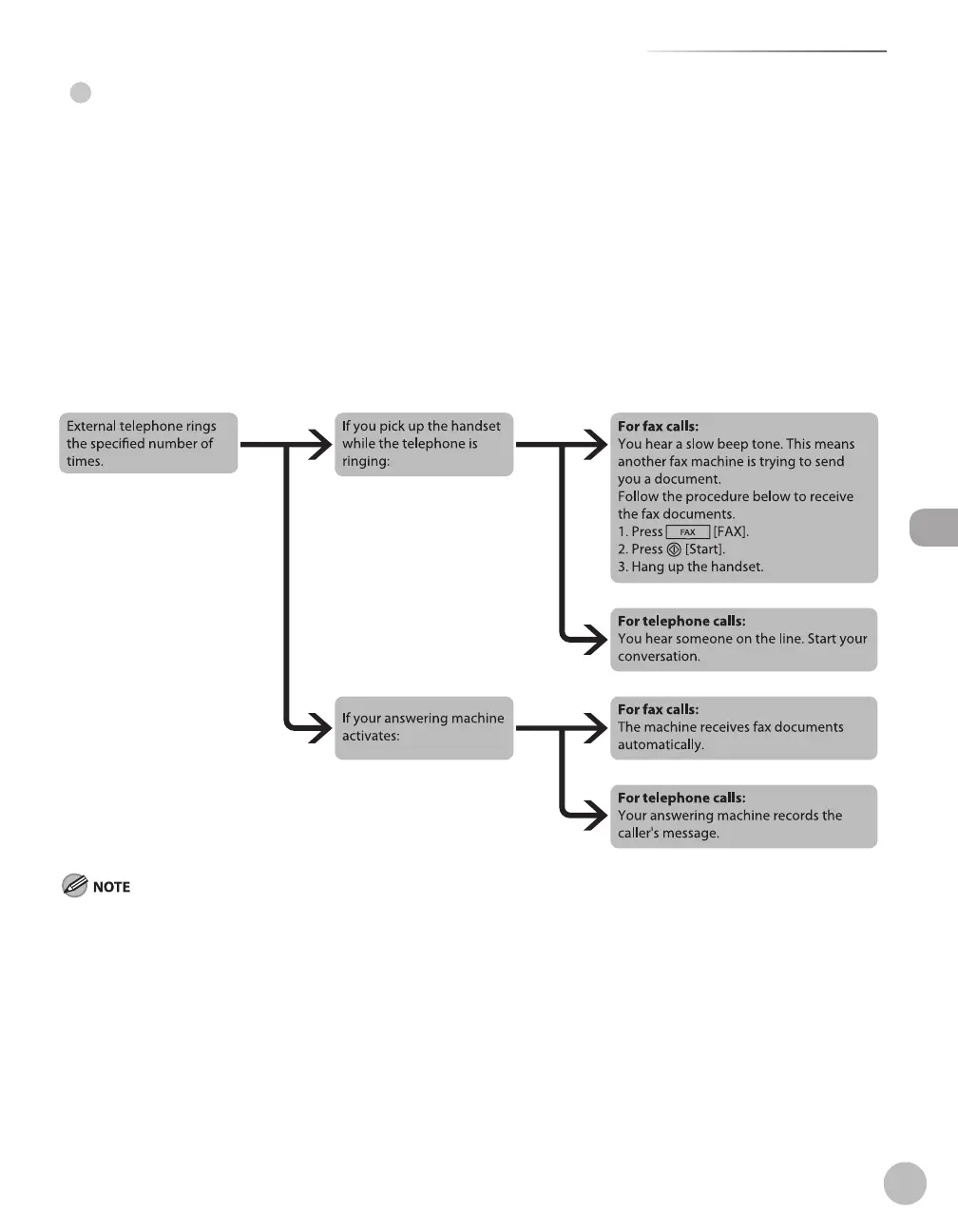
In this mode, the machine receives documents automatically for fax calls and your answering machine records
a message for telephone calls.
Before using this mode
Make sure to do the following:
Connect your external telephone with built-in answering machine to the machine. (See “Make Fax Settings,”
in the Starter Guide.)
Set your answering machine to answer after 1 to 2 rings.
Record a message on your answering machine. (When you record a message, we recommend you insert
about 4 seconds of silence at the beginning of the message, or limit the message to 20 seconds.)
Set the receive mode to <AnsMode>. (See “Selecting the Receive Mode,
” on p. 5-10.)
When an incoming call is received
This mode does not support voice mail.
Make sure to change the receive mode if you turn off your answering machine; otherwise, the machine cannot receive fax documents
automatically.
●
●
–
–
–
–
●
–
–















 To Next Page