Before Using the Machine
1-8
Display (Standby Mode)
Display (Standby Mode)
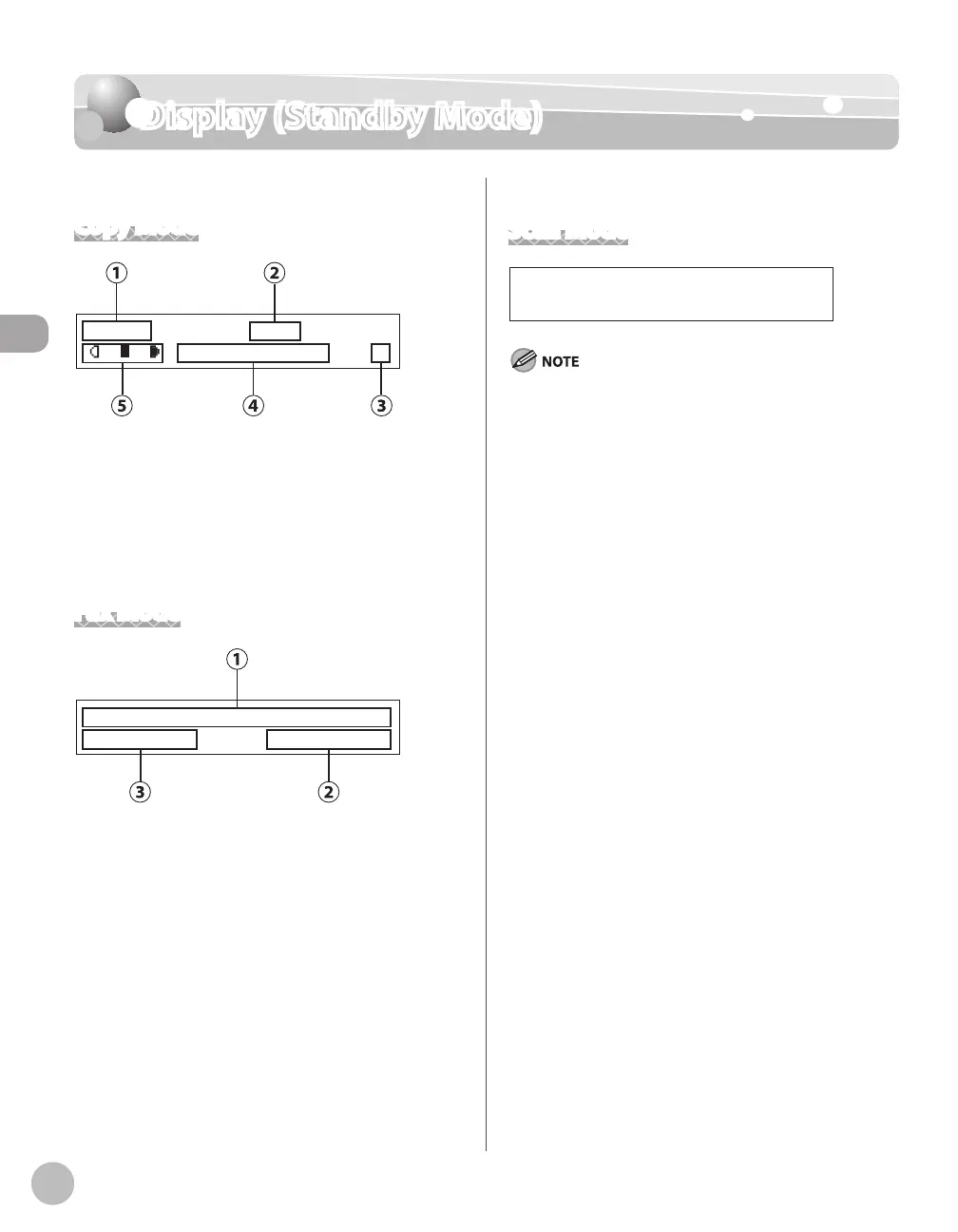
Copy Mode
T E X T / P H O T O 1
1 0 0 % L T R
①Zoom ratio
②Paper size
③Quantity
④Image quality
⑤Density
Fax Mode
F a x O n l y S T A N D A R D
1 2 / 3 1 / 2 0 0 8 W E D 1 5 : 5 0
①Date & Time
②Image quality
③Receive mode
Scan Mode
Depending on your needs, you can change the standby
display which appears when the main power switch is turned
ON. For details, see “Introduction of the Machine,” in the e-
Manual.
When the main power switch is turned ON, the display
displays <PLEASE WAIT> until the standby display appears.
If the machine remains idle for one minute, the display returns
to the standby mode (Auto Clear Function).
–
–
–















 To Next Page