Registering Destinations in the Address Book
3-10
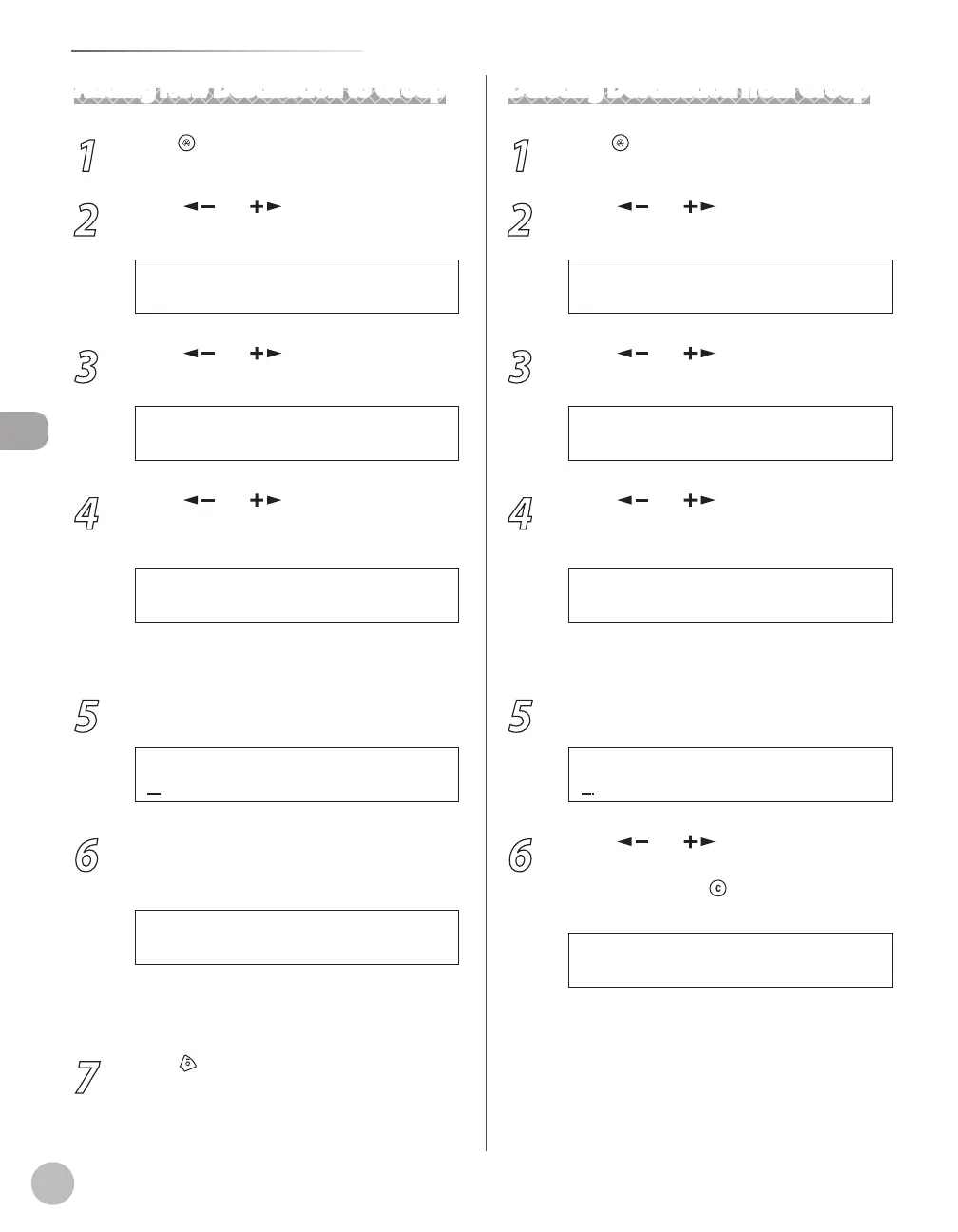
Storing/Editing Recipients for Group Dialing
Adding New Destination to Group
1
Press [Menu].
2
Press [ ] or [ ] to select <ADDRESS
BOOK SET.>, then press [OK].
6 A D D R E S S B O O K S E T .
M E N U
3
Press [ ] or [ ] to select <GROUP
DIAL>, then press [OK].
3 G R O U P D I A L
A D D R E S S B O O K S E T .
4
Press [ ] or [ ] to select a group to
edit, then press [OK].
[ 0 5 ] C a n o n G r o u p
G R O U P D I A L
Ex.
You can specify a group to edit by pressing the
corresponding one-touch key.
5
Press [OK].
C a n o n G r o u p
N A M E [ A ]
Ex.
6
Select the destination you want to add to
the group, then press [OK].
[ 0 3 ] C a n o n F
N O . 0 0 3 = 1 2 3 X X X X X X
Ex.
For details on specifying a recipient from
Address Book, see “Registering Group Addresses,”
on p
. 3-9.
7
Press [Stop/Reset] to return to the
standby mode.
Deleting Destination from Group
1
Press [Menu].
2
Press [ ] or [ ] to select <ADDRESS
BOOK SET.>, then press [OK].
6 A D D R E S S B O O K S E T .
M E N U
3
Press [ ] or [ ] to select <GROUP
DIAL>, then press [OK].
3 G R O U P D I A L
A D D R E S S B O O K S E T .
4
Press [ ] or [ ] to select a group to
edit, then press [OK].
[ 0 5 ] C a n o n G r o u p
G R O U P D I A L
Ex.
You can specify a group to edit by pressing the
corresponding one-touch key.
5
Press [OK].
C a n o n G r o u p
N A M E [ A ]
Ex.
6
Press [ ] or [ ] to display the
recipient you want to delete from the
group, then press [Clear].
[ 0 3 ] C a n o n F
N O . 0 0 3 = 1 2 3 X X X X X X
Ex.
Repeat this step if you want to delete another
recipient.















 To Next Page