Registering Destinations in the Address Book
3-3
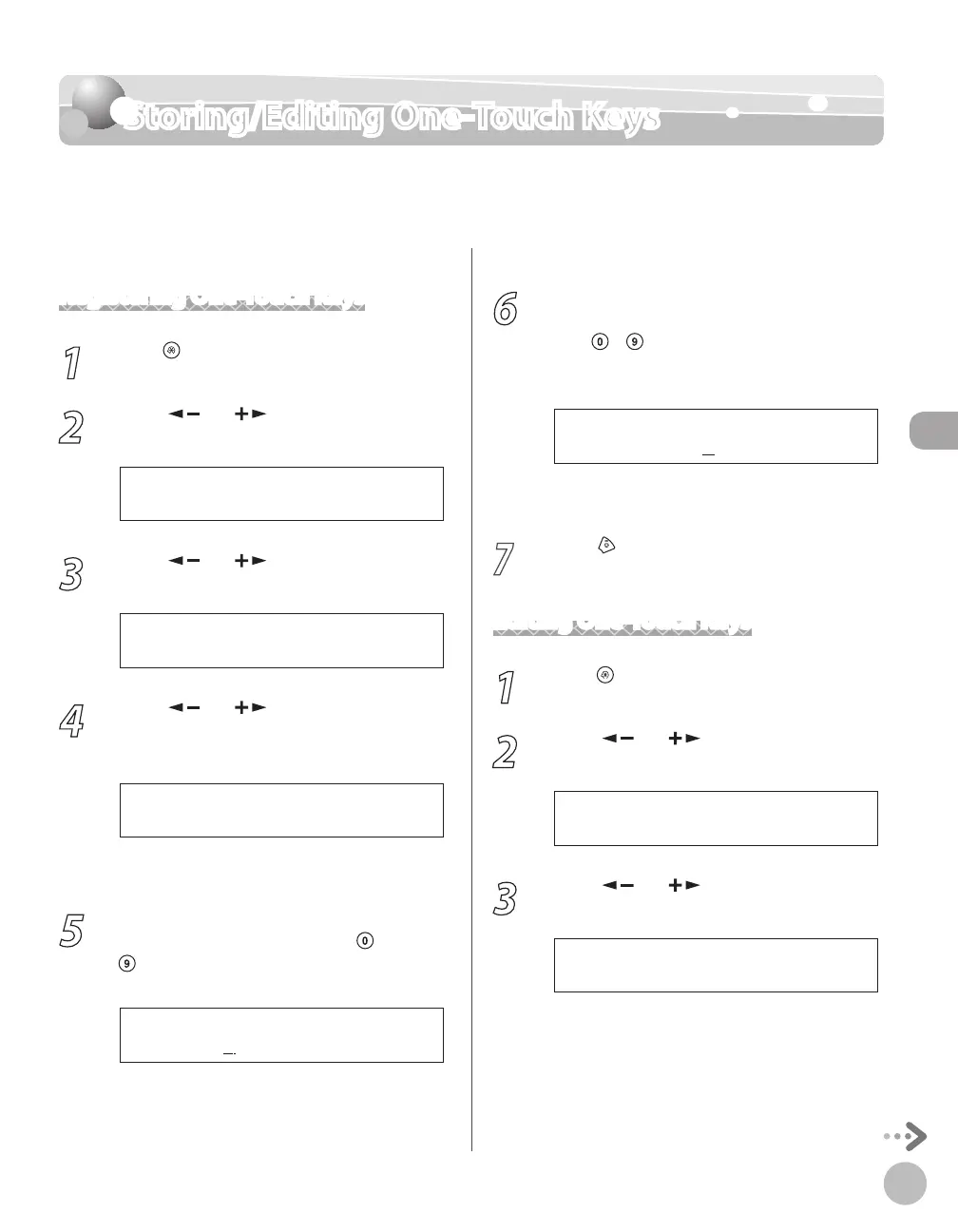
Storing/Editing One-Touch Keys
Storing/Editing One-Touch Keys
This section describes how to register destinations for one-touch keys and to edit the
registered one-touch keys.
Registering One-Touch Keys
1
Press [Menu].
2
Press [ ] or [ ] to select <ADDRESS
BOOK SET.>, then press [OK].
6 A D D R E S S B O O K S E T .
M E N U
3
Press [ ] or [ ] to select <1-TOUCH
SPD DIAL>, then press [OK].
1 1 - T O U C H S P D D I A L
A D D R E S S B O O K S E T .
4
Press [ ] or [ ] to select a one-touch
key (01 to 08) for which you want to
register the fax number, then press [OK].
[ 0 1 ] N O T R E G I S T E R E D
1 - T O U C H S P D D I A L
You can also select a one-touch key by pressing
the corresponding one-touch key.
5
Enter the destination name (up to 20
letters, including spaces) with
–
[numeric keys], then press [OK].
C a n o n A
N A M E [ A ]
Ex.
6
Enter the fax number you register (up to
50 digits, including spaces and pauses)
with
– [numeric keys], then press
[OK].
1 2 3 X X X X X X X
T E L N U M B E R E N T R Y
Ex.
To register another one-touch key, repeat the
procedure from step 4.
7
Press [Stop/Reset] to return to the
standby mode.
Editing One-Touch Keys
1
Press [Menu].
2
Press [ ] or [ ] to select <ADDRESS
BOOK SET.>, then press [OK].
6 A D D R E S S B O O K S E T .
M E N U
3
Press [ ] or [ ] to select <1-TOUCH
SPD DIAL>, then press [OK].
1 1 - T O U C H S P D D I A L
A D D R E S S B O O K S E T .















 To Next Page