Copying
4-6
Selecting Image Quality
Selecting Image Quality
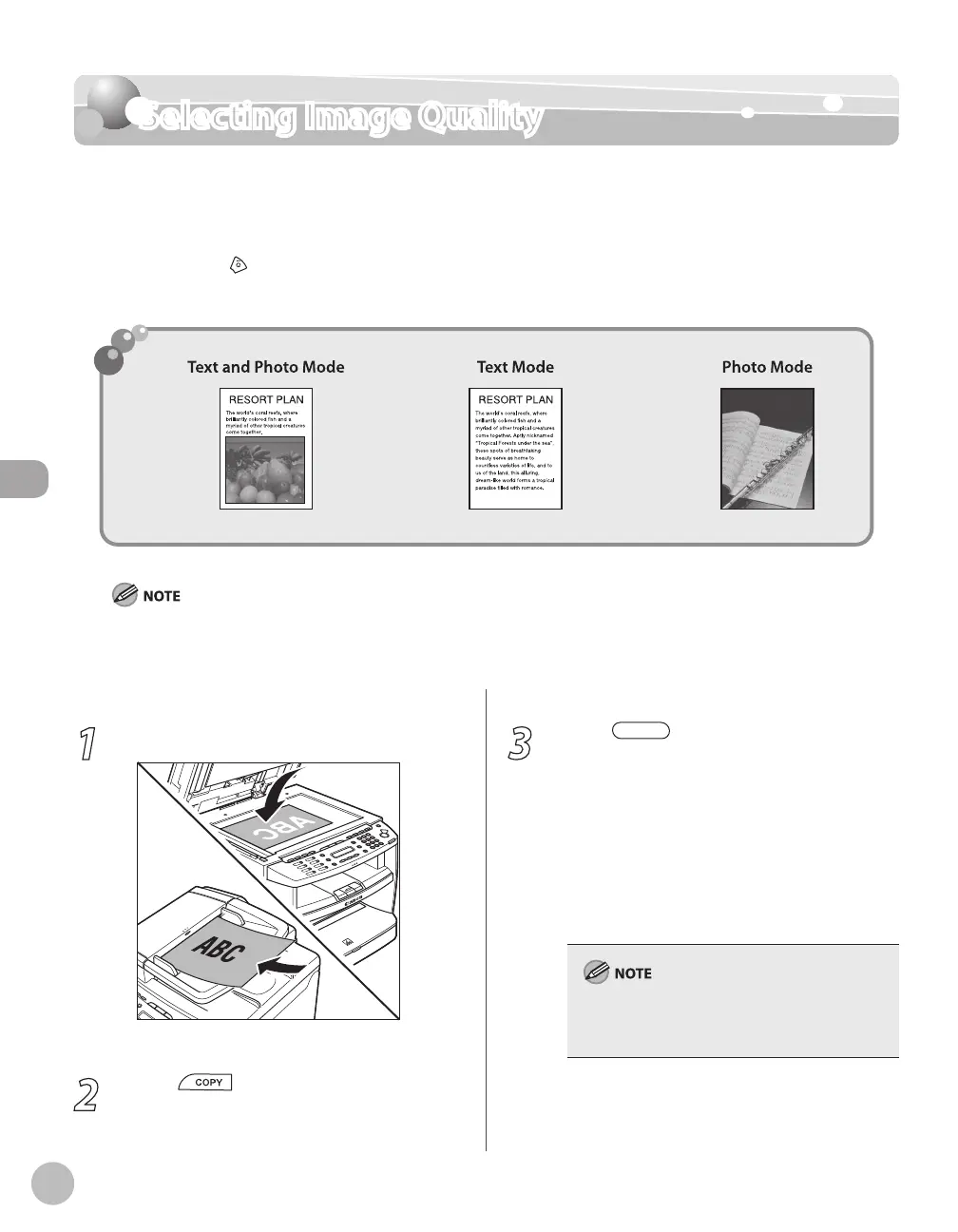
You can adjust the image quality of copies according to the types of documents. A correct
selection is necessary for the optimal reproduction of the colors of the document. These
settings return to the default values if the machine remains idle for a certain period of time
or if you press
[Stop/Reset].
The default settings is <TEXT/PHOTO>.
Combinations of these four modes (TEXT/PHOTO, TEXT, PHOTO, TEXT/PHOTO+) cannot be selected at the same time. If
you select one of these modes, the previously set mode is canceled.
If the document is a transparency, select the document type, then adjust the exposure to the most appropriate level for
the document.
–
–
1
Place documents.
For details, see “Placing Documents,” on p. 2-4.
2
Press [COPY].
3
Press [Image Quality] repeatedly
to select the document type.
<TEXT/PHOTO>: For documents that contain
text and photos
<TEXT>: For text documents
<PHOTO>: For documents that contain fine
text or photos
<TEXT/PHOTO+>: For documents that
contain fine text and photos
Copy density automatically changes to the
manual mode when <TEXT/PHOTO>, <PHOTO>,
or <TEXT/PHOTO+> is set.
–
–
–
–















 To Next Page