11-4
Troubleshooting
Clearing Jams
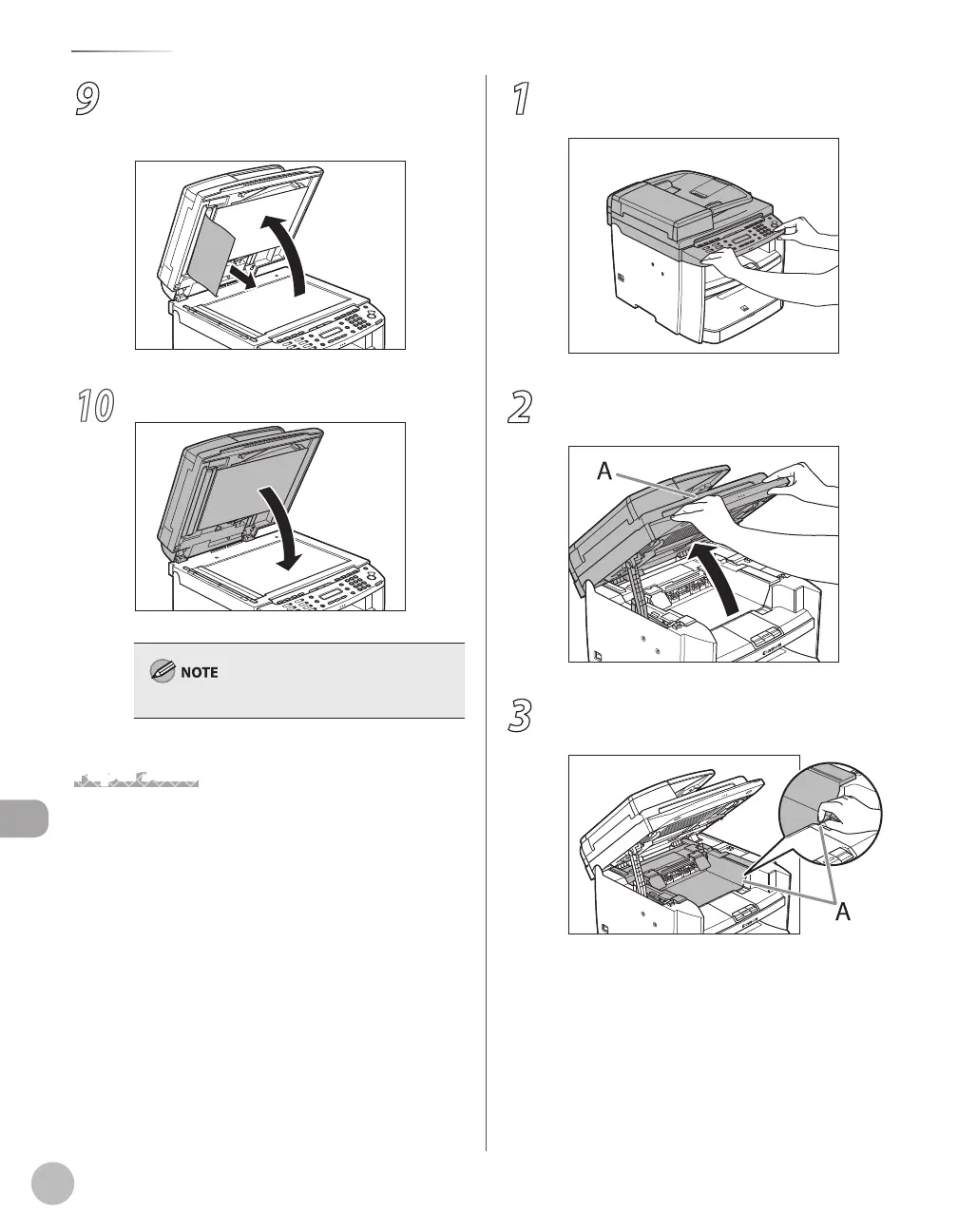
9
Open the ADF and then hold both sides
of any jammed documents and gently
pull them out.
10
Close the ADF.
Be careful not to get your fingers caught.
Paper Jams
When <PAPER JAM> or <PAPER JAM/OPEN REAR
COVER> appears on the display, remove jammed
paper from the inside of the machine first, then
from the paper cassette or multi-purpose tray if
necessary.
1
Hold the front side of the operation panel
with your hands.
2
Lift the scanning platform (A) until it is
locked. (You will hear an audible “click.”)
3
Hold the grip (A) on the right front side of
the toner cover.















 To Next Page