Printing
6-10
2-Sided Printing
2-Sided Printing
2-sided printing enables you to make 2-sided printouts. You can cut down print costs by half
when copying in large quantities.
The display may differ according to the operating system.
1
Open the document you want to print
from the application.
2
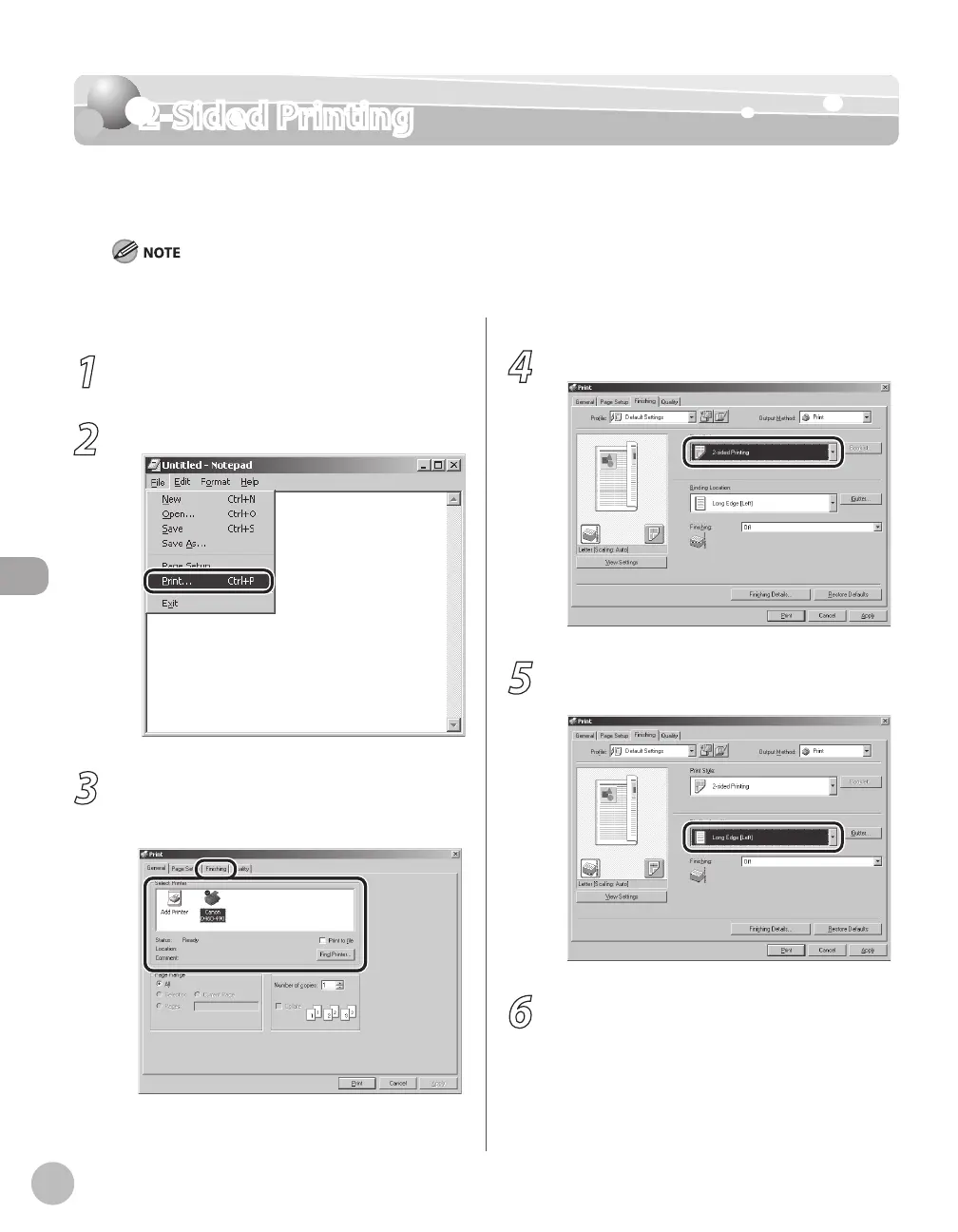
Select [Print] from the [File] menu.
3
Select your printer from [Select Printer],
then click [Finishing] to open the dialog
box.
4
Select [2-sided Printing] from [Print Style].
5
Select binding edge for the paper
printout from [Binding Location].
6
On the [Print] dialog box, click [Print] or
[OK].















 To Next Page