Fax
5-22
Specifying Destinations
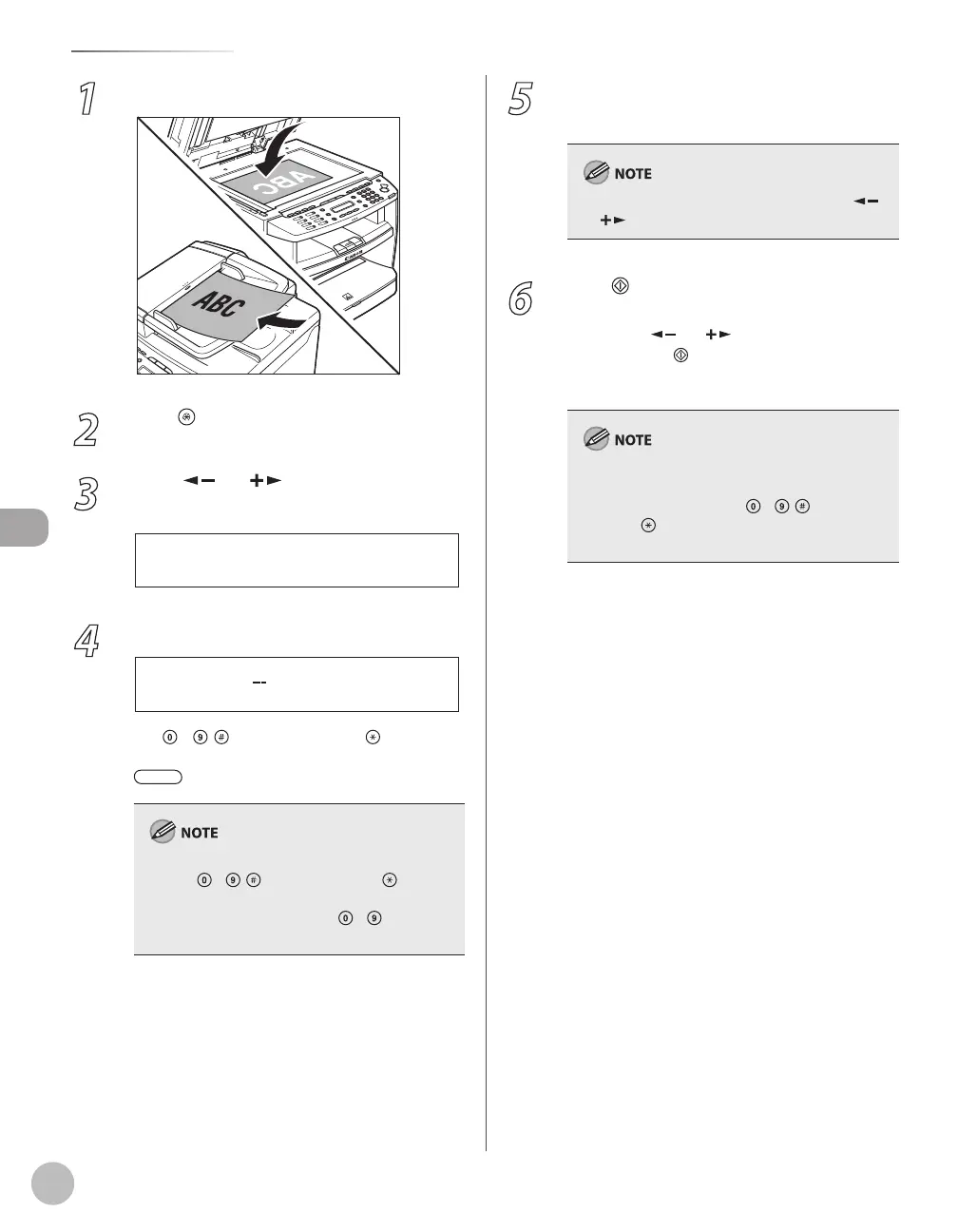
1
Place documents.
2
Press [Menu].
3
Press [ ] or [ ] to select
<BROADCAST>, then press [OK].
3 B R O A D C A S T
M E N U
4
Specify the destination.
Use – , [numeric keys] and [Tone],
one-touch keys, coded dial codes, or
[Address Book] to specify destinations.
You can enter up to 16 different fax numbers
using – , [numeric keys] and [Tone].
Make sure to press [OK] after entering the
recipient’s number if you use – [numeric
keys].
–
–
5
Repeat step 4 to enter all required
recipients.
To check all the specified destinations, press [ ]
or [ ] to scroll the display.
6
Press [Start].
When you place the documents on the platen
glass, press [
] or [ ] to select the document
size, then press
[Start] for each document.
When scanning is complete, press [OK] to start
sending.
If <CONFIRM FAX NO.> in <ACCESS TO DEST.> in
<SYSTEM SETTINGS> is set to <ON> and you
specify a fax number using – , [numeric
keys] and [Tone], you need to enter the fax
number again for comfirmation, then press [OK].















 To Next Page