Fax
5-27
Redialing When the Line Is Busy
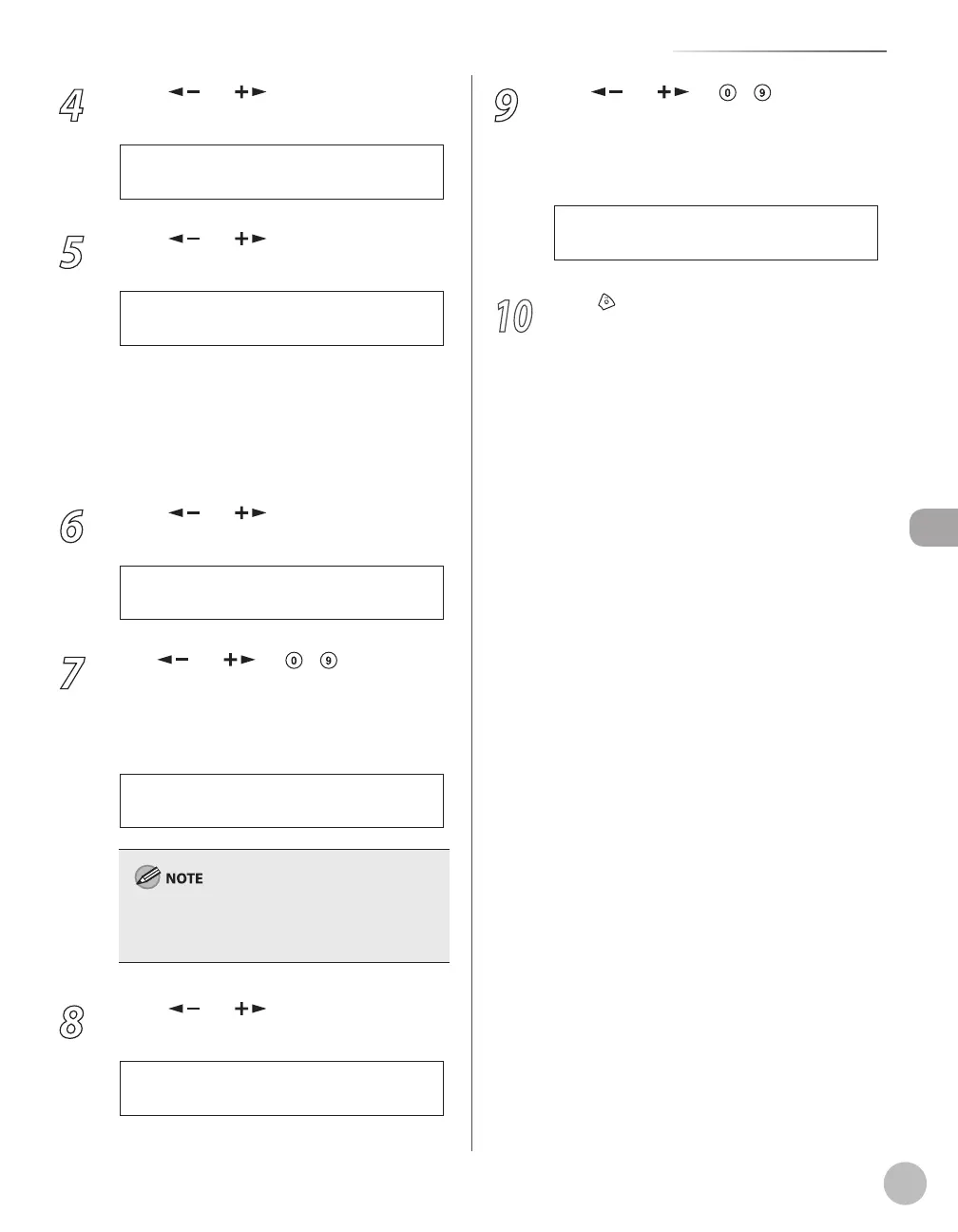
4
Press [ ] or [ ] to select <AUTO
REDIAL>, then press [OK].
1 A U T O R E D I A L
T X S E T T I N G S
5
Press [ ] or [ ] to select <ON> or
<OFF>, then press [OK].
<ON>: Redials automatically when a
transmission fails. If you select <ON>, go to
the next step.
<OFF>: Does not redial automatically when a
transmission fails. If you select <OFF>, go to
step 10.
6
Press [ ] or [ ] to select <REDIAL
TIMES>, then press [OK].
2 T I M E S
R E D I A L T I M E S
7
Use [ ] or [ ] or
– [numeric
keys] to enter the number of redials (1 to
10 times) the machine will make, then
press [OK].
1 T I M E S
R E D I A L T I M E S
Ex.
Regardless of the number you entered, the
machine makes only one redialing attempt if it
does not detect a busy signal.
8
Press [ ] or [ ] to select <REDIAL
INTERVAL>, then press [OK].
2 M I N .
R E D I A L I N T E R V A L
–
–
9
Use [ ] or [ ] or
– [numeric
keys] to enter the time (2 to 99 minutes,
in one-minute increments) between
redials, then press [OK].
3 5 M I N .
R E D I A L I N T E R V A L
Ex.
10
Press [Stop/Reset] to return to the
standby mode.















 To Next Page