Fax
5-42
Receiving Documents in Memory without Printing Out (Memory Lock Reception)
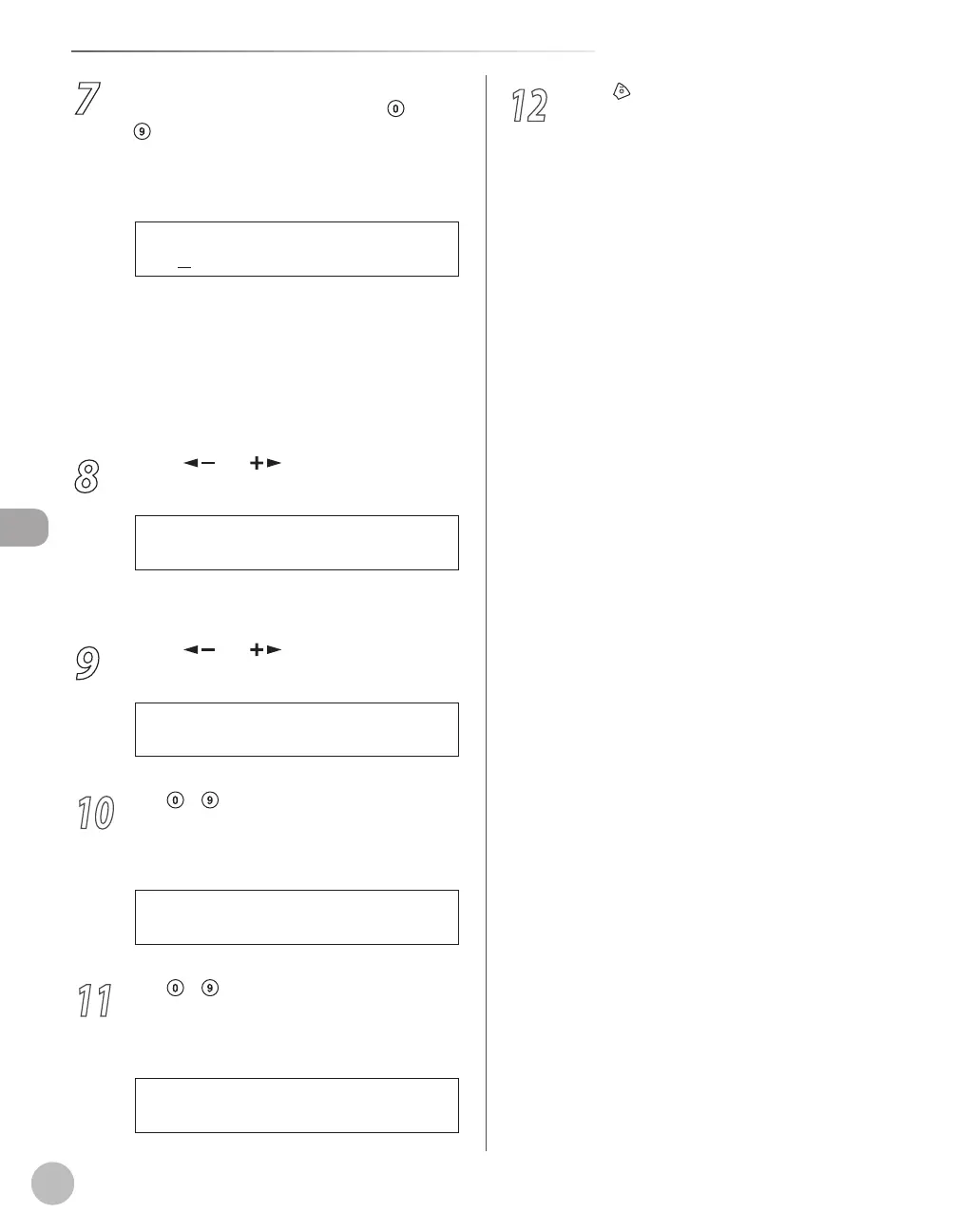
7
If you want to set or change a password
for the Memory Lock mode, use
–
[numeric keys] to enter the memory
reception password (up to seven digits),
then press [OK].
If you set a password, it will be necessary to
enter the password whenever you want to
change the Memory Lock mode settings, or
cancel the Memory Lock mode.
If you do not want to set the Memory Lock
with a password, press [OK] without entering
any numbers.
8
Press [ ] or [ ] to select <MEMORY
RX TIME>, then press [OK].
2 M E M O R Y R X T I M E
M E M O R Y L O C K
If you do not need to set the timer for memory
lock, skip to step 12.
9
Press [ ] or [ ] to select <ON>, then
press [OK].
O N
M E M O R Y R X T I M E
10
Use
– [numeric keys] to enter the
start time (in 24-hour format), then press
[OK].
2 0 : 0 0
M E M . R X S T A R T T I M E
Ex.
11
Use
– [numeric keys] to enter the
end time (in 24-hour format), then press
[OK].
0 8 : 0 0
M E M . R X E N D T I M E
Ex.
–
–
12
Press [Stop/Reset] to return to the
standby mode.















 To Next Page