10-23
Maintenance
Transporting the Machine
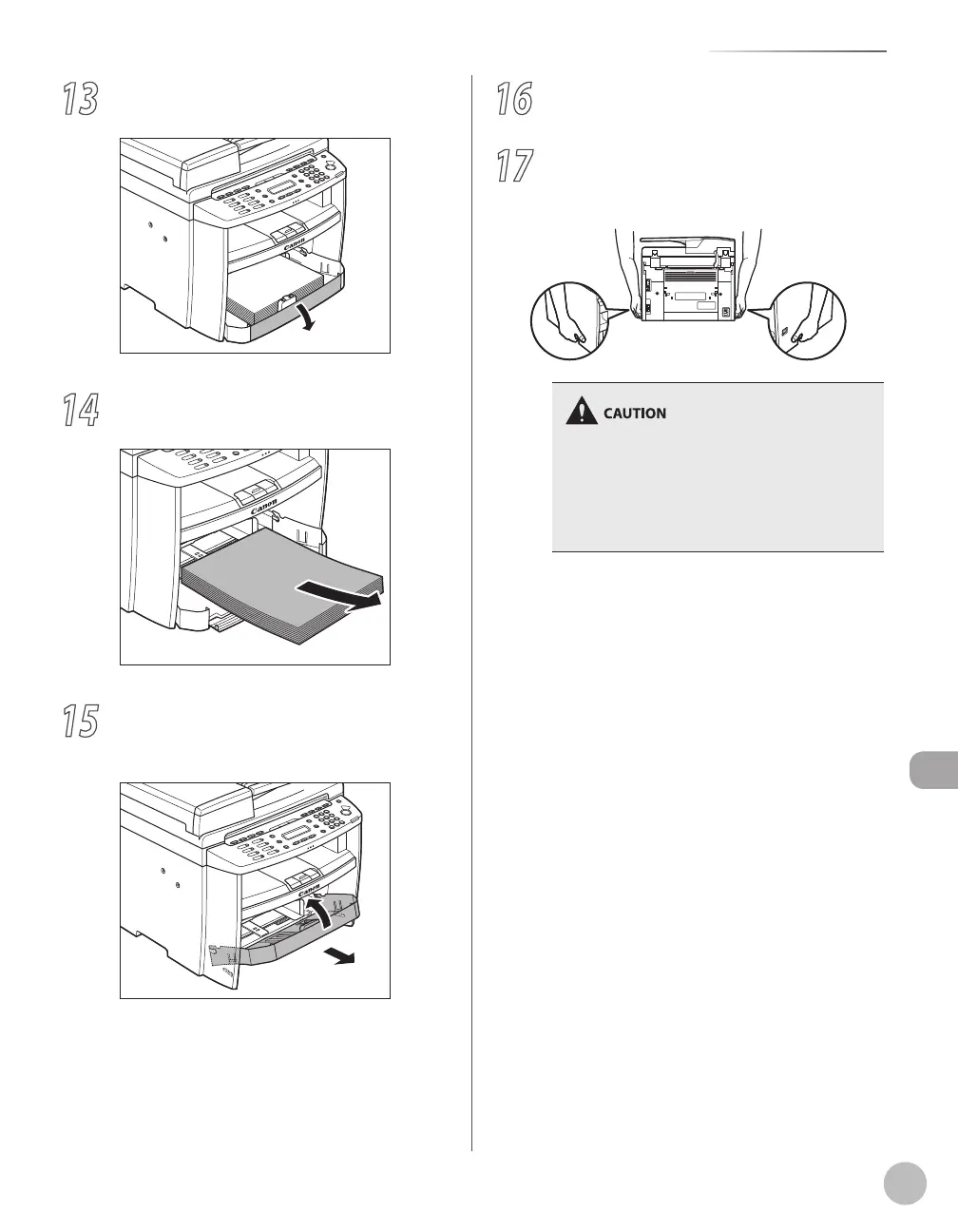
13
Open the front panel of the paper
cassette.
14
Remove the paper from the paper
cassette.
15
Remove the paper cassette by lifting up
the front-end of the paper cassette and
pulling it forward.
16
Make sure all the covers are closed.
17
Grip the handles on both sides of the
machine and lift it carefully, as shown in
the illustration below.
Do not lift the machine by any of its
attachments. Dropping the machine can cause
personal injury.
If you have a back problem, make sure to check
the weight of this machine before carrying. (See
“Specifications,” on p. 13-2.)
–
–















 To Next Page