Documents and Print Media
2-9
Loading Paper
5
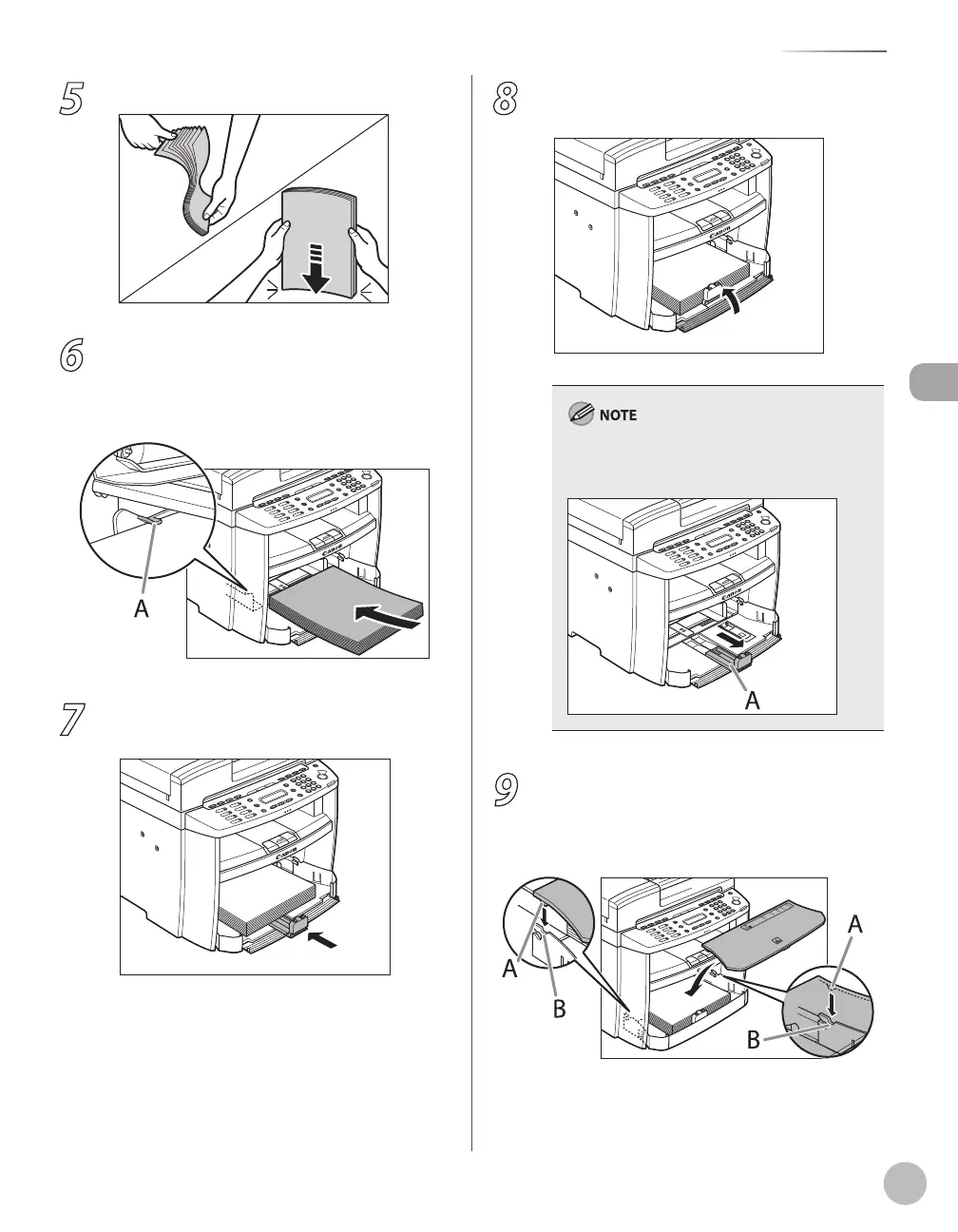
Fan the paper stack and even the edges.
6
Load the paper into the paper cassette
with the print side up. Make sure the
paper stack sits below the small fin (A) on
the side paper guide.
7
Adjust the paper guide rail to match the
size of paper.
8
Close the front panel of the paper
cassette.
To load Legal-size paper, leave the front panel of
paper cassette open and adjust the paper guide
rail (A) for Legal size paper.
9
Match up the edge of the dust cover (A)
and the edge of the paper cassette (B),
and place the cover on top of the
cassette.















 To Next Page