4
4
4-55
4-55
Disassembly/Assembly > Document Exposure/Feeder System > Removing the DADF Separation Pad(MF4890dw/MF4880dw) > Procedure
Disassembly/Assembly > Document Exposure/Feeder System > Removing the DADF Separation Pad(MF4890dw/MF4880dw) > Procedure
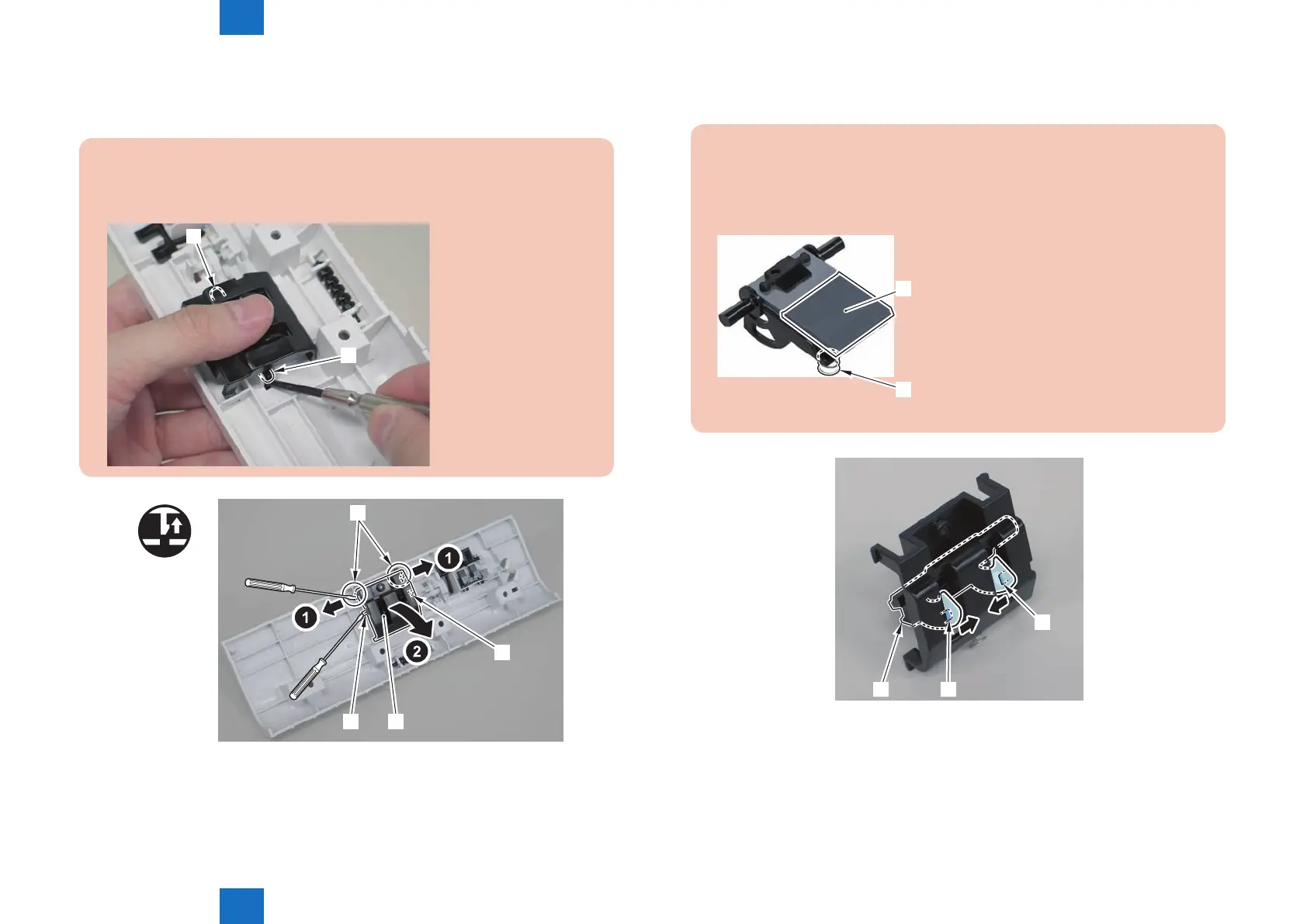
2)Remove the separation pad unit[1].
• 2 claws[2]
• 2 protrusions[3]
Caution.
Be sure to hold the separation pad unit with your ngers when releasing its 2
protrusions[3]
[3]
[3]
[1]
[3]
x2
[2]
[3]
F-4-137
3)Remove the separation pad[1].
• 2 hooks[2]
Caution.
Do not touch the pad surface[1]
When disassembling/assembling, take care not to lose the spring[2] on the back side
of the separation pad.
[1]
[2]
[2]
[2]
[1]
F-4-138










 To Next Page