4
4
4-365
4-365
Disassembly/Assembly > Pickup And Feeding System > Removing the Pickup Tray Unit (MF4780w/MF4770n/MF4750/MF4730) > Procedure
Disassembly/Assembly > Pickup And Feeding System > Removing the Pickup Tray Unit (MF4780w/MF4770n/MF4750/MF4730) > Procedure
Note:
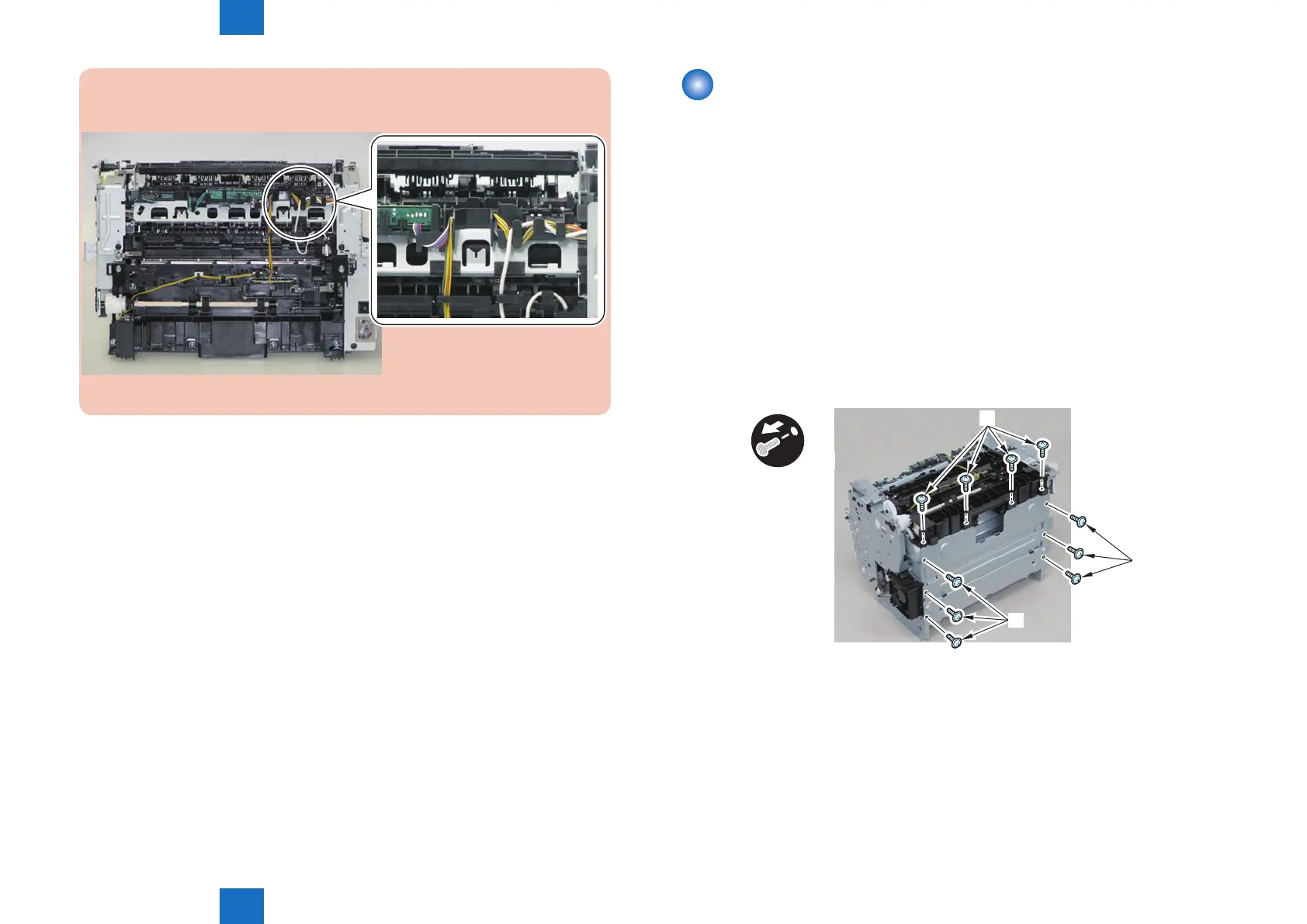
The below picture shows how to wind the harness.
F-4-1003
Removing the Pickup Tray Unit (MF4780w/MF4770n/
MF4750/MF4730)
■
Preparation
1) Remove the left cover
2)Remove the SADF unit and reader unit.
3)Remove the right cover
4)Remove the front cover unit.
5)Remove the upper cover.
6)Remove the duplex feed unit
7)Remove the separation pad
■
Procedure
1)Remove the 4 screws(black TP)[1] and 6 screws[2].
x10
[2]
[2]
[1]
2) Remove the pickup tray unit [1].
• 2 boss holes [2]
• 2 hooks [3]
• 2 bosses [4]
F-4-1004











 To Next Page