4
4
4-336
4-336
Disassembly/Assembly > Pickup And Feeding System > Removing the Pickup Unit (MF4820d) > Procedure
Disassembly/Assembly > Pickup And Feeding System > Removing the Pickup Unit (MF4820d) > Procedure
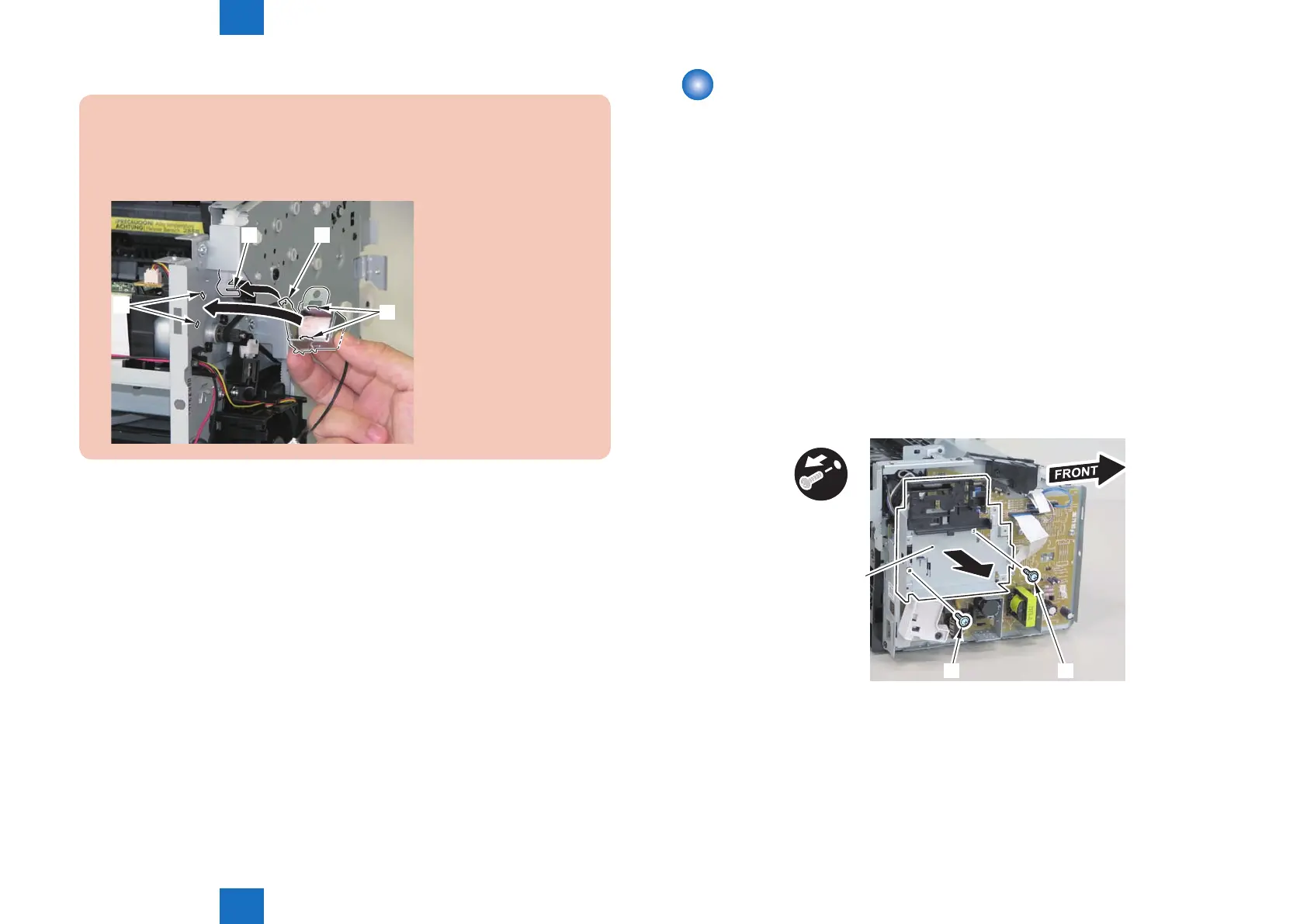
Caution:
When mounting the duplex solenoid, align the solenoid lever [1] with the groove in
the link [2], and insert the 2 solenoid positioning protrusions [3] into the 2 positioning
holes [4] in the side panel to mount the solenoid.
[4]
[3]
[1][2]
Removing the Pickup Unit (MF4820d)
■
Preparation
1) Remove the left cover
2)Remove the copyboard cover and reader unit.
3)Remove the right cover
4)Remove the front cover unit.
5)Remove the upper cover.
6)Remove the duplex feed unit
7)Remove the main controller PCB
■
Procedure
1)Remove the main controller mounting plate[1]
• 1 screw(with washer)[2]
• 1 screw(black TP)[3]
x2
[1]
[2][3]
F-4-928










 To Next Page