4
4
4-155
4-155
Disassembly/Assembly > Controller System > Removing the Control Panel Unit (MF4870dn/MF4830d) > Procedure
Disassembly/Assembly > Controller System > Removing the Control Panel Unit (MF4870dn/MF4830d) > Procedure
Removing the Control Panel Unit (MF4870dn/
MF4830d)
■
Procedure
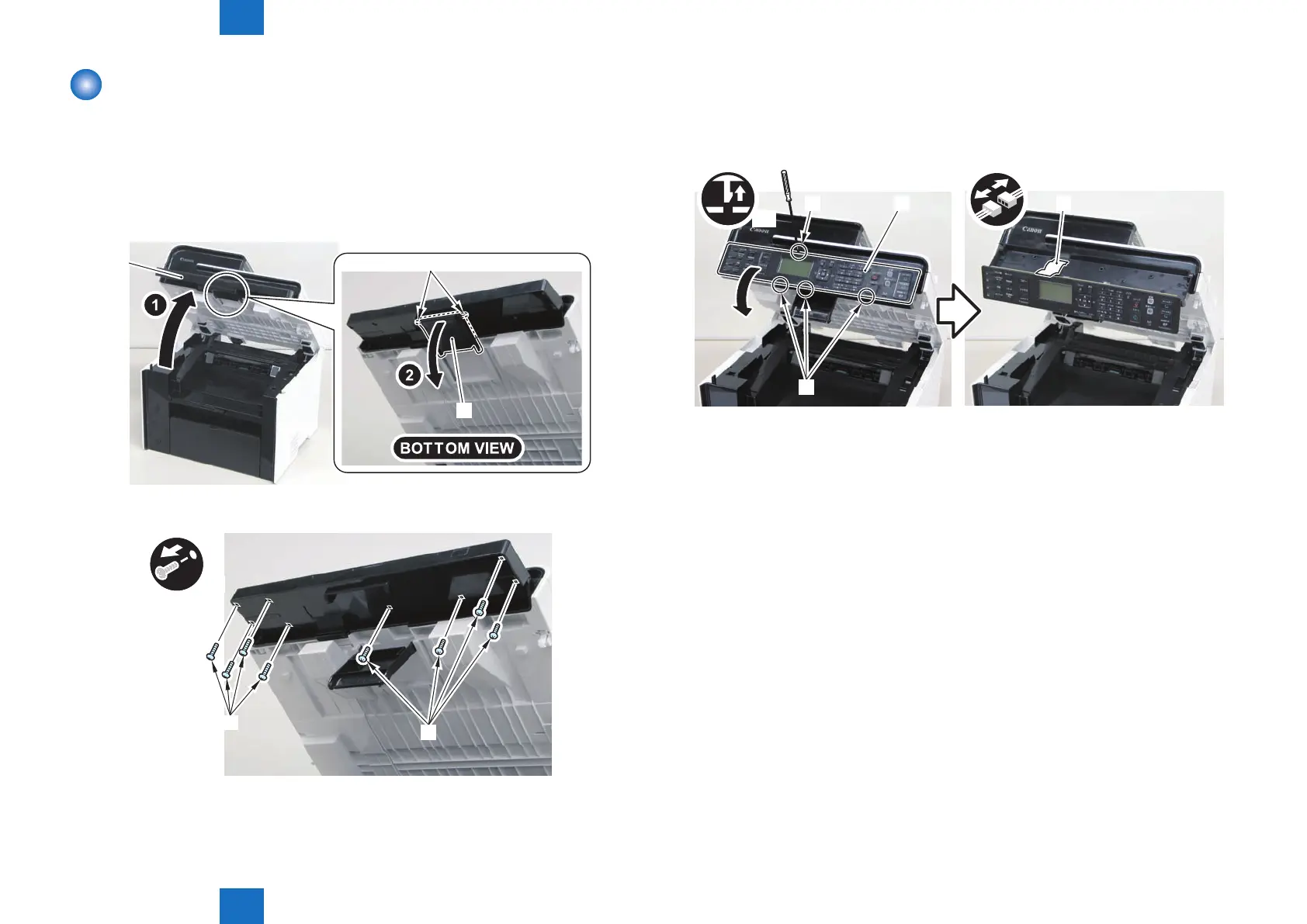
1)Open the reader unit [1] and remove the control panel support plate[2]
• 2 protrusions[3]
[1]
[2]
[3]
2) Remove the 8 screws[1] on the back side of the control panel unit.
x8
[1]
[1]
F-4-375
F-4-376
3) Remove the control panel unit[1]
• 4 claws[2]
• 1 at cable[3]
x4
[3][1][2]
[2]
F-4-377











 To Next Page