3
3
3-3
3-3
Periodical Services > Cleaning > Printer
Periodical Services > Cleaning > Printer
Periodical Service
Scheduled Servicing
There is no portion that requires schedule servicing in this equipment.
Cleaning
Printer
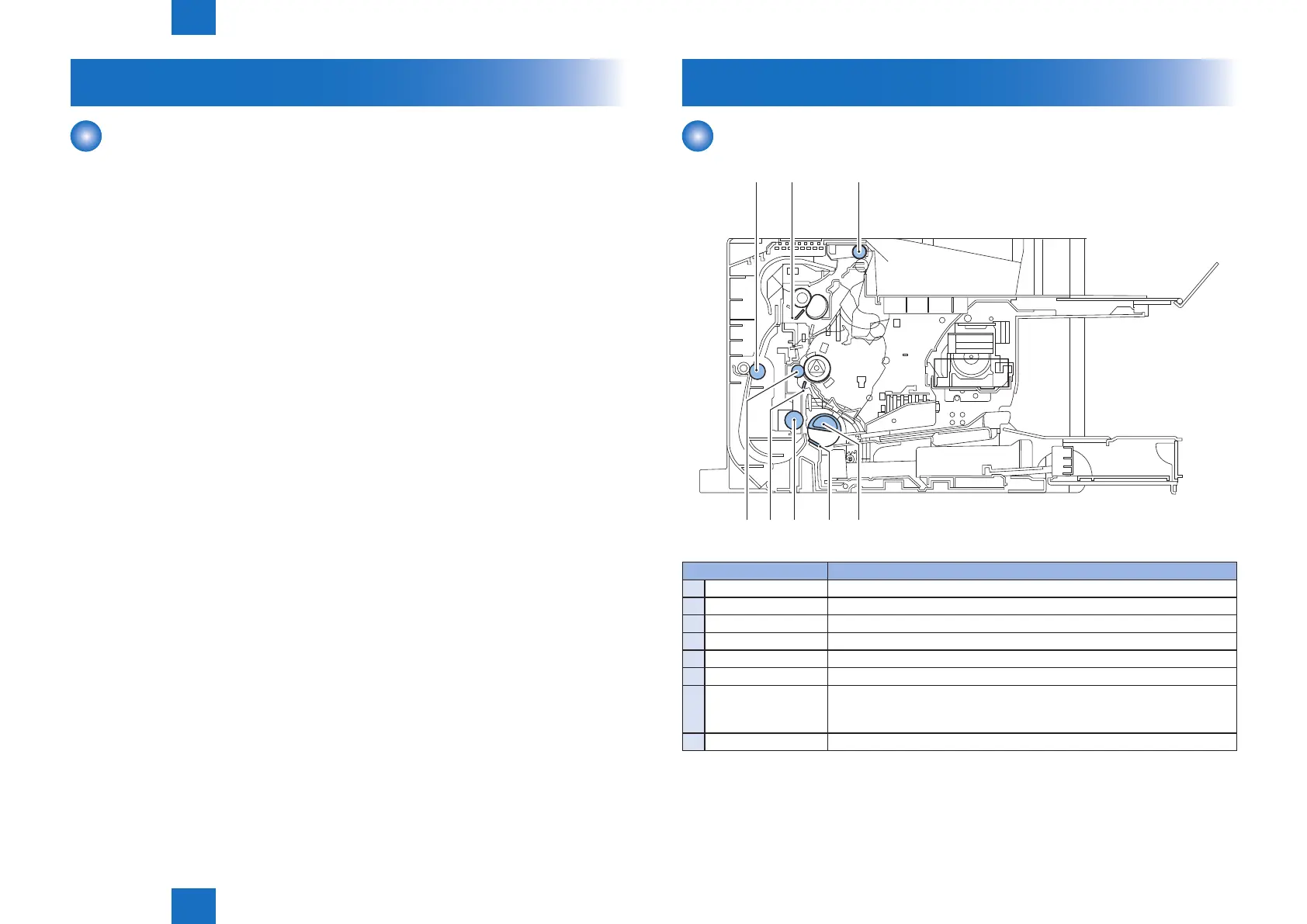
[1] [2] [3]
[4][5][6][7] [8]
Cleaning parts Procedure
1
Duplex Feed Roller Clean it with a dry lint-free paper.
2
Fixing inlet guide Clean it with a dry lint-free paper.
3
Delivery Roller Clean it with a dry lint-free paper.
4
Pickup Roller Clean it with a dry lint-free paper.
5
Separation Pad Clean the rubber part with a lint-free paper.
6
Feed Roller Clean it with a dry lint-free paper.
7
Transfer Roller Basically, do not touch it with your hands or clean it. When cleaning is
absolutely necessary, clean with a dry lint-free paper.
Take care not to touch the roller and let solvents or oils be removed.
8
Static eliminator Clean it with a dry lint-free paper.
F-3-1
T-3-1











 To Next Page