4
4
4-116
4-116
Disassembly/Assembly > Document Exposure/Feeder System > Removing the DADF Unit and Reader Unit (L418S/L410/L190) > Procedure
Disassembly/Assembly > Document Exposure/Feeder System > Removing the DADF Unit and Reader Unit (L418S/L410/L190) > Procedure
x2
[1]
[2]
[A]
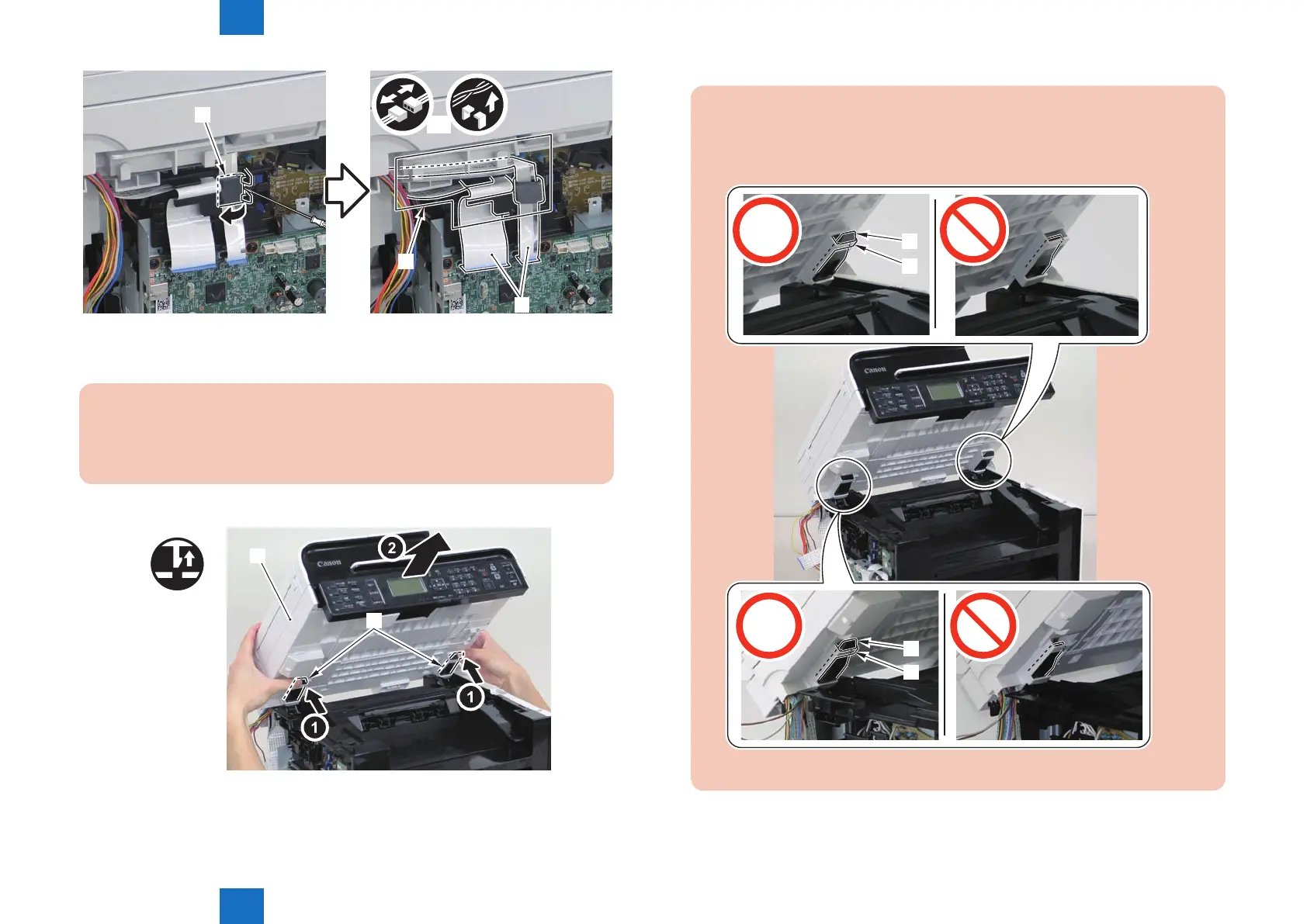
4)Remove the DADF unit and reader unit.
• 2 claws[2]
Caution:
When placing the removed copyboard cover and reader unit on the desk, oor,
etc.,be careful not to get the at cable and harnesses trapped under them.
x2
[1]
[2]
F-4-275
F-4-276
Caution:
When installing the DADF unit and reader unit, secure the 2 hinge arm claws[1] to
the 2 hooks[2] of the reader unit.
[2]
[1]
[2]
[1]










 To Next Page