4
4
4-228
4-228
Disassembly/Assembly > Controller System > Removing the Speaker (MF4780w/MF4770n/MF4750) > Procedure
Disassembly/Assembly > Controller System > Removing the Speaker (MF4780w/MF4770n/MF4750) > Procedure
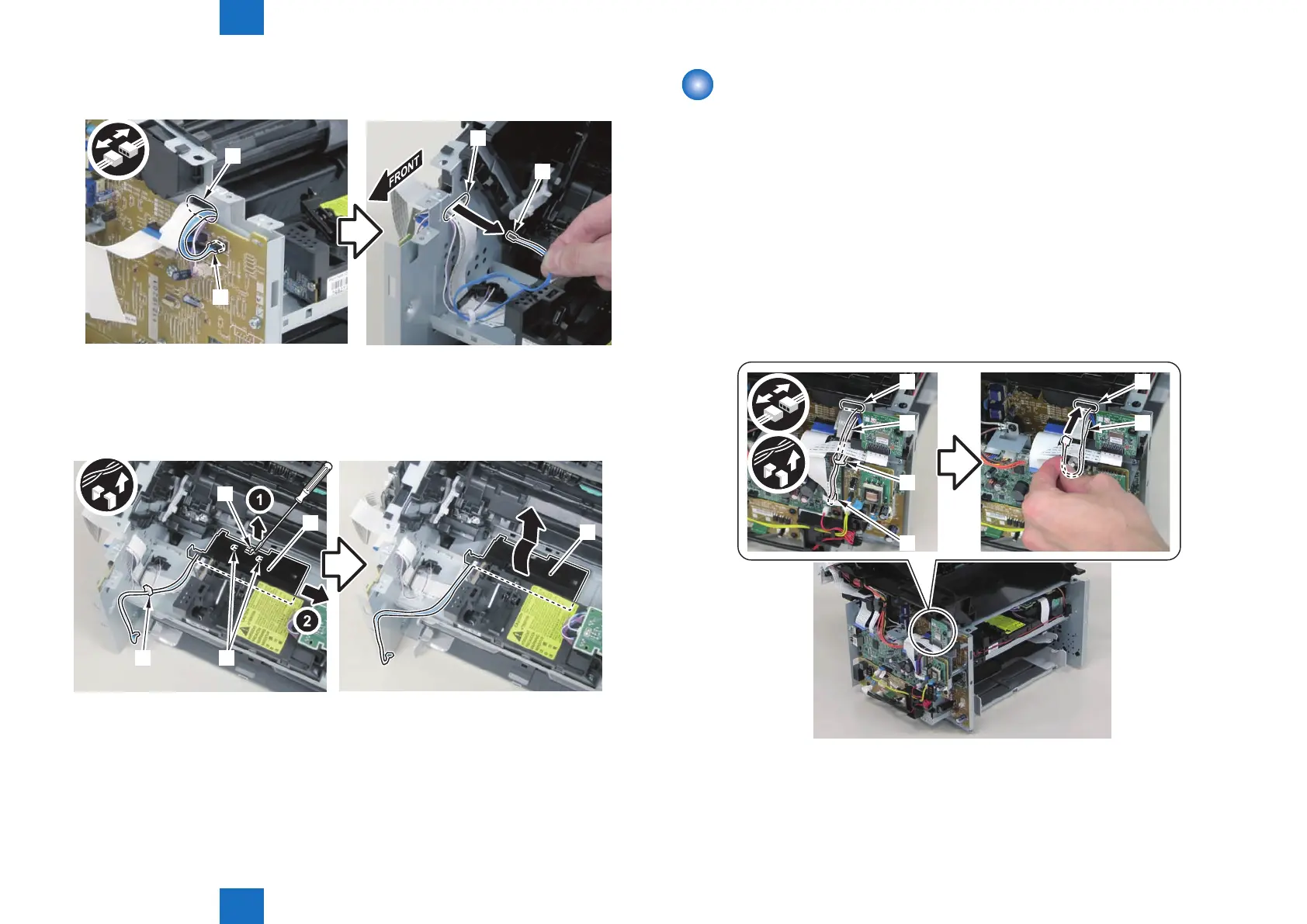
2)Disconnect the connector[1], and put it through the hole[A] of the left side plate to the
inside.
[A]
[A]
[1]
[1]
3)Remove the toner sensor and multi pickup sensor unit[1]
• 1 wire saddle[2]
• 1 claw[3]
• 2 hooks[4]
[3]
[1]
[1]
[2] [4]
F-4-600
F-4-601
Removing the Speaker (MF4780w/MF4770n/MF4750)
■
Preparation
1) Remove the left cover
2)Remove the right cover
3)Remove the front cover unit
■
Procedure
1)Disconnect the speaker harness[1], and put it through the hole[A] of the left side plate to the
inside.
• 1 connector[2]
• 1 wire saddle[3]
[1]
[2]
[3]
[A]
[1]
[A]
F-4-602










 To Next Page