4
4
4-245
4-245
Disassembly/Assembly > Controller System > Removing the Toner Sensor and Multi Pickup Sensor Unit (MF4720w/MF4712/MF4710) > Procedure
Disassembly/Assembly > Controller System > Removing the Toner Sensor and Multi Pickup Sensor Unit (MF4720w/MF4712/MF4710) > Procedure
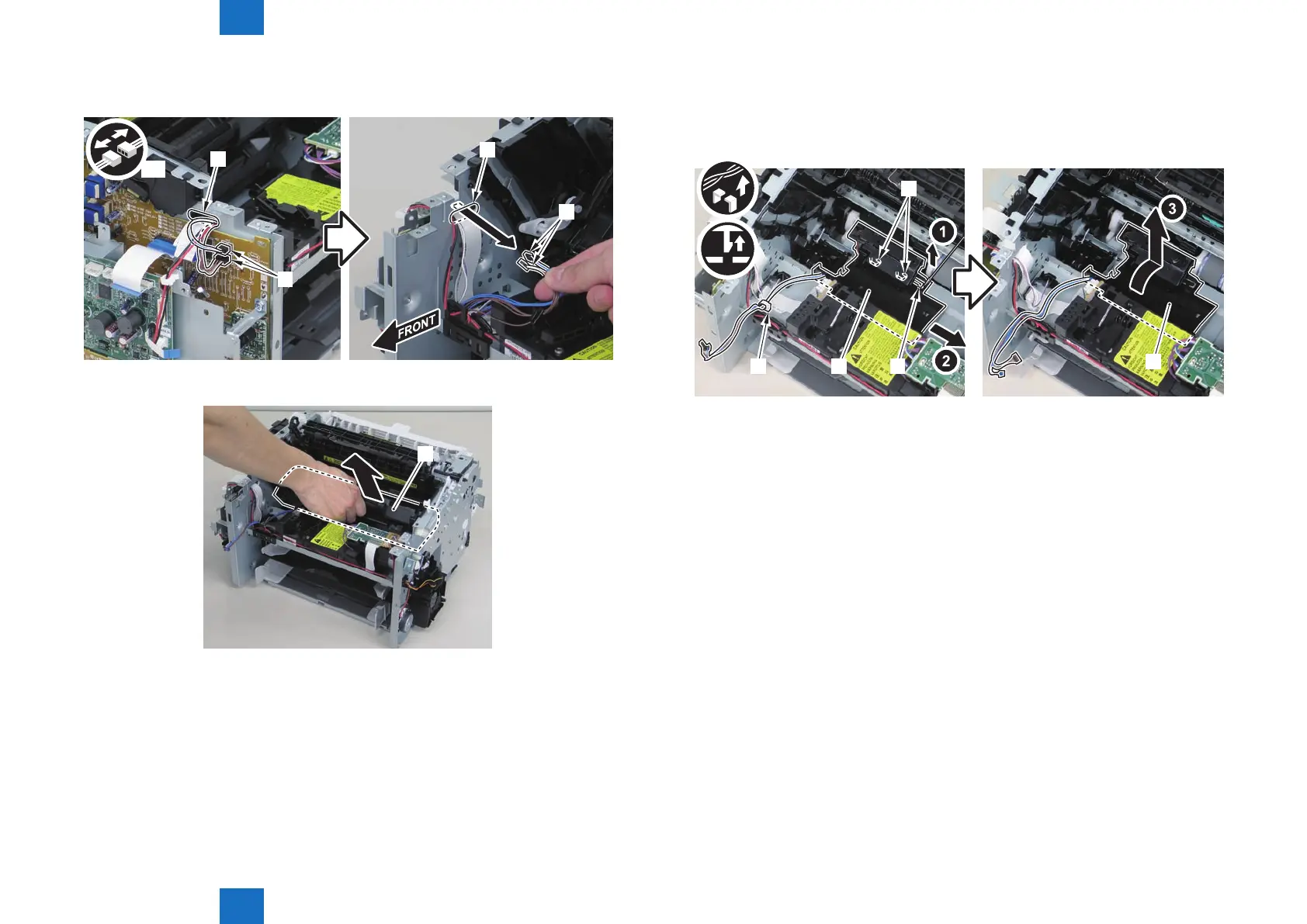
2)Disconnect the 2 connectors[1], and put it through the hole[A] of the left side plate to the
inside.
[A]
[A]
[1]
[1]
x2
3)Remove the drum unit[1].
[1]
F-4-653
F-4-654
4)Remove the toner sensor/multi pickup sensor unit.
• 1 wire saddle[2]
• 1 claw[3]
• 2 hooks[4]
[1]
[1]
[2]
[4]
[3]
F-4-655










 To Next Page