1
1
1-17
1-17
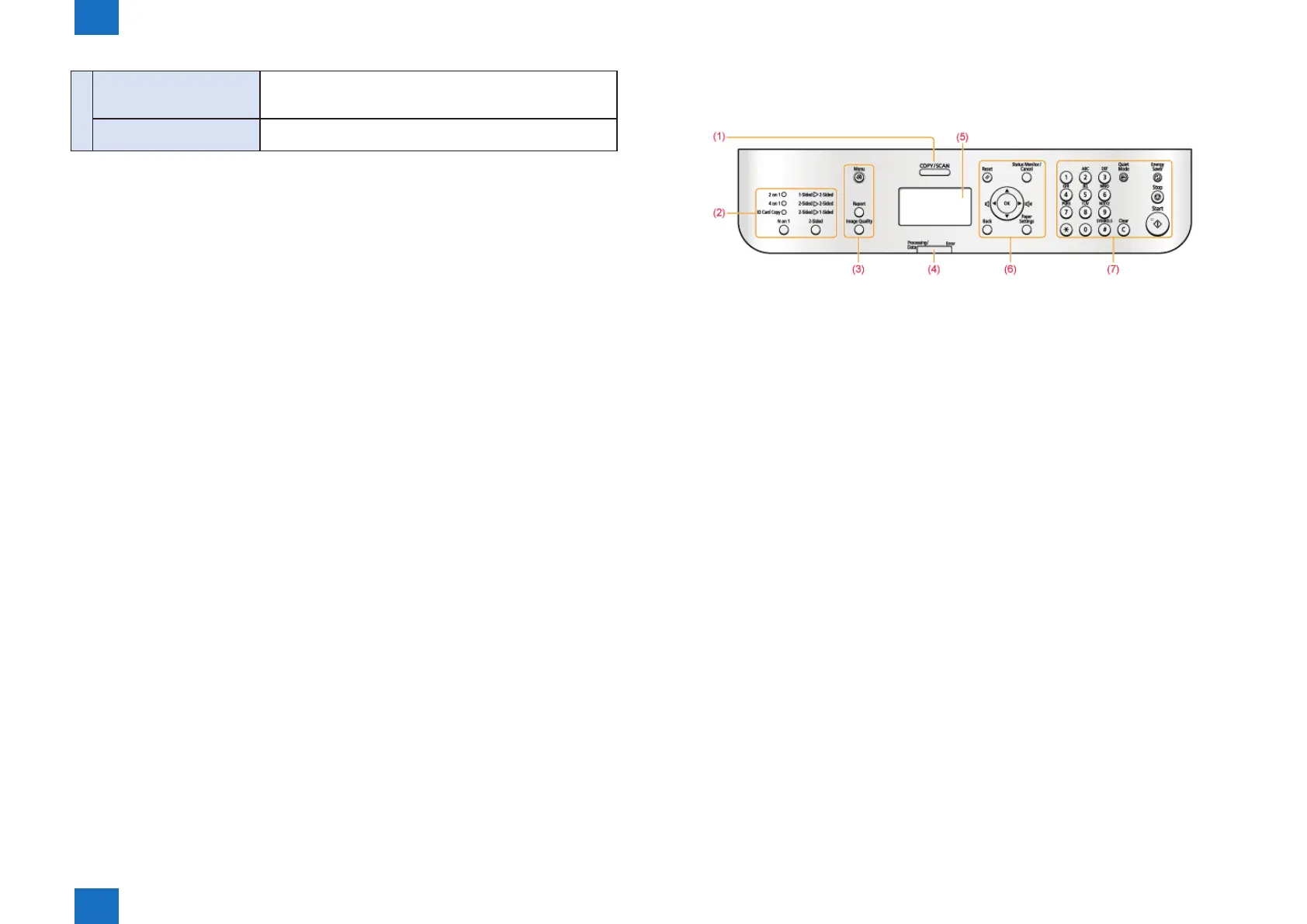
Product Overview > Name of Parts > Control Panel > D530
Product Overview > Name of Parts > Control Panel > D530
(8)
[Scan>PC1] key/
[Scan>PC2] key
Press to send the scanned documents to the registered
computer for each key.
"[Scan>PC1] key/[Scan>PC2] key"
[Paper Save Copy] key
Press to copy with a preset setting to save paper.
"[Paper Save Copy] key"
* The function may not be available depending on model.
T-1-11
■
D530
F-1-18










 To Next Page