Chapter 3
3-2
1. Moving the printer on the same floor with no difference in grade
Transportation procedure
1) Turn off the [Power] button, and check that the heads are capped and carriage is locked.
2) Remove the roll holder from the roll unit.
3) Remove the interface cable and power cord from the printer.
4) Unlock the casters on the stand.
5) Hold the printer carrying handle at the bottom, and then slowly move the printer.
- If the printer is subjected to strong vibrations when it is moved, it can cause ink leakage or damage to the printhead. Be sure to move the printer slowly and care-
fully.
- Do not incline the printer during transportation. The internal ink may leak and the surrounding area may be stained.
2. Moving the printer on floor where there is difference in grade, or transporting by truck or plane or ship or others, or transporting in low temperature
environment such as below freezing
Transportation procedure
1) Turn on the [Power] button on the printer.
2) Remove the roll holder from the roll unit.
3) Enter the Main menu, and then select "Set./Adj. Menu" > "Prep.MovePrinter". Follow the instructions in the messages, and remove all of the ink tanks.
Put the removed ink tanks in the plastic bag with the ink supply part upward and close the opening.
Item Description
[Prep. MovePrinter] on the Main menu This need not be performed.
Allowed tilting angle Do not tilt.
Ink consumption No ink is consumed.
Ink tank It may be installed or removed.
Separation of printer and stand They do not need to be separated.
Maintenance cartridge Install.
There is no need to open a new maintenance cartridge.
Replacement of consumable parts There is no need to replace consumable parts.
Service support No service support is necessary.
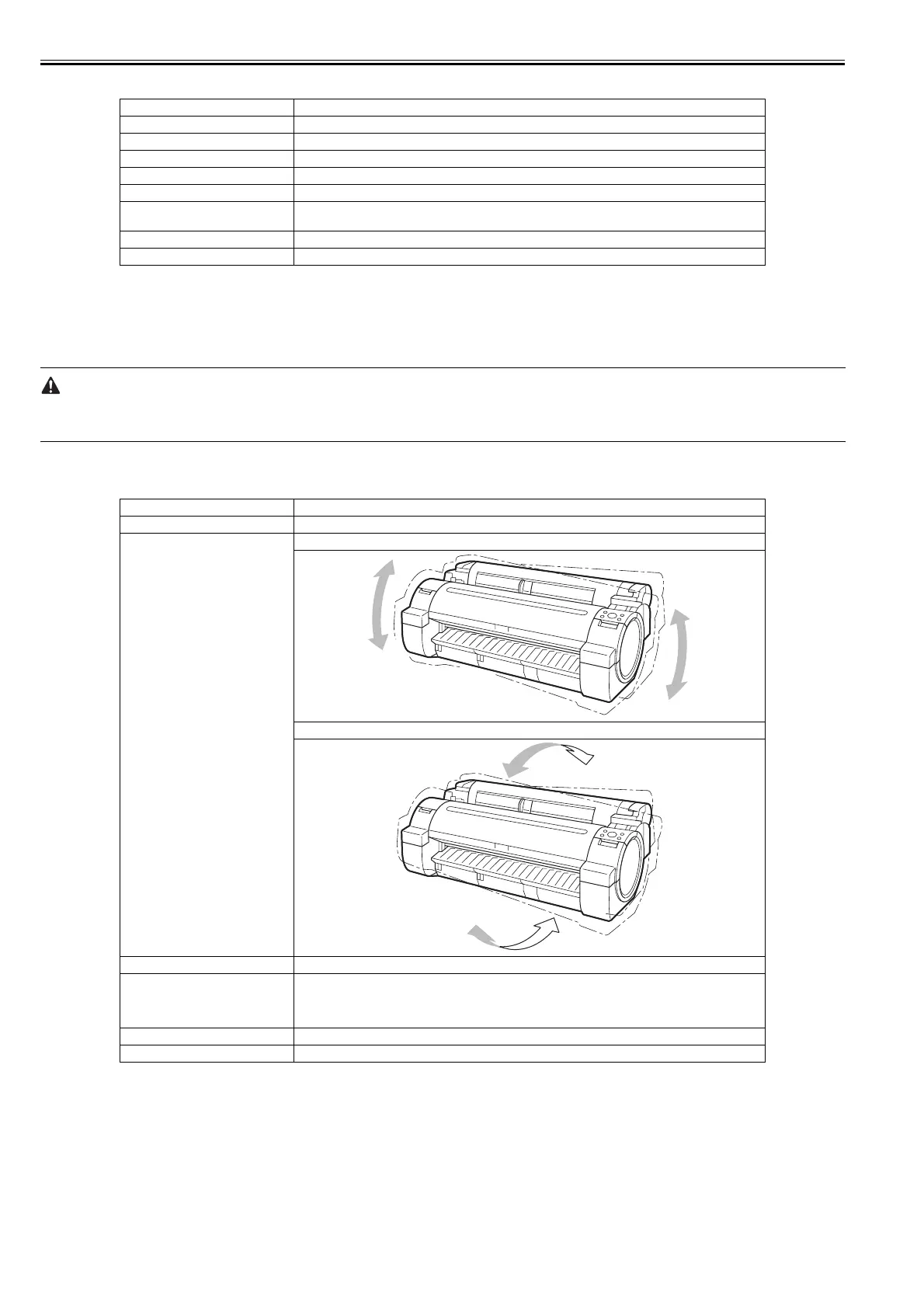
Item Description
[Prep. MovePrinter] on the Main menu Perform [Limited].
Allowed tilting angle Lengthwise: -30 to +30 degrees
Rotation: -30 to +30 degrees
Separation of printer and stand They do not need to be separated.
Maintenance cartridge Install.
There is no need to open a new maintenance cartridge.
However, if there is a message instructing to replace the maintenance cartridge or check the remaining ink,
replace with new maintenance cartridge before transporting.
Replacement of consumable parts There is no need to replace consumable parts.
Service support No service support is necessary.














 To Next Page