Chapter 4
4-55
4.4 Applying the Grease
4.4.1 Applying the Grease
0023-2642
Some parts require application of grease when replaced. Apply the grease(special tool) listed below.
Smear the grease lightly and evenly with a flat brush or the like.
For the printer disassembly/reassembly method, refer to "DISASSEMBLY/REASSEMBLY" and "parts catalog".
Do not apply the grease to locations in which not designated grease may cause poor print quality. Take particular care that grease do not get onto the wiper, cap,
carriage shaft and the linear scale.
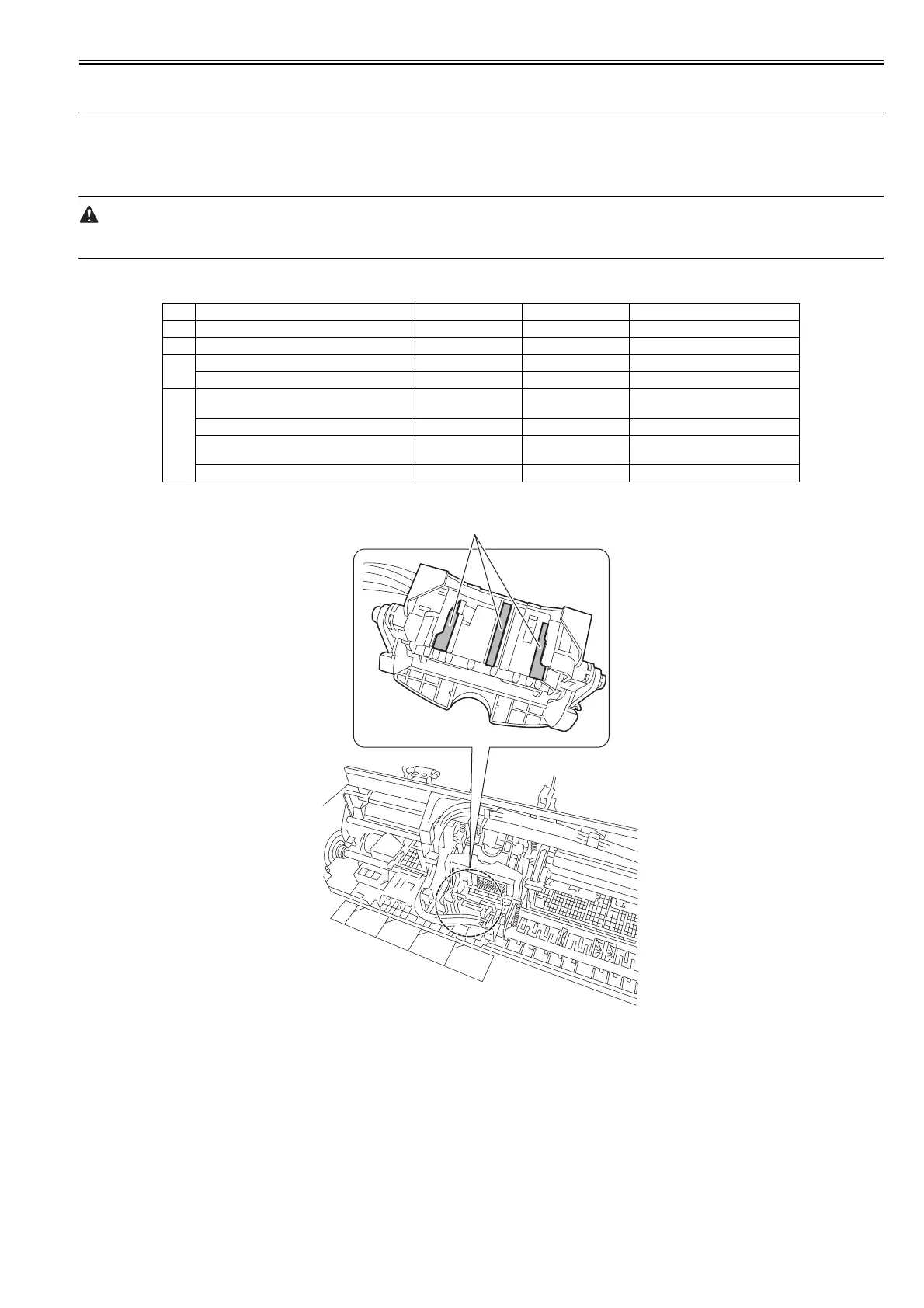
1. Joint Base Rib [1]
F-4-117
No. Location Grease Quantity Remarks
1 Joint Base Rib FLOIL G-5000H Approx. 8-20mg
2 Shaft Cleaner EU-1 Soaks enough.
3 Upper Cover Hinge Catch FLOIL G-5000H Approx. 8-20mg
Roll Cover Slide Guide FLOIL G-5000H Approx. 8-20mg
4 Contact between Pinch Roller Release Shaft and
Pinch Roller
FLOIL G-5000H Approx. 8-20mg
Pinch Roller Pressure Release Gear FLOIL G-5000H Approx. 8-20mg
Protrusion of Release Lever FLOIL G-5000H Approx. 8-20mg Be careful not to apply the grease to
the edge face of protrusions.
Bushing of Feed Roller FLOIL G-5000H Approx. 8-20mg
[1]














 To Next Page