Chapter 4
4-2
4.2 Disassembly/Reassembly
4.2.1 Disassembly/Reassembly
0016-9451
For the procedure for disassembly/reassembly of the components excluding the major components, refer to the parts catalog.
Illustrations in the parts catalog are assigned illustration numbers according to the order in which parts are disassembled.
4.3 Points to Note on Disassembly and Reassembly
4.3.1 Note: Items that should never be disassembled
0012-6514
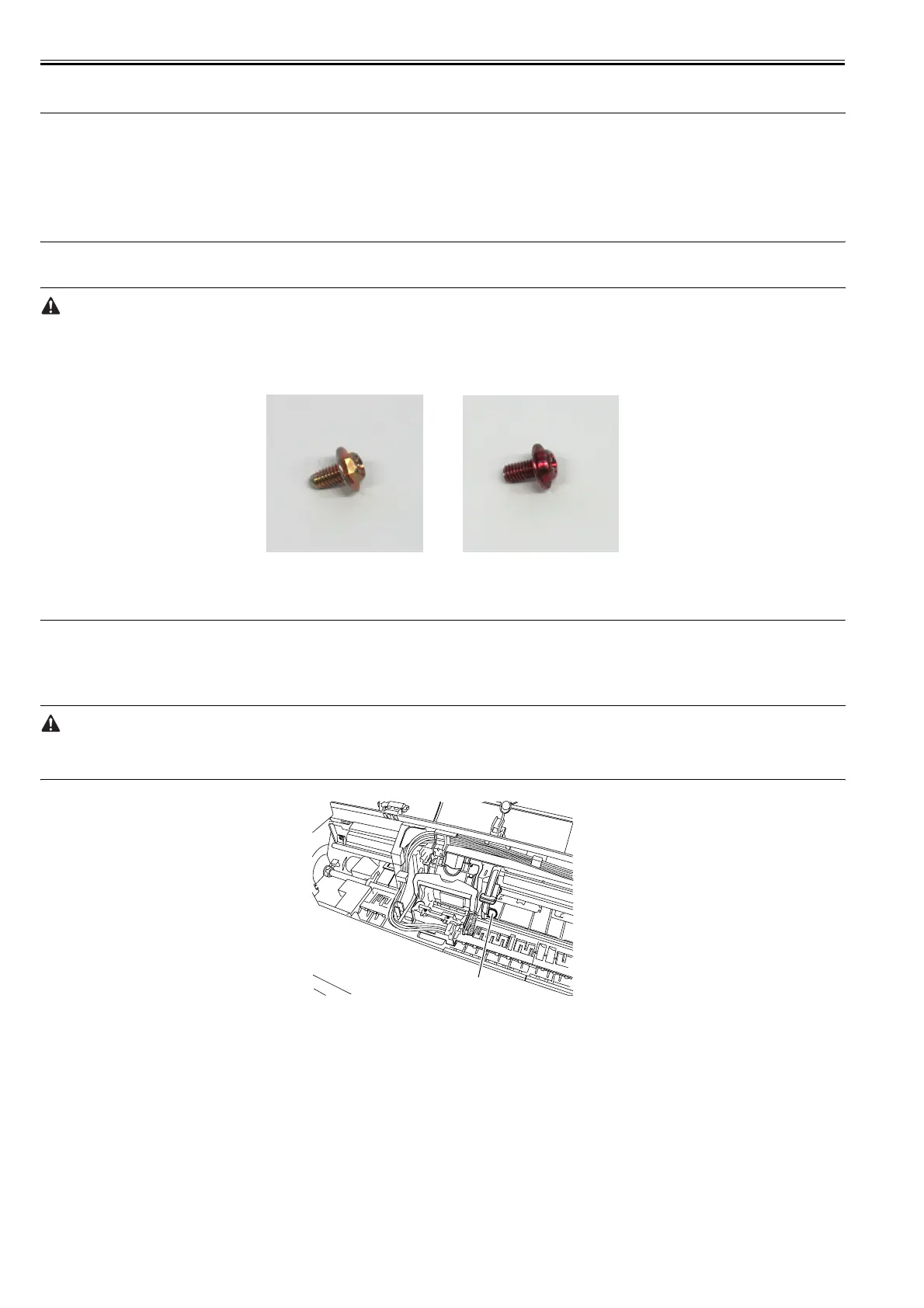
Assemblies that should never be removed after initial factory adjustments, are indicated by the presence of red screws.
Under no circumstance should these red screws be loosened or removed. Removing these screws will render the printer out of alignment forever.
F-4-2
4.3.2 Moving the carriage manually
0023-2637
Hold the handle [1] when moving the carriage.
Move the carriage as required during assembly and disassembly to prevent the carriage from contacting the parts to be removed.
You cannot move the carriage when capping has been performed. Refer to DISASSEMBLY/REASSEMBLY > Points to Notes on Disassembly and Reassembly
> Opening the caps and moving the wiper unit to remove the caps, and then move the carriage.
F-4-3
[1]














 To Next Page