Chapter 4
4-4
4.3.4 External Covers
0023-5281
a) Operation Panel
Removing the Operation Panel
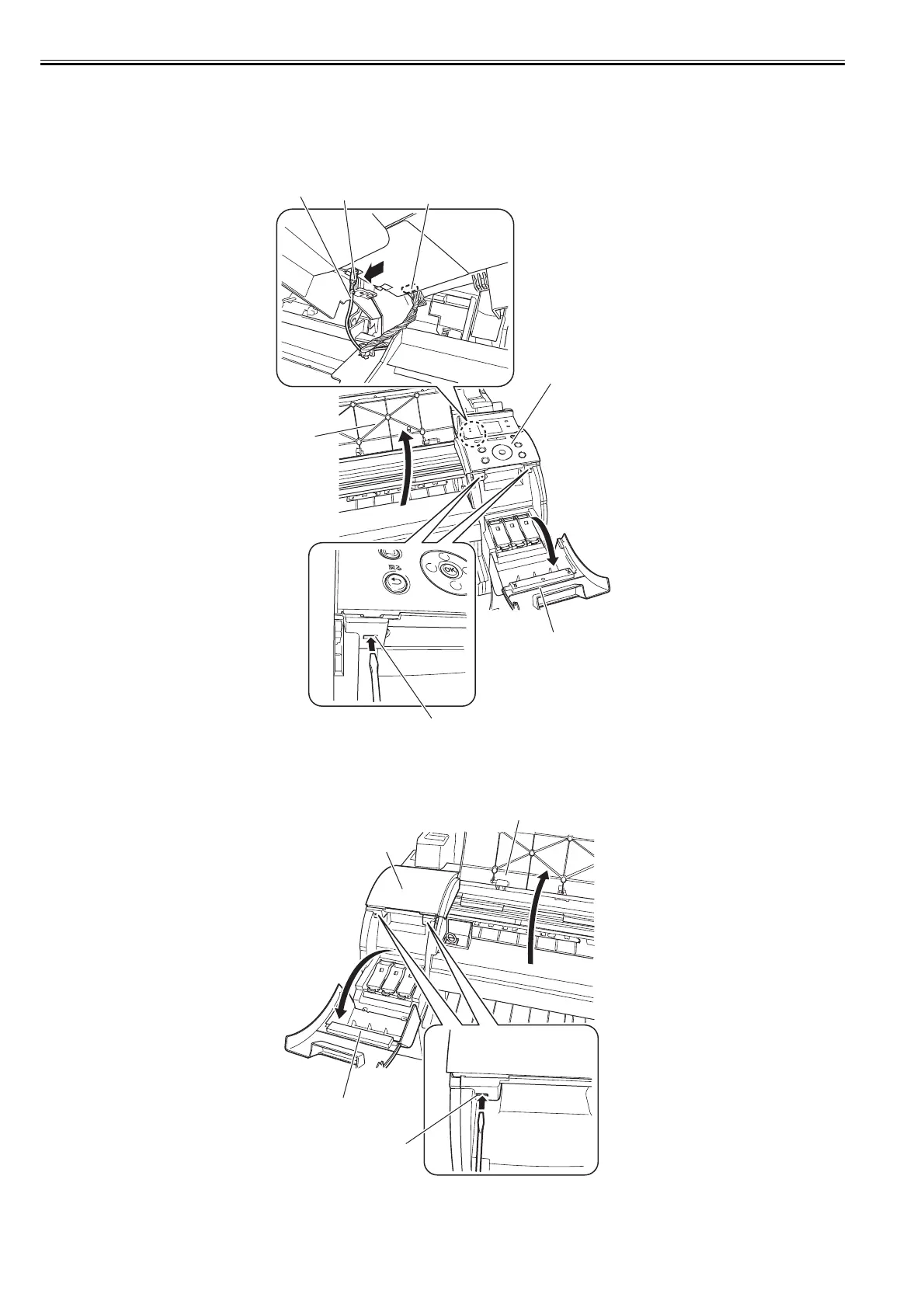
1) To remove the operation panel, open the upper cover [1] and right tank cover [2], and then release two hooks [3] using a flat head screwdriver.
2) Remove the cable from the cable guide, and then remove the ground wire [5] by pushing the hook [4] from the backside of the operation unit and disconnect the
connector [6], and then remove the operation panel [7].
F-4-4
b) Upper Left Cover
Removing the Upper Left Cover
1) To remove the upper left cover [4], open the upper cover [1] and left tank cover [2], and then release two hooks [3] by using a flat head screwdriver.
F-4-5
[7]
[1]
[3]
[2]
[5]
[6]
[4]
[3]
[4]
[2]
[1]














 To Next Page