Chapter 4
4-44
4.3.13 Linear Encoder
0023-3337
a) Linear Encoder
Removing the Linear Encoder Sensor
1) Remove the carriage unit.
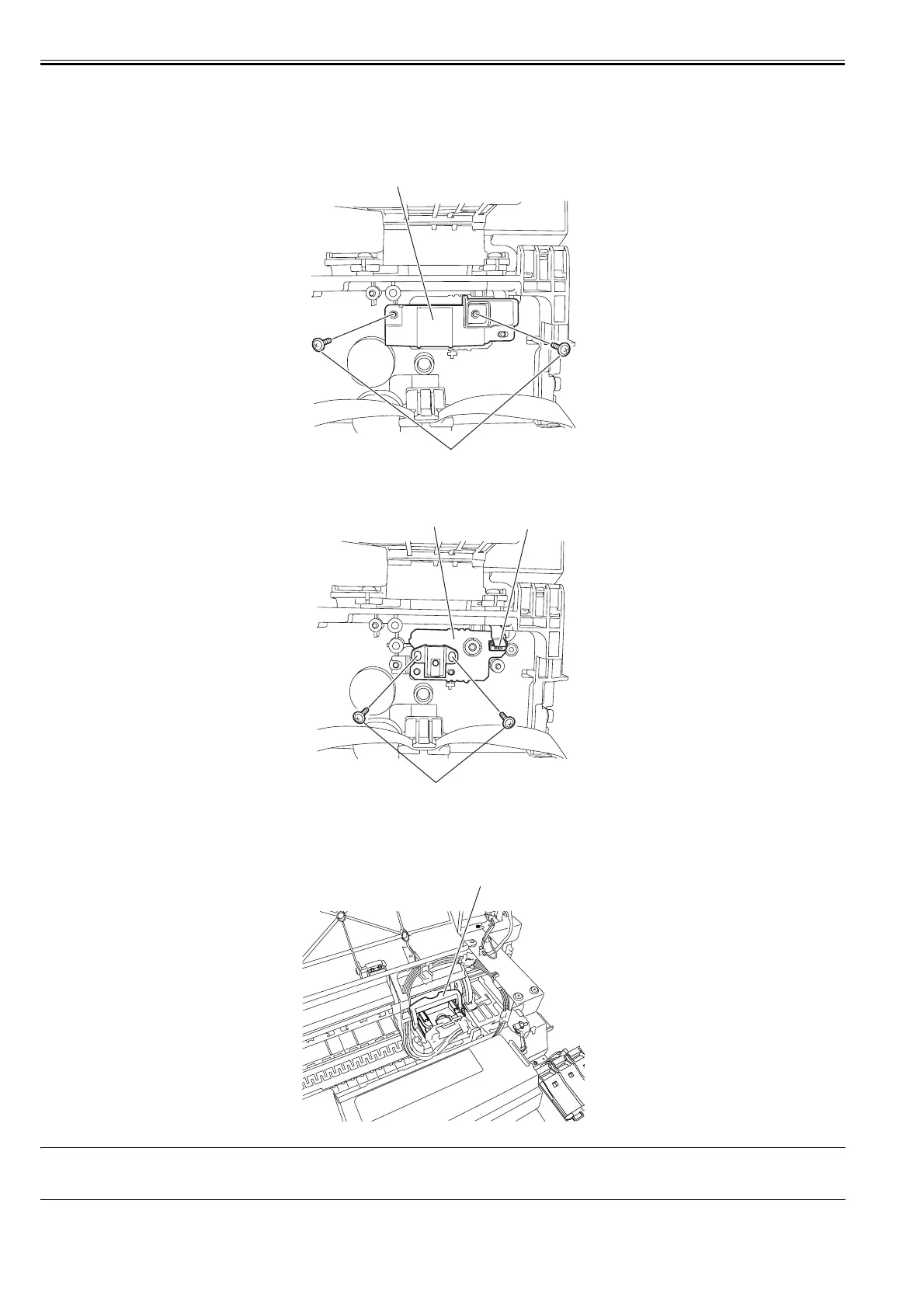
2) Remove two screws [1], and then remove the linear encoder sensor cover [2].
F-4-102
3) Remove two screws [1] and disconnect one connector [2], and then remove the linear encoder sensor [3].
F-4-103
Removing the Linear Scale
1) Unlock the carriage unit, and then move the carriage unit [1] on the platen. Refer to "Disassembly/Reassembly > Points to Note on Disassembly and Reassembly
> Opening the Cap/Moving the Wiper Unit".
F-4-104
MEMO:
When removing or installing the linear scale, move the carriage unit to the HP side on top of the platen to prevent the linear scale from touching the linear encoder
sensor.
[1]
[2]
[1]
[3]
[2]
[1]














 To Next Page