Chapter 1
1-19
1.5.8 Stand (ST-27)
0027-2235
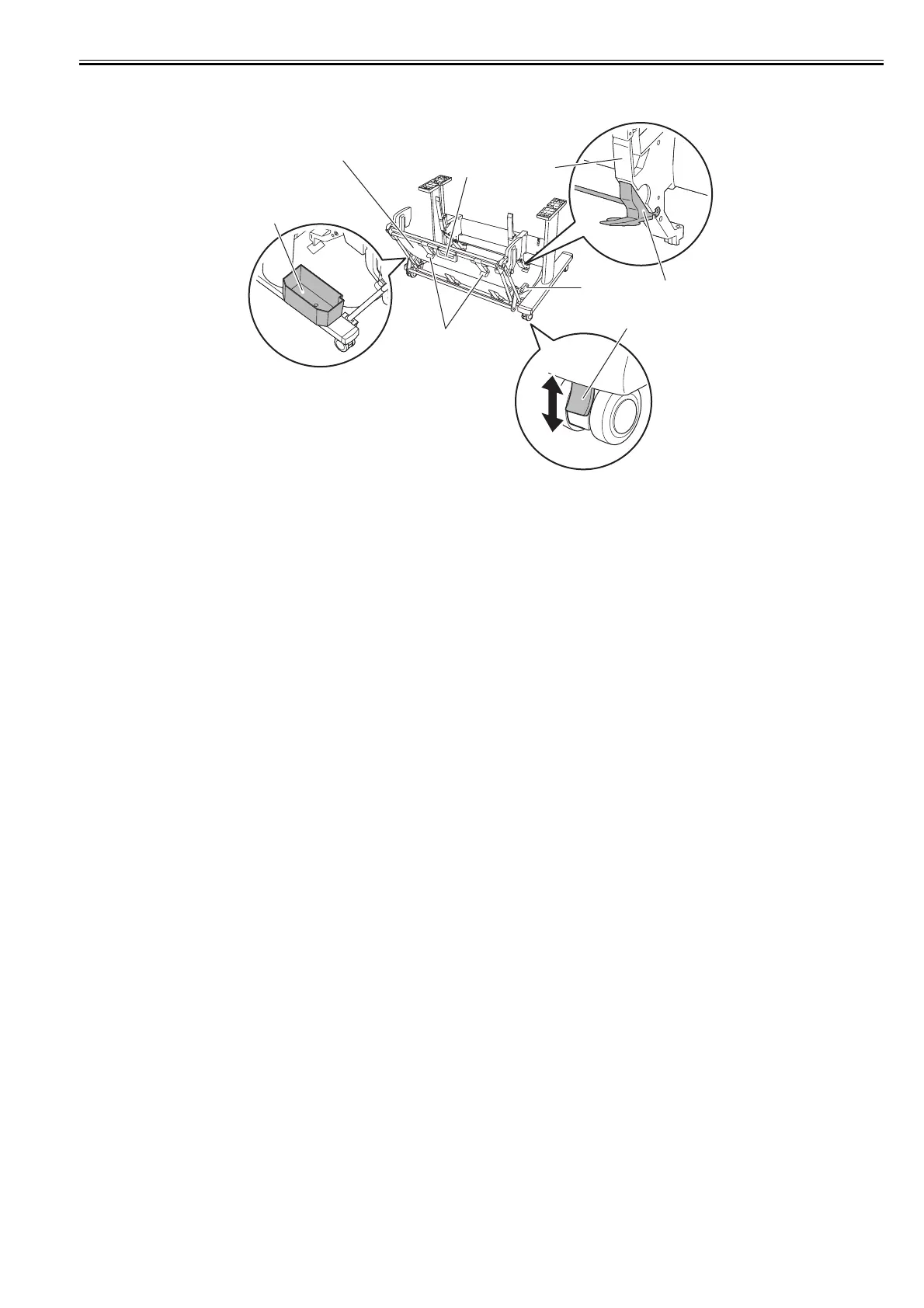
F-1-36
[1] Accessory pocket
Store the printer accessories.
[2] Output stacker
Ejected printouts are collected in this output stacker.
[3] Lockable caster
This caster can be locked.
When relocating the printer, be sure to unlock all four casters. Moving the printer with the casters locked can damage the floor.
[4] Switching stopper
Pull out depending on the paper size when using the output stacker in the extended position A.
[5] Paper guide
This guide is used to lead the ejected printout to the output stacker.
[6] Output stacker handle
This handle is grasped and supports the sliding output stacker when putting the output stacker into extended position B and returning it to the regular
position.
[7] Output stacker release lever
Pull this lever towards you to release extended position B.
[8] Output stacker ejection guide
This guide supports the paper that is output when using the output stacker in extended position B.
ON
OFF
[1]
[2]
[3]
[4]
[5]
[6]
[7]
[8]














 To Next Page