Chapter 4
4-24
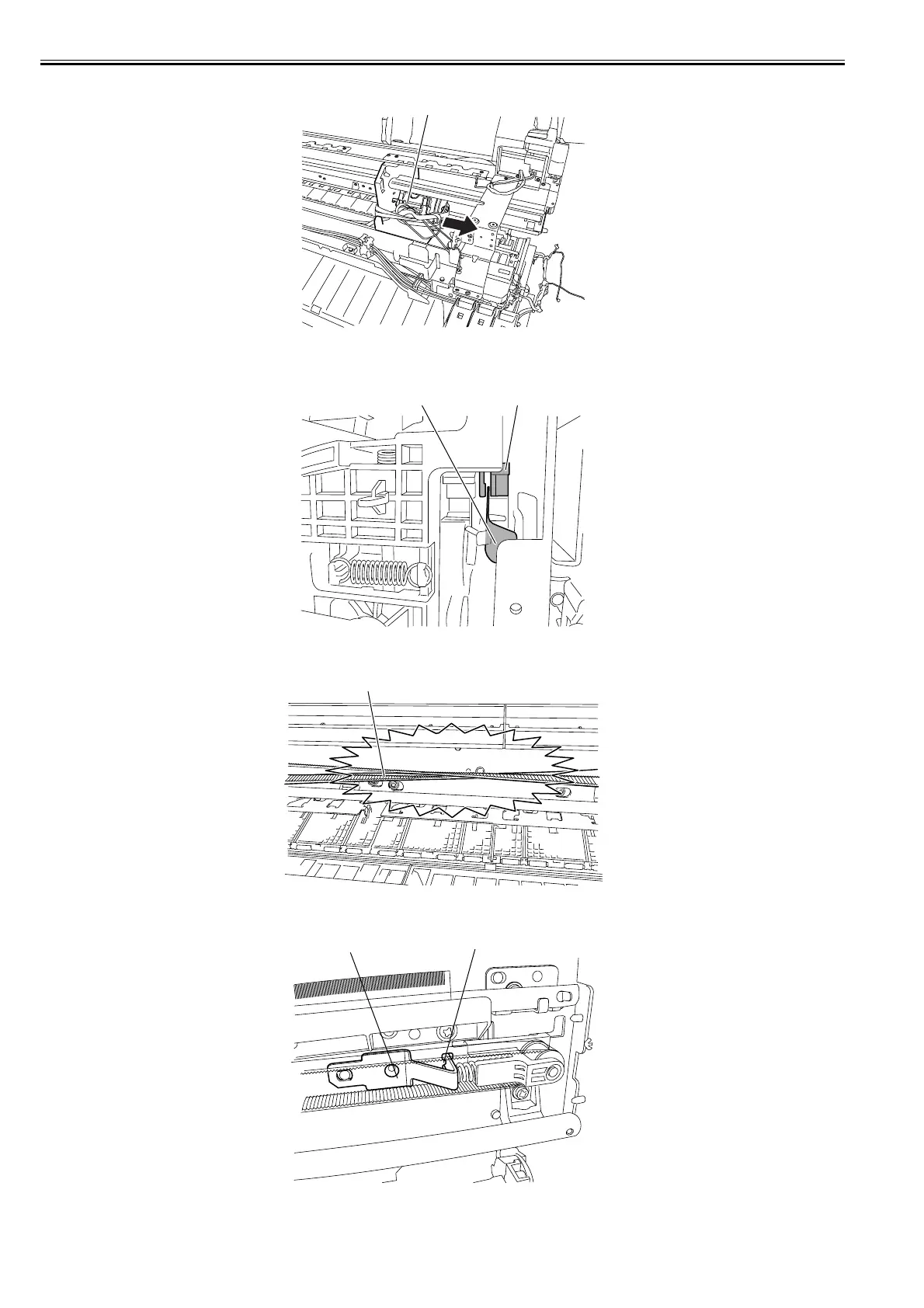
19) Remove the carriage unit [1] from the right side of the printer.
F-4-51
Precautions about Reinstallation of Carriage Unit
- Make sure that the linear scale [1] is in the detection zone of the linear encoder sensor [2].
F-4-52
- Reinstall the carriage belt [1] carefully so that it is not twisted. After reinstalling it, check whether the carriage moves on the platen smoothly.
F-4-53
- Reinstall the pulley retainer [1] in such a manner that it fits in the notch [2] on the side plate.
F-4-54
- The phase of the carriage height adjuster is automatically adjusted as the motor turns, requiring no on-site adjustment.
[1]
[2][1]
[1]
[1]
[2]














 To Next Page