Chapter 1
1-8
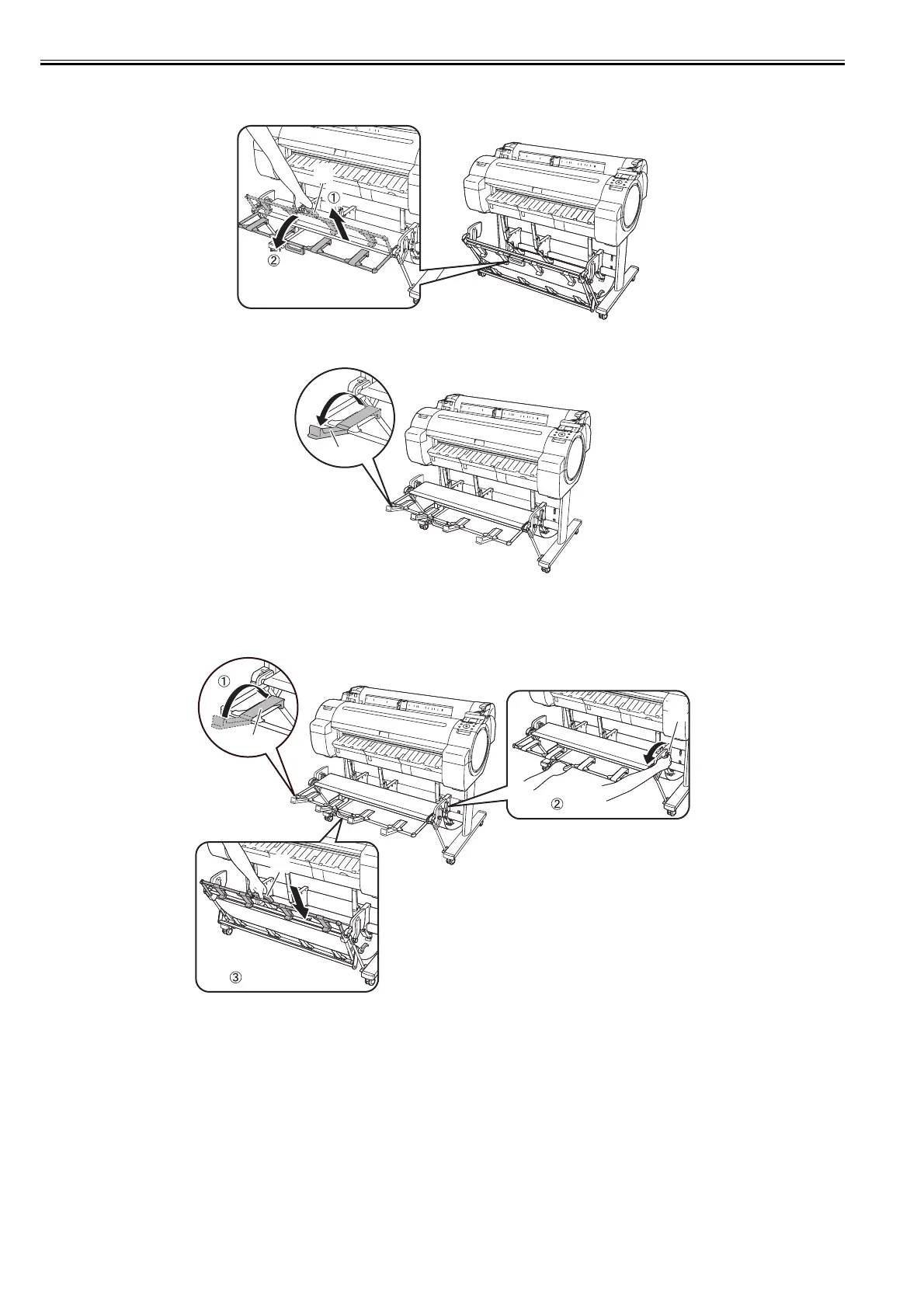
- Changing from the regular position to extended position B.
1) Grasp the output stacker handle [1] to set the guide as shown in the following illustration.
F-1-22
2) Open the output stacker ejection guides [1] toward the front.
F-1-23
- Changing from the extended position B to regular position.
1) Close the output stacker ejection guides [1] and pull the output stacker release lever [2] forward to release the lock, and then grasp the output stacker handle [3]
to return the guide.
F-1-24
[1]
[1]
[1]
[2]
[3]














 To Next Page