0HWJ-032
Using CA-issued Key Pairs and Digital Certificates
Key pairs and digital certificates can be obtained from a certification authority (CA) for use with the machine. After obtaining them from a
CA, you can install and register key pairs and CA certificate files on the machine by using the Remote UI. Make sure that the key pair
and the certificate satisfy the requirements of the machine (
Key and Certificate Operating Requirements). You can register up to
three key pairs and three CA certificates including the preinstalled ones.
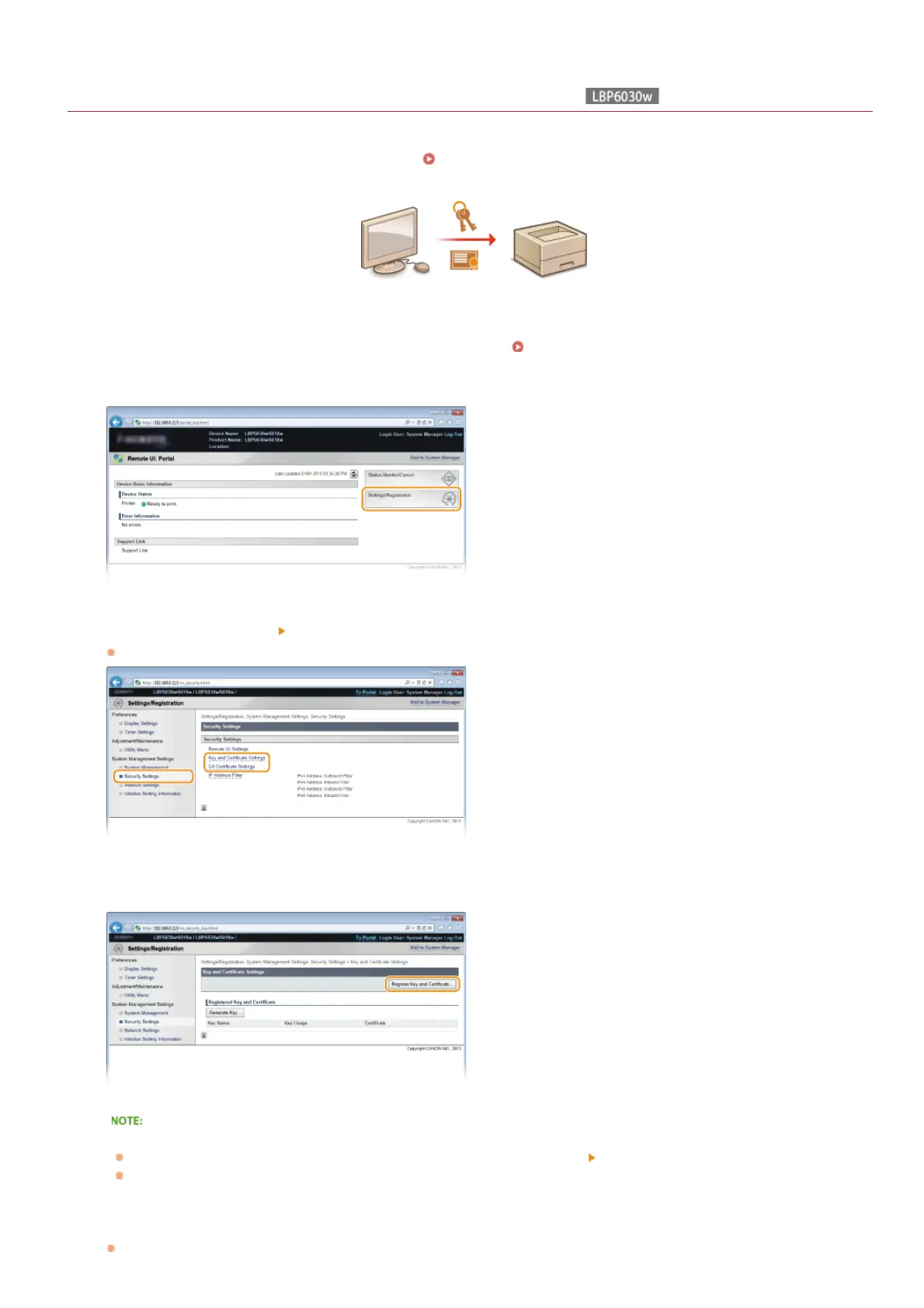
Start the Remote UI and log on in System Manager Mode. Starting the Remote UI
Click [Settings/Registration].
Click [Security Settings] Click [Key and Certificate Settings] or [CA Certificate Settings].
Click [Key and Certificate Settings] to install a key pair, or [CA Certificate Settings] to install a CA certificate.
Click [Register Key and Certificate] or [Register CA Certificate].
To delete a registered key pair or CA certificate
On the right of the key pair or CA certificate you want to delete, click [Delete]
[OK].
A key pair cannot be deleted when "SSL" is displayed under [Key Usage], indicating that the key pair is currently in use. In this
case, disable SSL or replace the key pair with another. You will then be able to delete it.
Click [Install].
1
2
3
4
5
㻝㻝㻢㻌㻛㻌㻞㻝㻥












 To Next Page