0HWJ-042
Using Up All of the Toner
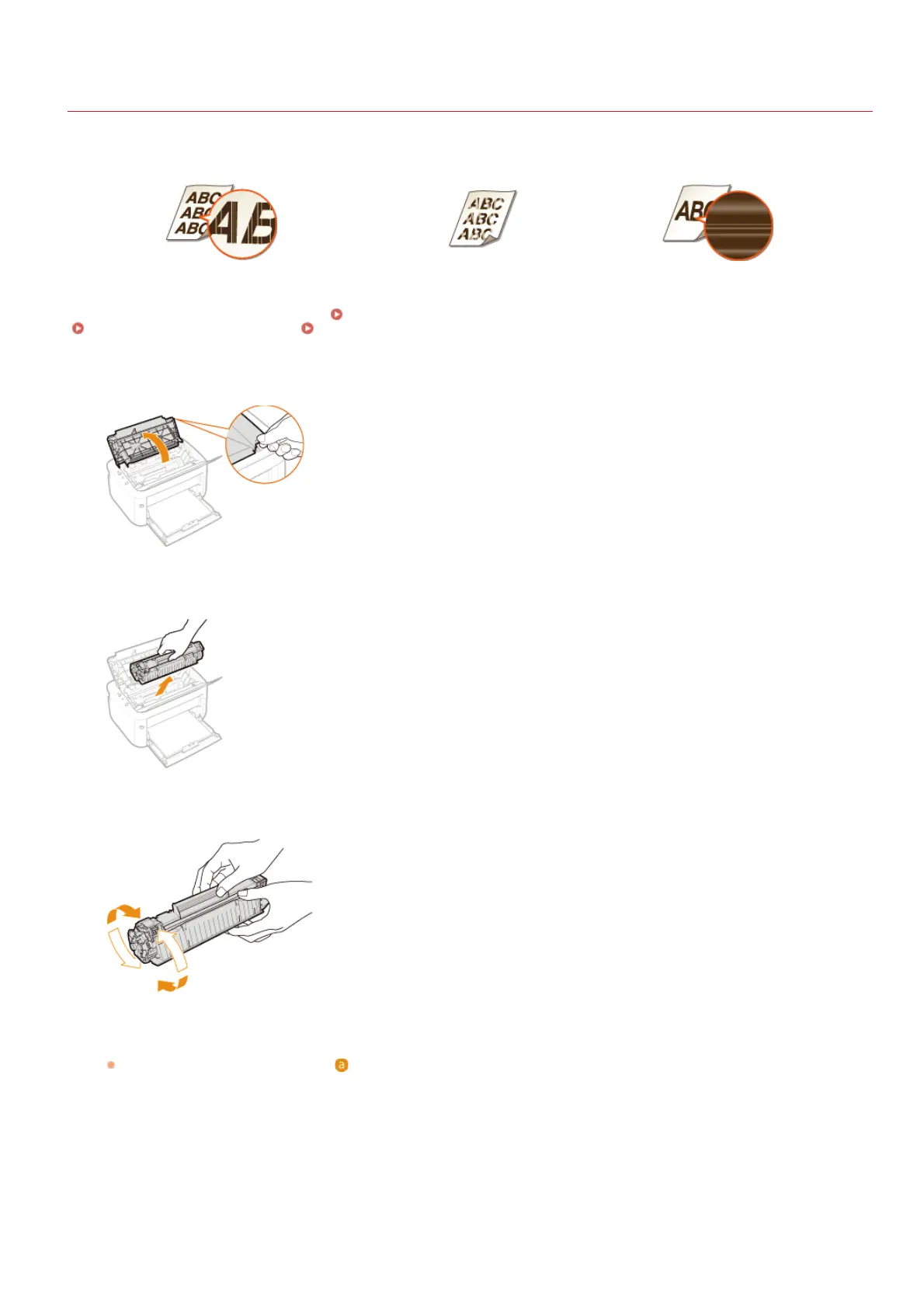
Printout symptoms like the following appear when toner begins to run low.
White streaks appear Faded Uneven density
When symptoms like these appear, take the following steps. They will allow you to use up all of the toner in the toner cartridge. You will
be able to continue printing for a while longer, until the toner runs out completely. If the symptoms do not improve after you take the
following steps, replace the toner cartridge (
How to Replace Toner Cartridges). Before starting, read the safety instructions in
Maintenance and Inspections and Consumables.
Open the top cover.
Remove the toner cartridge.
Shake the toner cartridge 5 or 6 times as shown below to evenly distribute the toner inside the cartridge.
Replace the toner cartridge.
Align with the toner cartridge guide ( ), and push firmly all the way in.
1
2
3
4
㻝㻢㻣㻌㻛㻌㻞㻝㻥










 To Next Page