0HWJ-012
Loading Envelopes
Make sure to flatten any curls on envelopes before loading them. Also pay attention to the orientation of envelopes and which side is
face up.
Before Loading Envelopes
Loading Envelopes in the Multi-Purpose Tray
This section explains how to load envelopes in the orientation you want, as well as preparations that you need to complete before
loading envelopes. For a complete description of the procedure for loading envelopes in the multi-purpose tray, see
Loading
Paper in the Multi-Purpose Tray.
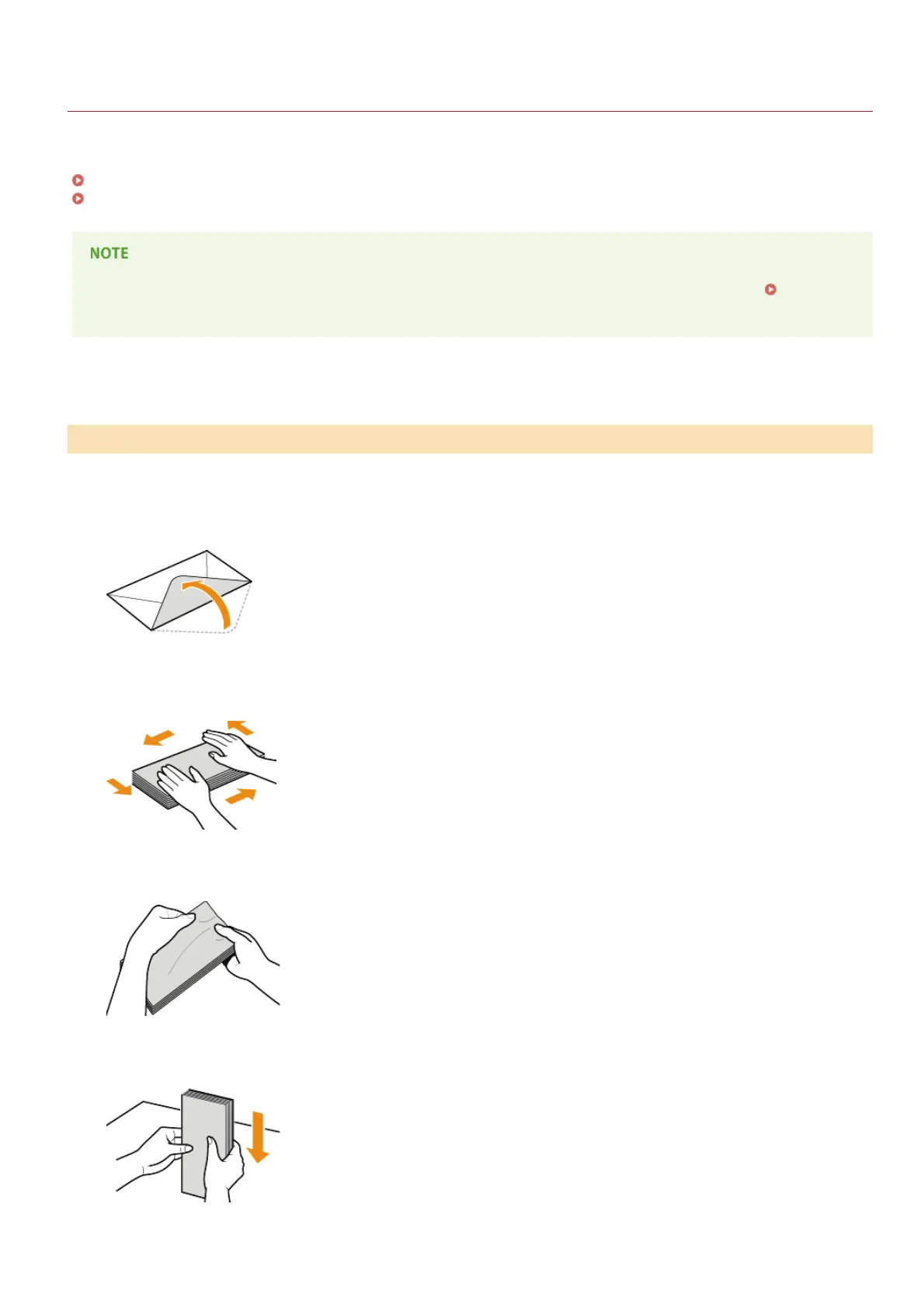
Follow the procedure below to prepare the envelopes before loading.
Close the flap of each envelope.
Press down to expel air from the envelopes and make sure that the folds on all four sides are sharp and that
the stack is flat.
Remove curls by flexing the stiff sections at the four corners.
Tap the stack on a flat surface to even the edges of the envelopes.
Before Loading Envelopes
1
2
3
4
㻟㻝㻌㻛㻌㻞㻝㻥










 To Next Page