0HWJ-04S
Uninstalling the e-Manual
You can remove the e-Manual from the computer to restore the computer to the same state it was in before the e-Manual was installed.
Insert the User Software CD-ROM/DVD-ROM into the drive on the computer.
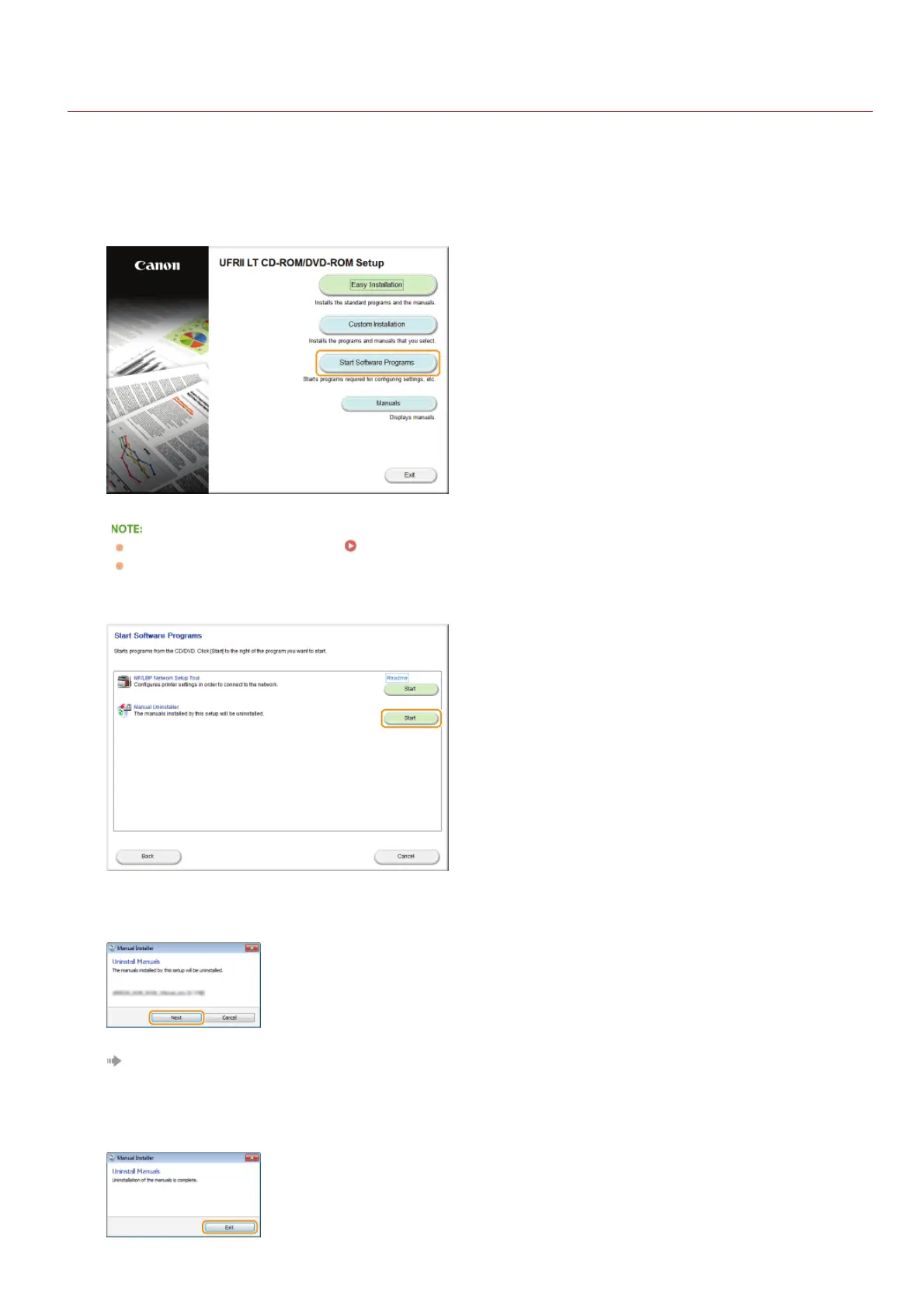
Click [Start Software Programs].
If the above screen does not appear Displaying the [CD-ROM/DVD-ROM Setup] Screen
If [AutoPlay] is displayed, click [Run MInst.exe].
Click [Start] for [Manual Uninstaller].
Click [Next].
The uninstall begins.
Click [Exit].
1
2
3
4
5
㻞㻜㻜㻌㻛㻌㻞㻝㻥




 To Next Page