0HWJ-049
Initializing Key and Certificate Settings
You can restore the settings of key pairs (Key and certificate settings) and CA certificates to the factory default settings. Note that any
key pairs that you have registered in the machine and any CA certificates (except the preinstalled CA certificates) will be deleted by the
initialization.
If you perform this initialization, SSL encrypted communication requiring a key pair will not be possible. To use SSL encrypted
communication, set another key pair and enable the function again.
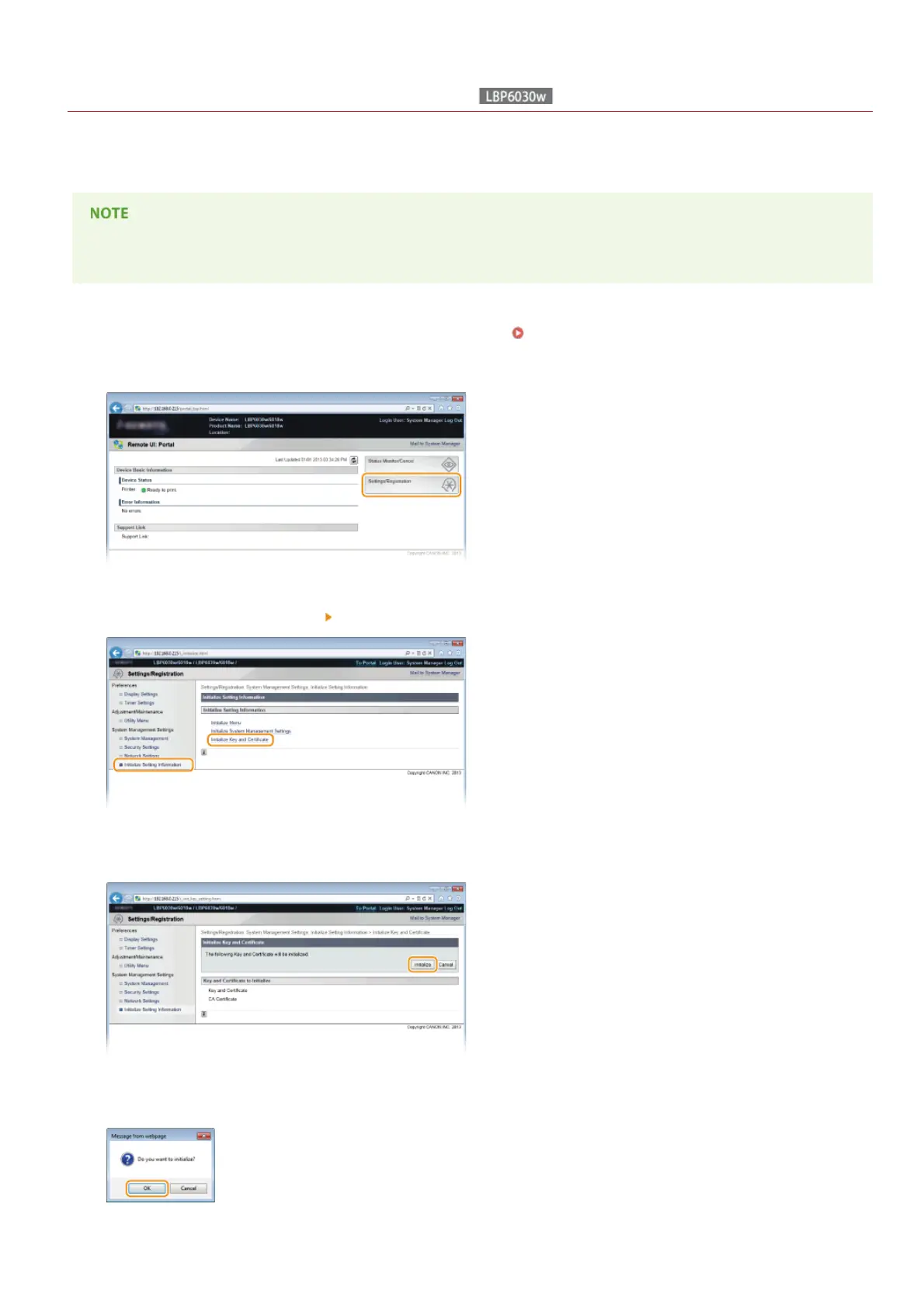
Start the Remote UI and log on in System Manager Mode. Starting the Remote UI
Click [Settings/Registration].
[Initialize Setting Information] [Initialize Key and Certificate].
Click [Initialize].
Click [OK].
1
2
3
4
5
㻝㻣㻤㻌㻛㻌㻞㻝㻥










 To Next Page