0HWJ-013
Loading Preprinted Paper
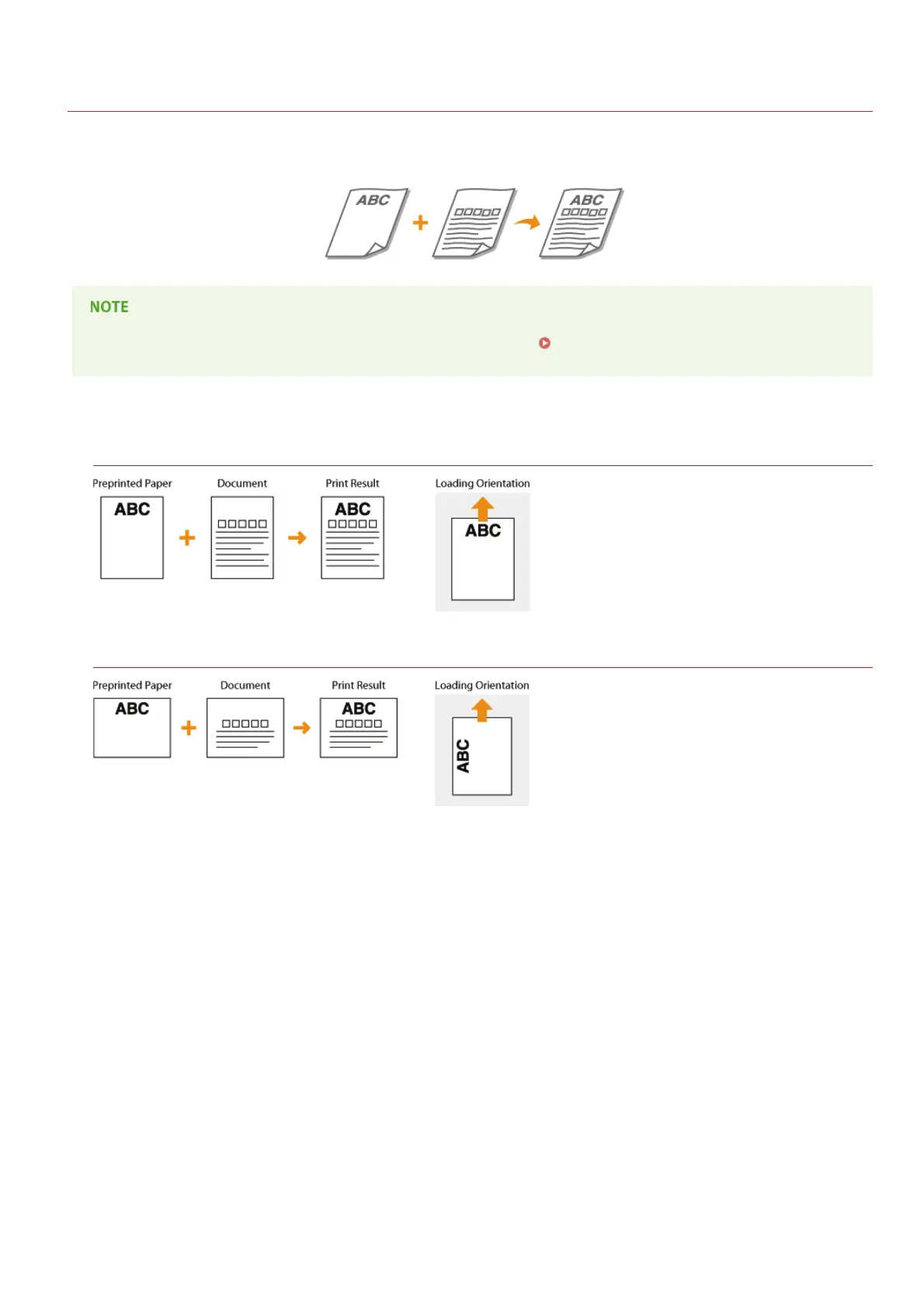
When you use paper that has been preprinted with a logo or other information, pay attention to the orientation of the paper when
loading. Load the paper with the logo side (the side on which to print the document) face up and in the proper orientation for the layout
of the document.
This section explains how to load preprinted paper with the proper orientation and the right side face up. For a complete
description of the procedure for loading paper in the multi-purpose tray, see
Loading Paper in the Multi-Purpose Tray.
Printing Paper with a Logo in Portrait Orientation
Printing Paper with a Logo in Landscape Orientation
㻟㻟㻌㻛㻌㻞㻝㻥












 To Next Page