0HWJ-017
Canceling Print Jobs
You can cancel print jobs from the Printer Status Window.
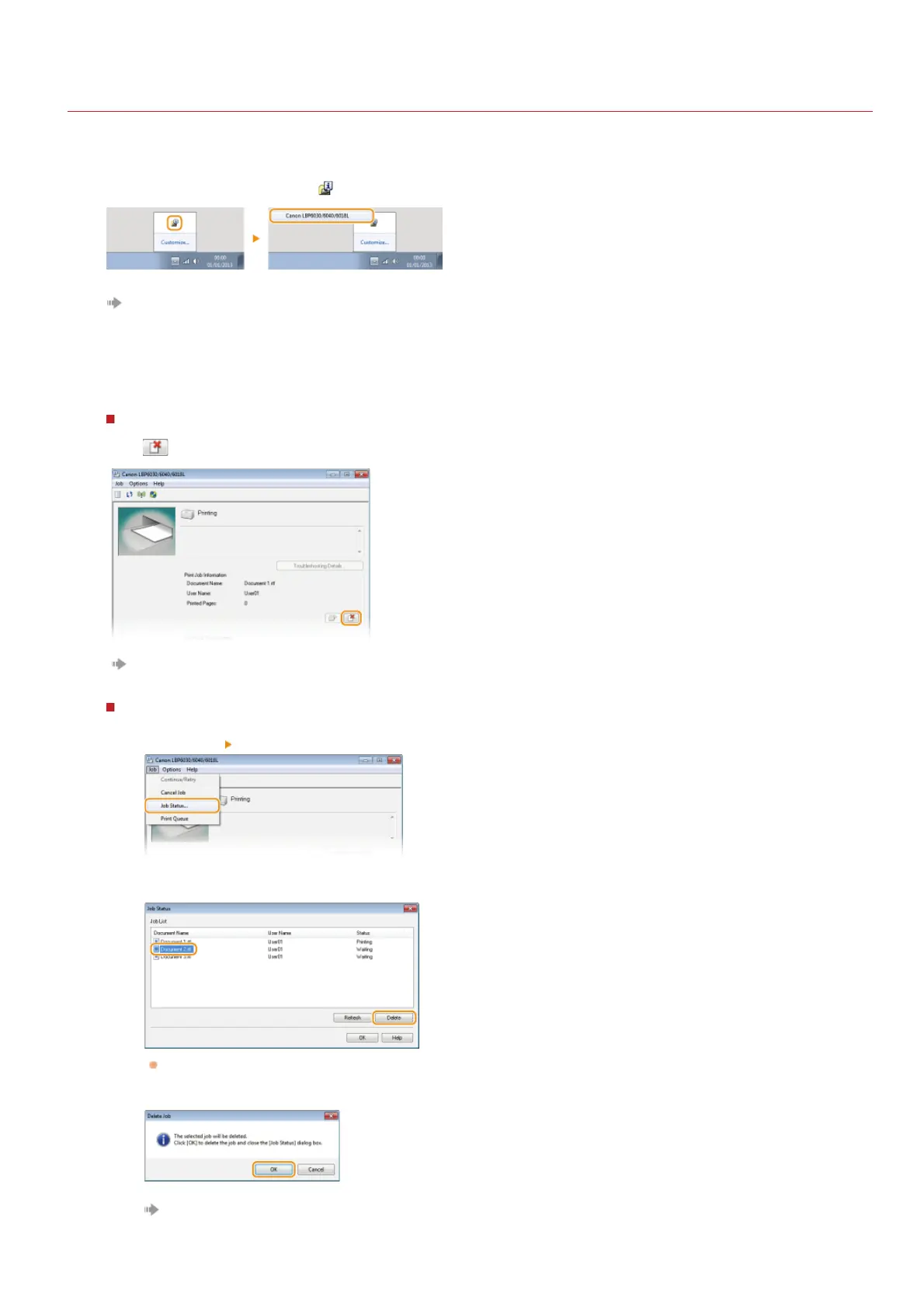
Select the machine by clicking in the system tray.
The Printer Status Window is displayed.
Cancel the print job.
To cancel a print job that is currently printing
Click .
Printing of the current document is canceled.
To cancel a print job that is waiting
1
Select [Job] [Job Status].
2
Select the document that you want to cancel, and click [Delete].
This screen displays up to five documents.
3
Click [OK].
Printing of the selected document is canceled.
1
2
㻟㻣㻌㻛㻌㻞㻝㻥












 To Next Page