0HWJ-04U
Screen Layout of the e-Manual
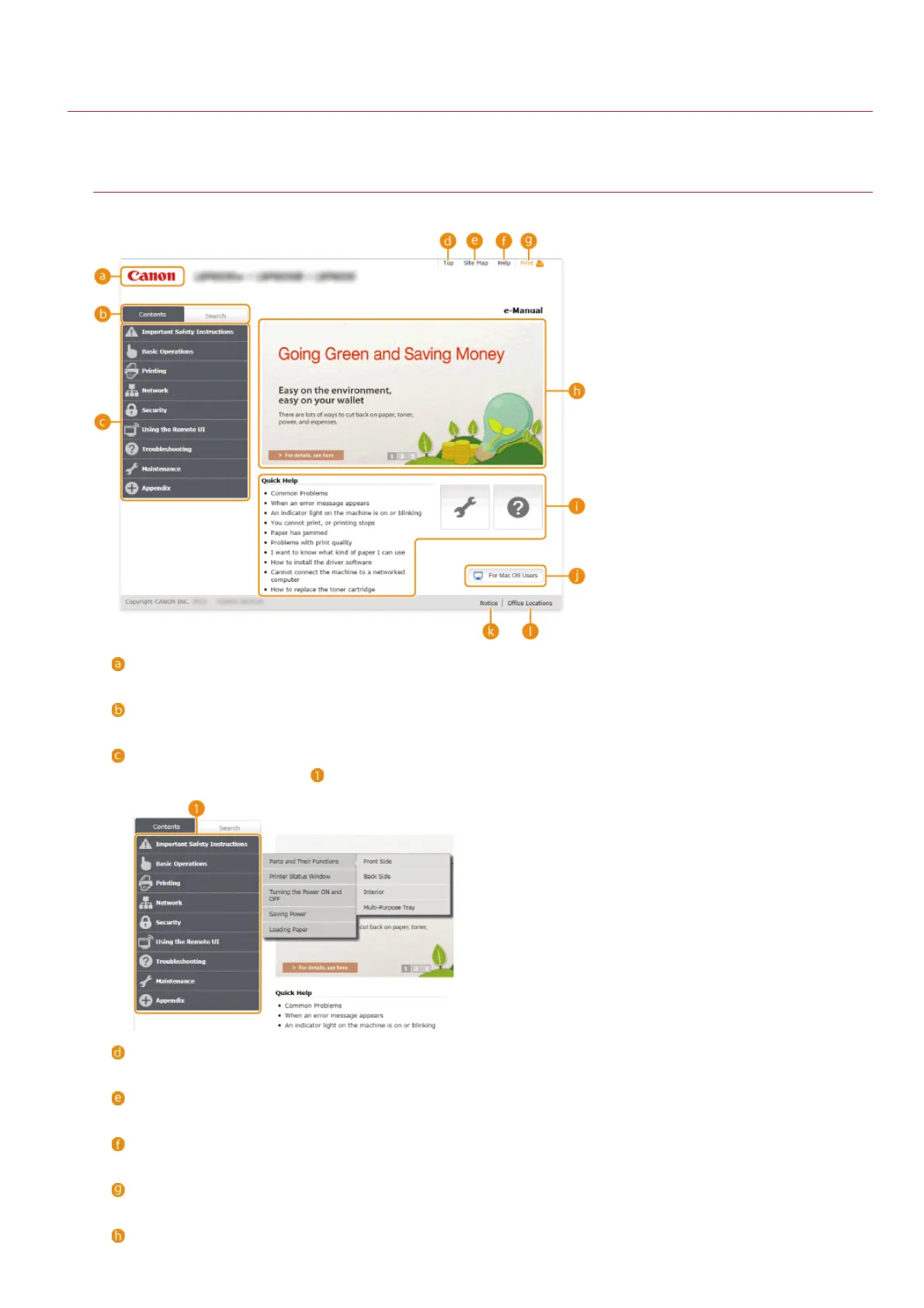
The e-Manual is divided into different screens, and the content of each screen varies.
Top Page
This page appears when the e-Manual is started.
Canon
Click to return to the top page from any other page.
[Contents] tab/[Search] tab
Click to toggle the display between the [Contents] tab and [Search] tab.
Contents
Displays the titles of chapters (
). Place the mouse pointer over one of the titles to display the topics in that chapter on the
right. Click a topic to display its page.
[Top]
Click to return to the top page from any other page.
[Site Map]
Click to display the titles of all e-Manual topics.
[Help]
Click to display information on how to view the e-Manual, how to perform a search, and other information.
[Print]
Click to print the currently displayed topic page.
Feature Highlights
㻞㻜㻞㻌㻛㻌㻞㻝㻥










 To Next Page