0HWJ-00K
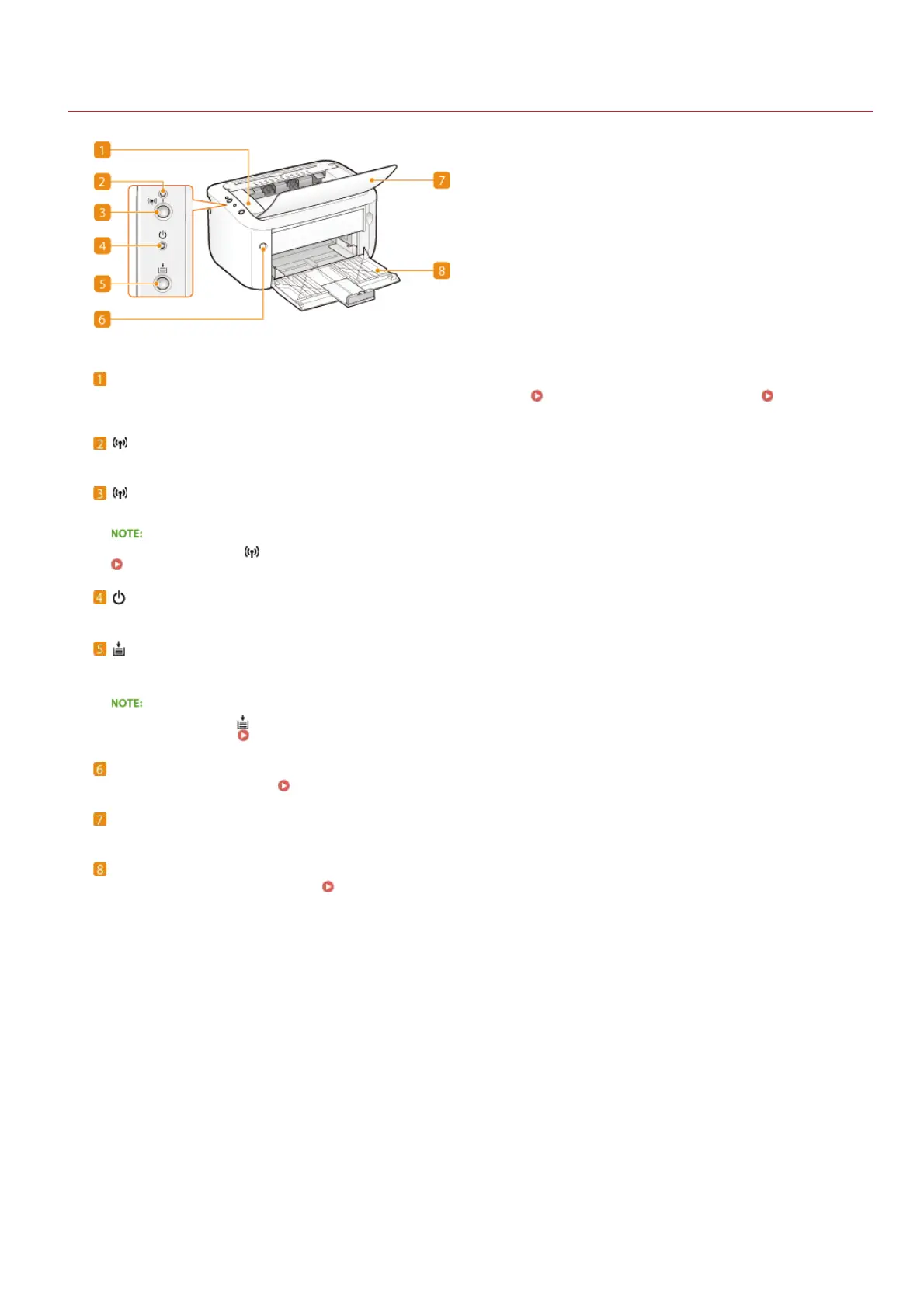
Front Side
Top cover
Open the top cover to replace the toner cartridge or clear a paper jam.
How to Replace Toner Cartridges Clearing Paper
Jams
(Wi-Fi) indicator (LBP6030w)
Lights up when the machine is connected to a wireless LAN.
(Wi-Fi) key (LBP6030w)
Use this key when setting up a wireless LAN connection by using the WPS push-button method.
You can also keep the (Wi-Fi) key pressed while turning ON the power to initialize the system management settings.
Initializing by Using the Wi-Fi Key
(Power) indicator
Lights up when the machine is powered ON.
(Paper) key
Flashes when the machine is out of paper, when the paper is the wrong size, and after other errors when the paper needs to be
checked. Reset the paper and press the key to restart printing.
You can also use the (Paper) key to print a list of network settings (with the machine ready to print, press the key and hold it
down for 3 seconds).
Viewing Network Settings
Power switch
Turns the power ON or OFF.
Turning the Power ON and OFF
Output tray
Open this tray before printing. Printed paper is output to the output tray.
Multi-purpose tray
Load the paper to print in this tray.
Loading Paper in the Multi-Purpose Tray
㻝㻢㻌㻛㻌㻞㻝㻥












 To Next Page