0HWJ-018
Checking the Print Status
You can check the current print status in the Printer Status Window. This is convenient if you have been waiting for a long time for your
document to be printed, and you want to see a list of the documents waiting to be printed.
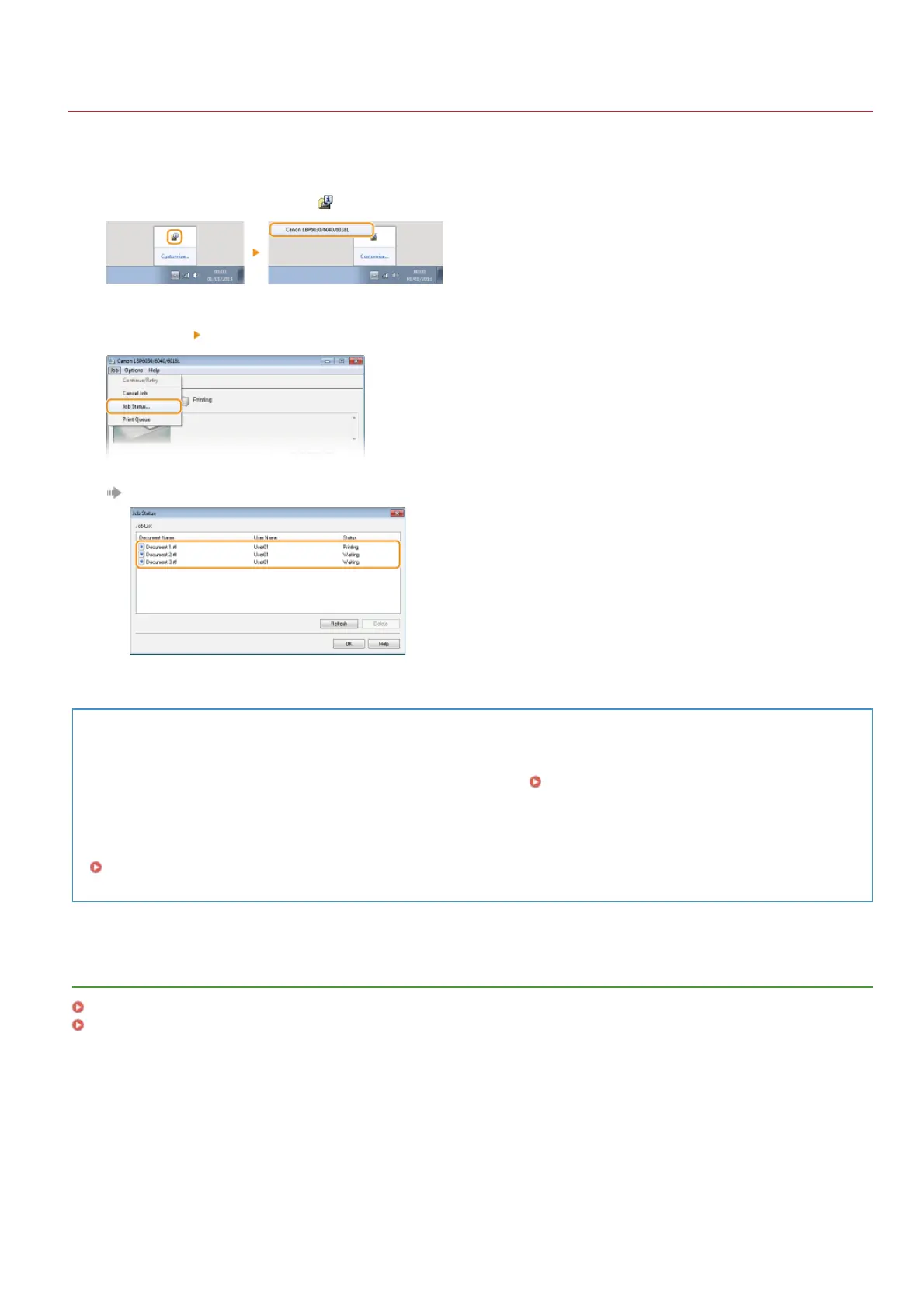
Select the machine by clicking in the system tray.
Select [Job] [Job Status].
A list of up to 5 documents appears, showing documents that are being printed or waiting to be printed.
TIPS
Checking from the Remote UI (LBP6030w)
You can check the print status on the [Job Status] page of the Remote UI. Checking the Current Status of Print Documents
Checking the history of printed documents (LBP6030w)
You can check the history of documents that have been printed on the [Job Log] page of the Remote UI. When you cannot find
printouts that you thought had been printed, you may want to check whether an error has occurred.
Checking the History of Printed Documents
LINKS
Basic Print Operations
Canceling Print Jobs
1
2
㻟㻥㻌㻛㻌㻞㻝㻥












 To Next Page