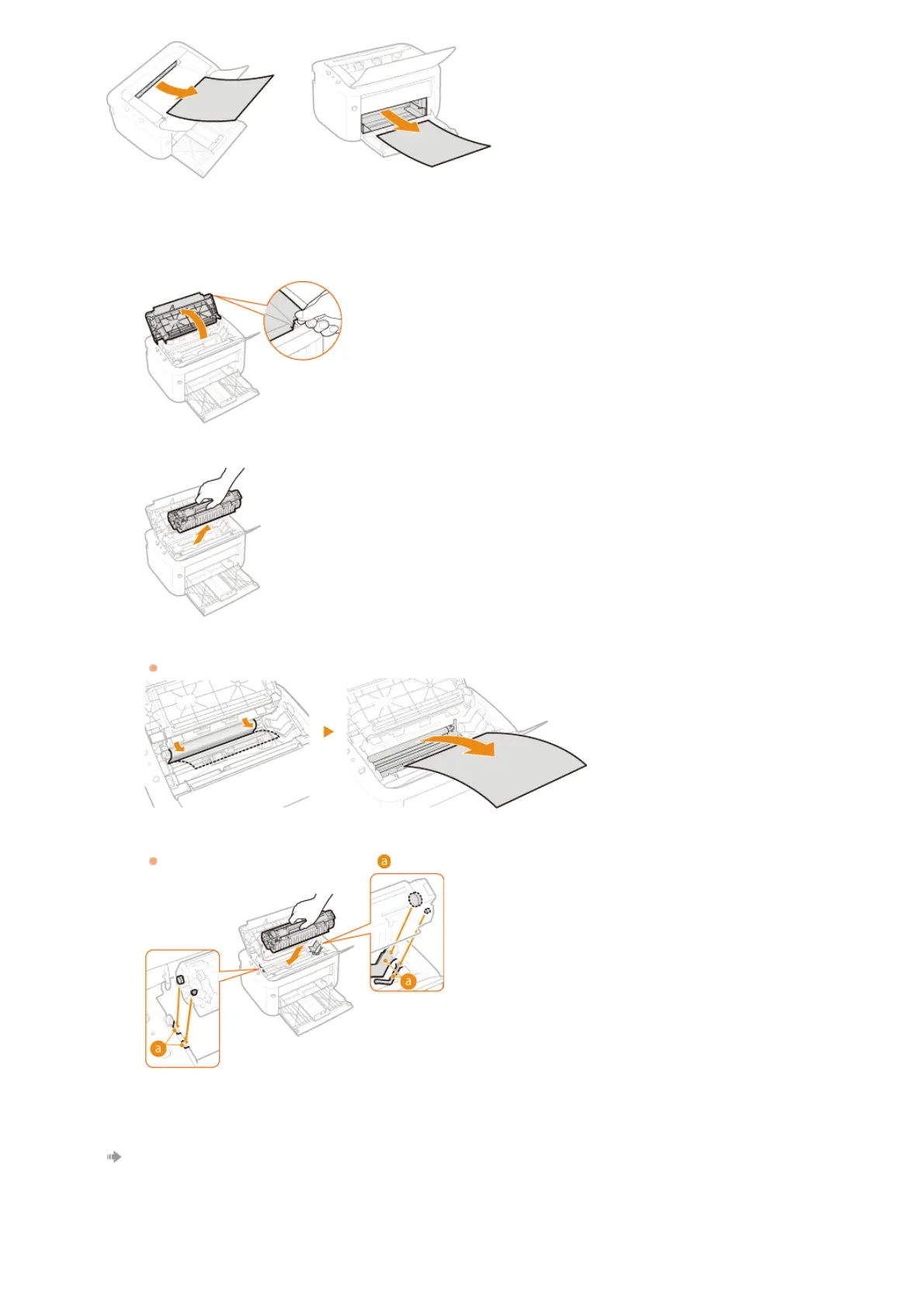
Check whether paper is jammed inside the machine.
1
Open the top cover.
2
Remove the toner cartridge.
3
Gently pull out the paper.
Hold both edges of the paper, pull the leading edge of the paper down, and then pull it out.
4
Replace the toner cartridge.
Align with the toner cartridge guide (
), and push firmly all the way in.
5
Close the top cover.
The paper jam message disappears, and the machine is ready to print.
2
㻝㻠㻞㻌㻛㻌㻞㻝㻥












 To Next Page