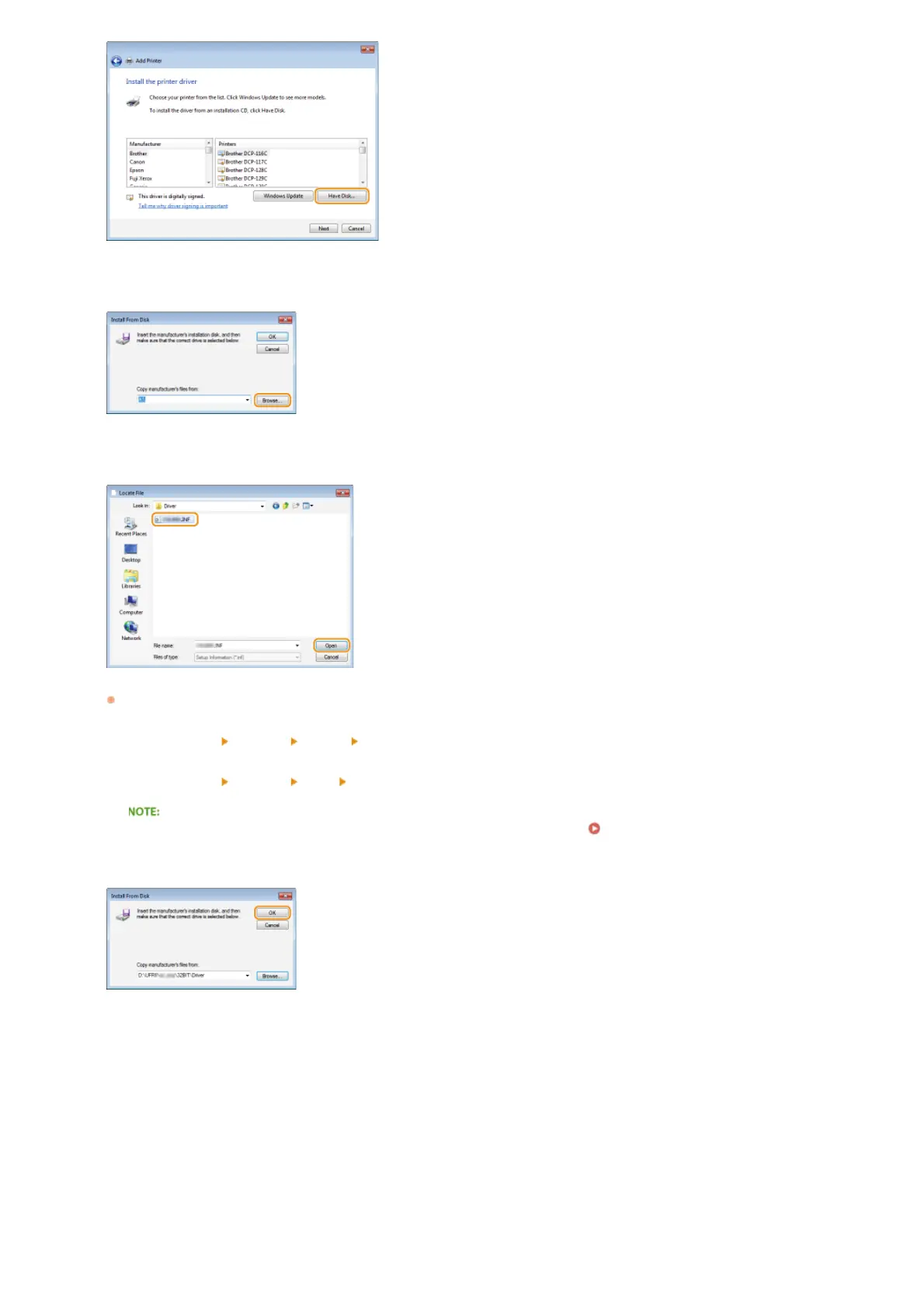
Click [Browse].
Specify the folder where the printer driver is stored, select the Inf file, and click [Open].
Specify the folder where the printer driver is stored as follows.
32-bit operating system
Specify [UFRII]
[uk_eng] [32BIT] [Driver] folders of the CD-ROM/DVD-ROM or downloaded file.
64-bit operating system
Specify [UFRII]
[uk_eng] [x64] [Driver] folders of the CD-ROM/DVD-ROM or downloaded file.
If you do not know whether to specify the 32-bit version or the 64-bit version Checking the Bit Architecture
Click [OK].
Select your printer, and click [Next].
7
8
9
10
㻝㻤㻌㻛㻌㻡㻟












 To Next Page