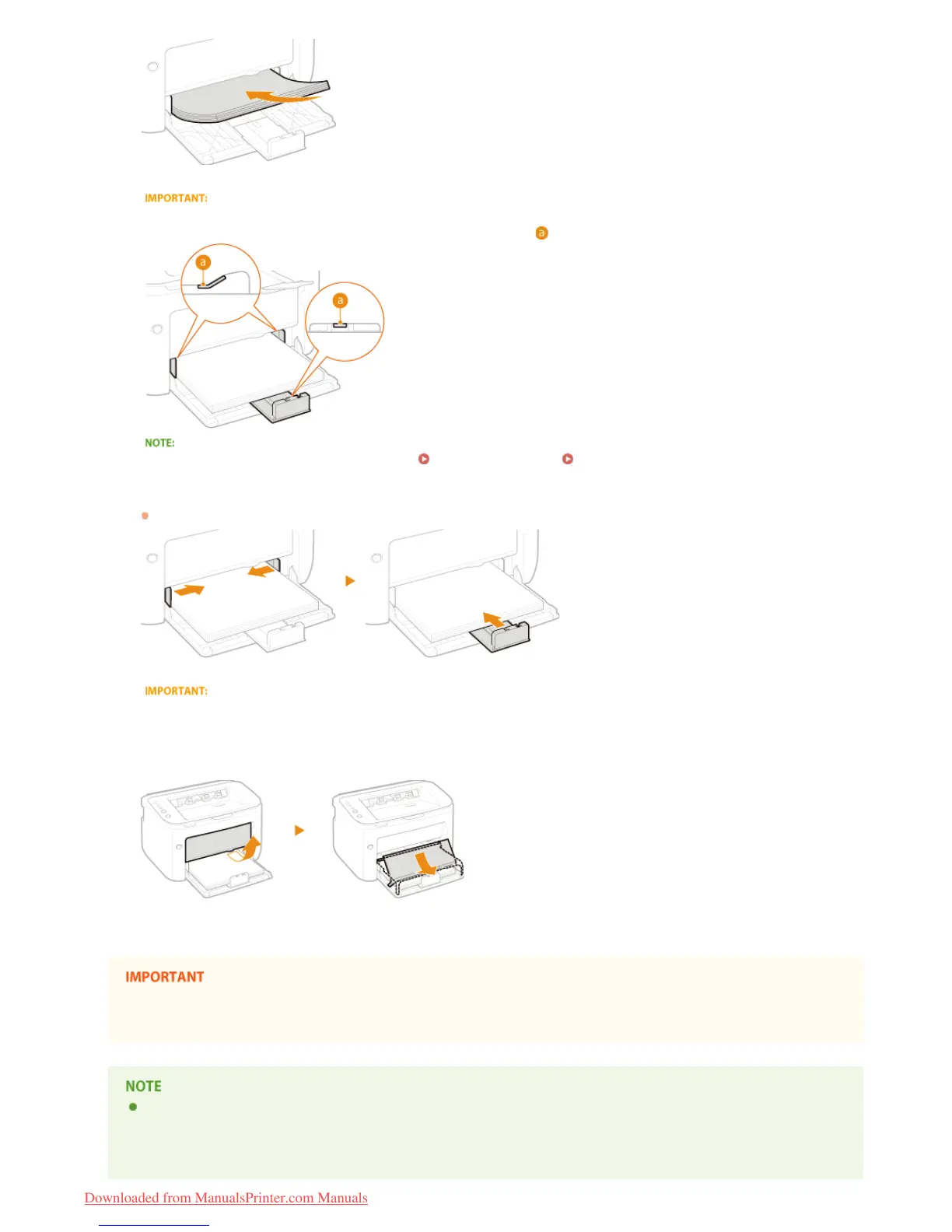
Keep the paper stack within the load limit guides.
Make sure that the paper stack does not exceed the load limit guides (
). Loading too much paper can cause paper jams.
When loading envelopes or preprinted paper, see Loading Envelopes or Loading Preprinted Paper.
Align the paper guides against the edges of the paper.
Align the paper guides securely against the edges of the paper.
Align the paper guides securely against the paper
Paper guides that are too loose or too tight can cause misfeeds or paper jams.
Set the tray cover.
Make sure that no paper is loaded in the manual feed slot before printing from the multi-purpose tray. If paper is loaded in both
the multi-purpose tray and manual feed slot, paper in the manual feed tray is to be fed.
When performing printing, pull out the auxiliary tray in advance so that the output paper does not fall out of the output tray.
4
5
㻟㻞㻌㻛㻌㻞㻠㻜
Downloaded from ManualsPrinter.com Manuals














 To Next Page