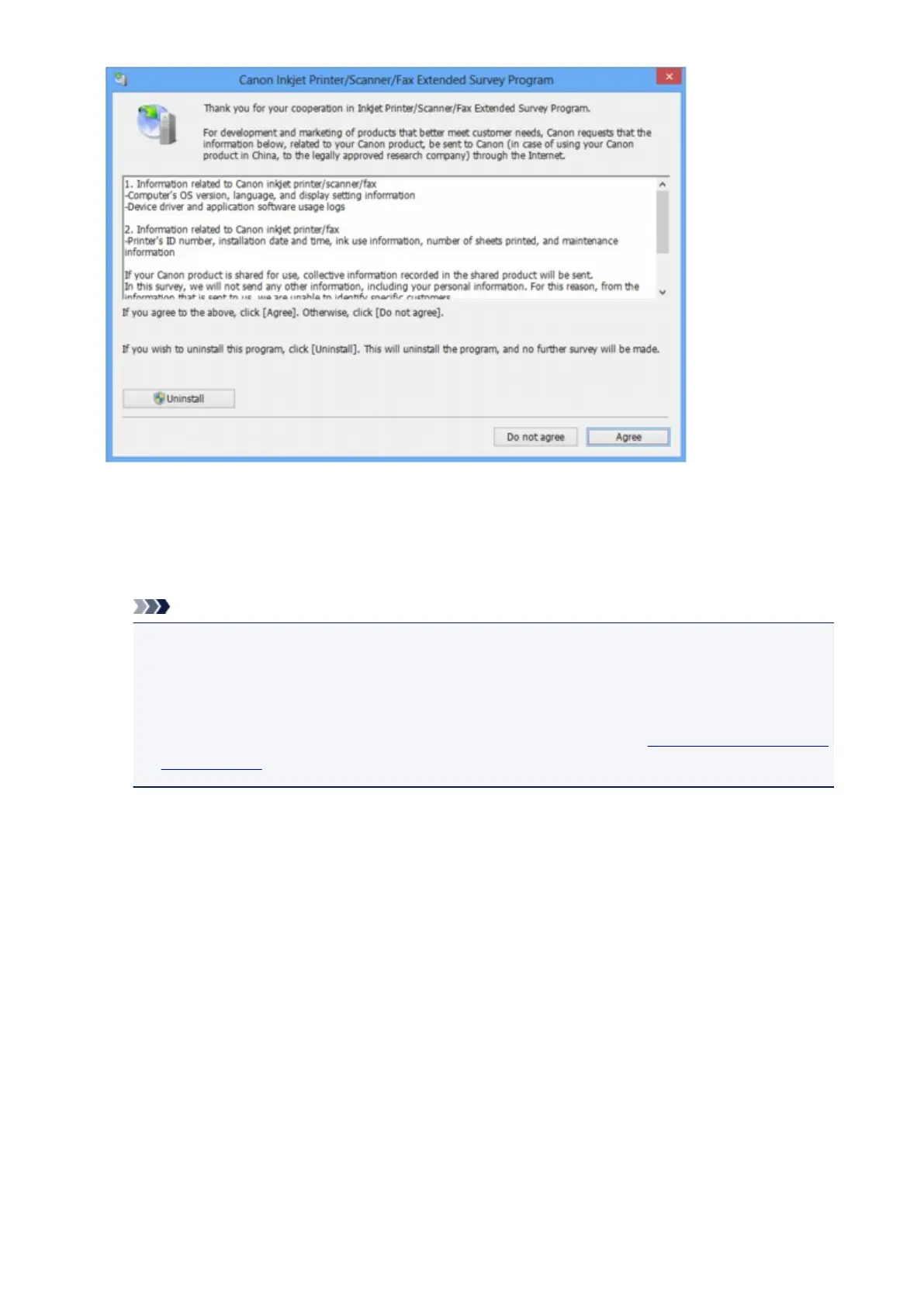
• If you agree to participate in the survey program:
Click Agree, then follow the on-screen instructions. The printer usage information will be sent via the
Internet. If you have followed the on-screen instructions, the information will be sent automatically
from the second time onward and the confirmation screen will not be displayed again.
Note
• When the information is being sent, a caution screen such as an Internet security screen may be
displayed. In this case, confirm that the program name is "IJPLMUI.exe", then allow it.
• If you deselect the Send automatically from the next time check box, the information will not
be sent automatically from the second time onward and a confirmation screen will be displayed at
the time of the next survey. To send the information automatically, see Changing the confirmation
screen setting:.
• If you do not agree to participate in the survey program:
Click Do not agree. The confirmation screen will be closed, and the survey at that time is skipped.
The confirmation screen will be displayed again one month later.
• To uninstall the Inkjet Printer/Scanner/Fax Extended Survey Program:
To uninstall the Inkjet Printer/Scanner/Fax Extended Survey Program, click Uninstall, then follow the
on-screen instructions.
• Changing the confirmation screen setting:
1. Select items as shown below.
◦ In Windows 8.1 or Windows 8, select Control Panel from the Settings charm on Desktop >
Programs > Programs and Features.
◦ In Windows 7, or Windows Vista, select the Start menu > Control Panel > Programs >
Programs and Features.
◦ In Windows XP, select the Start menu > Control Panel > Add or Remove Programs.
1029




 To Next Page