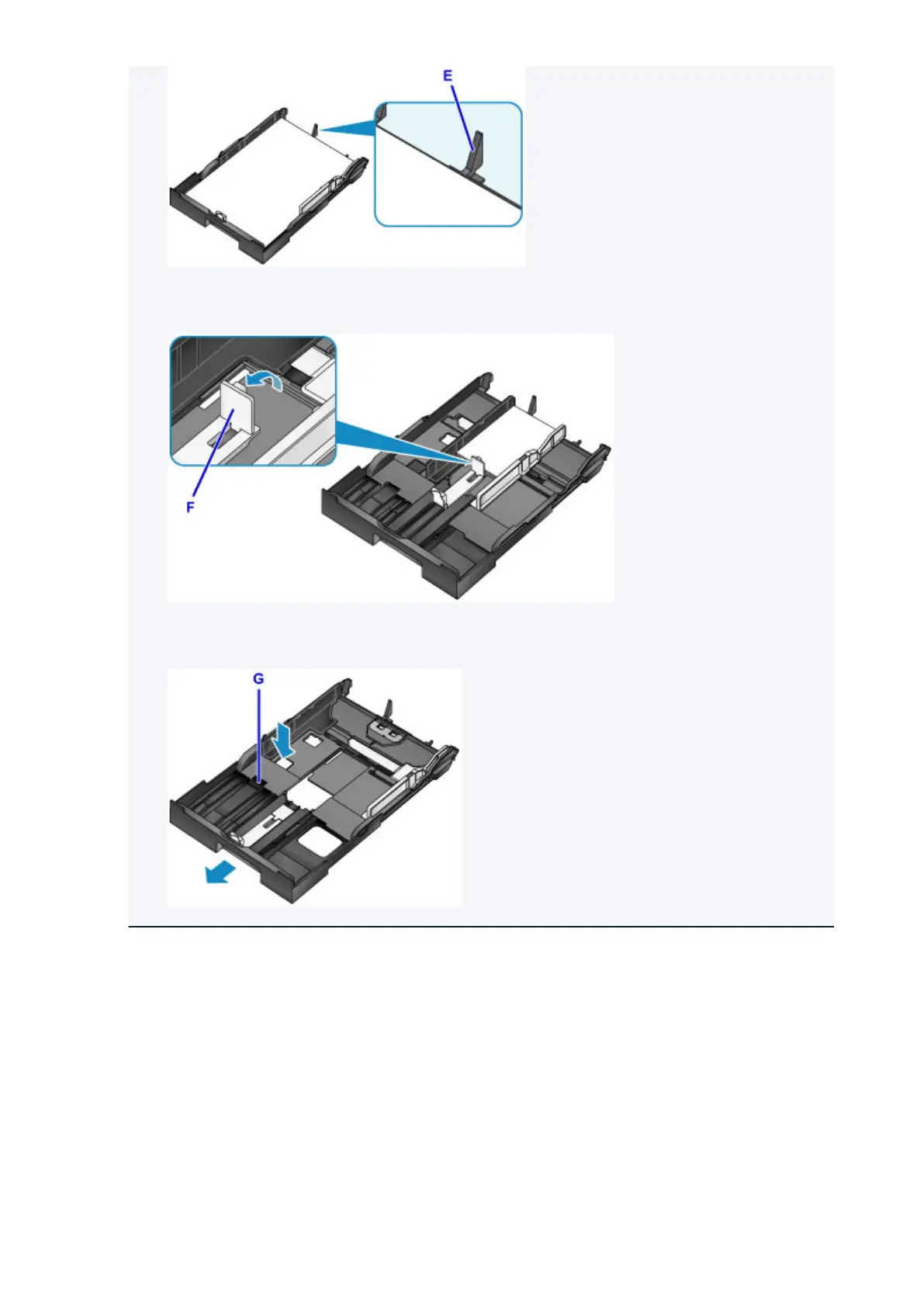
• To load 5" x 7" (13 x 18 cm) size paper or smaller, raise the tab (F) of the paper guide. (5" x 7" (13
x 18 cm) size paper or smaller can be loaded in the cassette 1 only.)
• To load paper larger than A4 size in the cassette, press down the lock (G) on the cassette, then
extend the cassette all the way out.
5. Align the paper guide (A) in front with the paper stack.
For standard sizes, set the paper guide (A) to where it clicks into place.
6.
Slide the paper guide (B) on the right to align the right and left guides with both sides of the
paper stack.
Do not slide the paper guides too hard against the paper. The paper may not be fed properly.
165













 To Next Page