Important
•
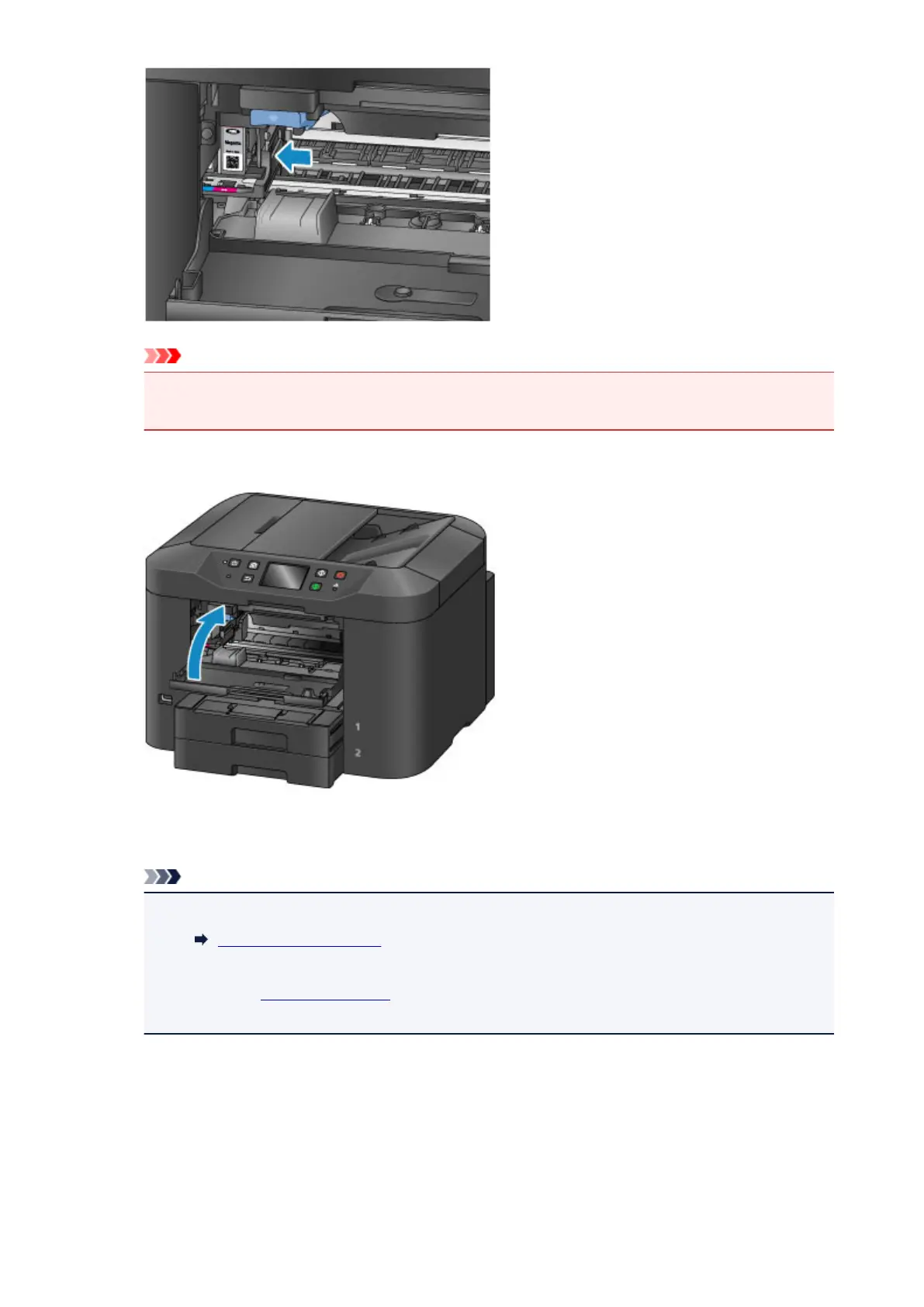
You cannot print unless all the ink tanks are installed. Be sure to install all the ink tanks.
•
An installed ink tank cannot be removed until the message to replace it is displayed.
7.
Close the front cover.
After replacing the ink tanks, the machine starts mixing the ink automatically. Wait until the machine
has stopped making operating noise. (This takes about 1 to 2 minutes.)
Note
•
If the error message appears on the touch screen, take appropriate action.
A Message Is Displayed
•
If the print head is out of alignment, as indicated by misaligned printed ruled lines or similar
symptoms, align the print head.
•
The machine may make noise during operation.
198




 To Next Page