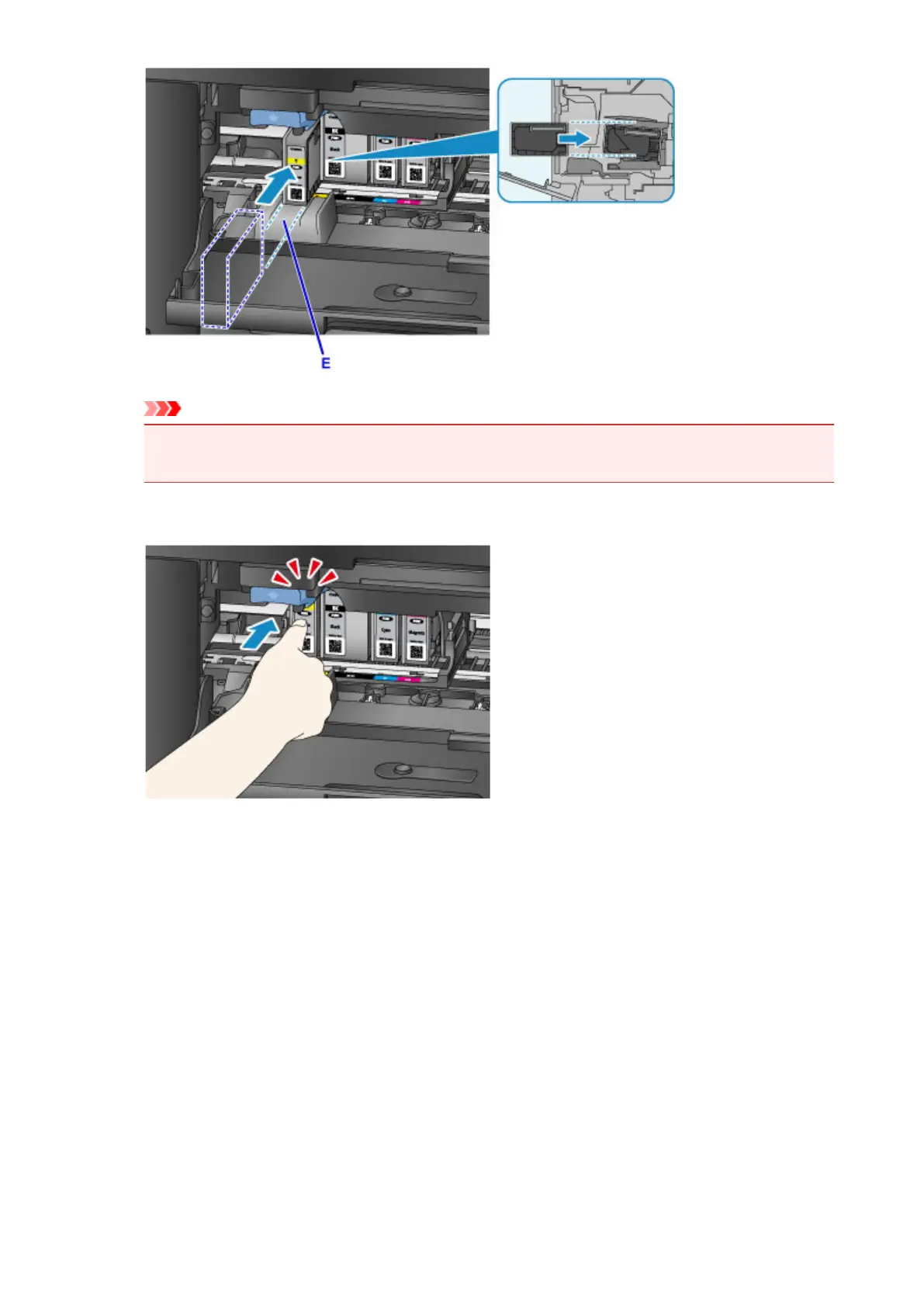
Important
•
You cannot insert the ink tank in the wrong position. Check the label under the installation
position, then install the ink tank in the correct position.
5.
Push the ink tank until it snaps firmly into place.
6.
Tap Exit on the touch screen.
If Next is displayed on the screen, it means there is another ink tank that can be replaced.
If you want to replace this ink tank, tap Next and then repeat procedures from step 2.
To exit the ink tank replacement, tap Next until Exit is displayed on the screen.
The print head holder moves to the standby position. You cannot remove the ink tank while at this
position.
197




 To Next Page