From the Mng. printer screen (Select printer screen), you can check*and update* printer information
registered to the Canon Inkjet Cloud Printing Center, change printer names, delete printers, add
printers, and copy apps.
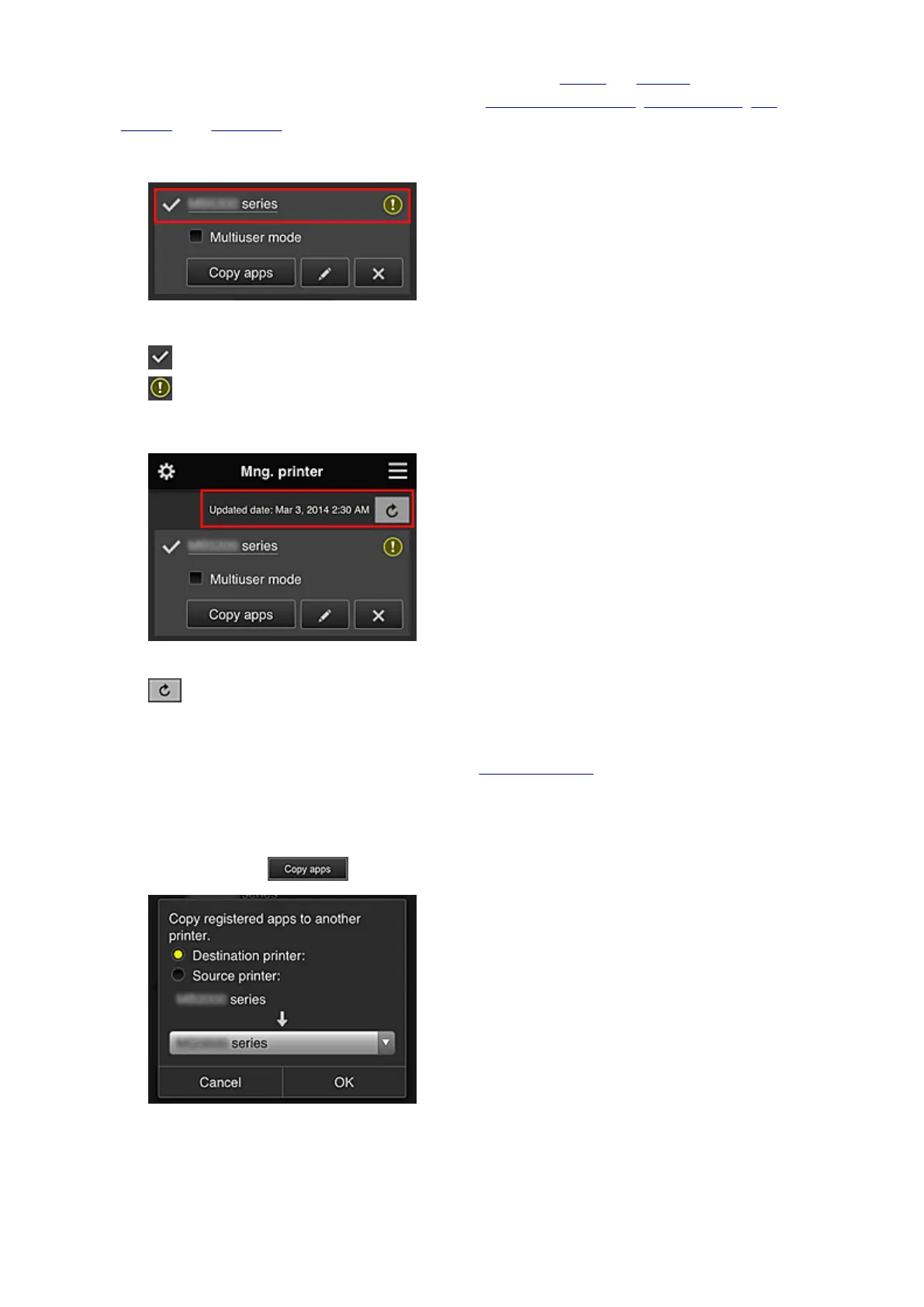
• Check the printer information*
The registered printer name is displayed.
indicates the currently selected printer.
indicates that an error occurred on the printer.
• Display update date/time of the printer information*
This displays the date and time the printer information was last updated.
refreshes the information.
• Multiuser mode
If multiple users are using the printer, select the Multiuser mode check box.
• Copy apps
Select this to copy apps added in the selected printer to another printer.
When you select , the screen shown below appears.
Set the Destination printer and the Source printer. Then select OK.
76













 To Next Page