LINKS
Configuring Scan Settings in Simple Mode
Scanning Using MF Toolbox
Scanning Using an Application
Adjust the brightness or color. Adjusting Brightness and Color
Select settings to register as necessary.
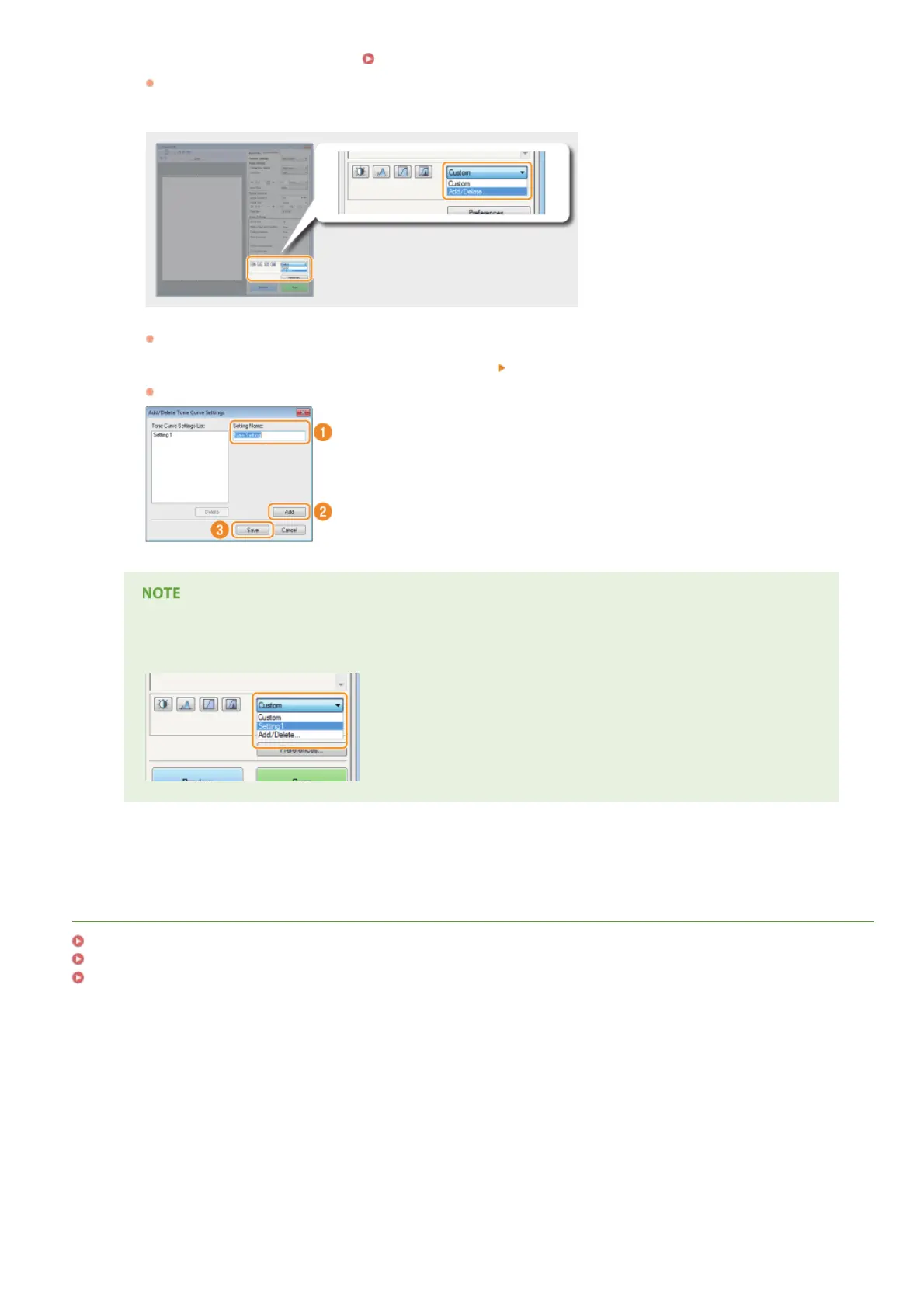
Select [Add/Delete] in the drop-down list.
The [Add/Delete Tone Curve Settings] or [Add/Delete Threshold Settings] screen is displayed.
Enter a name into [Setting Name], and click [Add] [Save].
Enter a name for the settings to register. Use a name that is easy to find in the drop-down list.
Calling the registered setting
Display a preview image, and select the registered setting in the drop-down list.
2
3
4
㻝㻠㻠㻌㻛㻌㻟㻟㻢


 To Next Page
 Loading...




