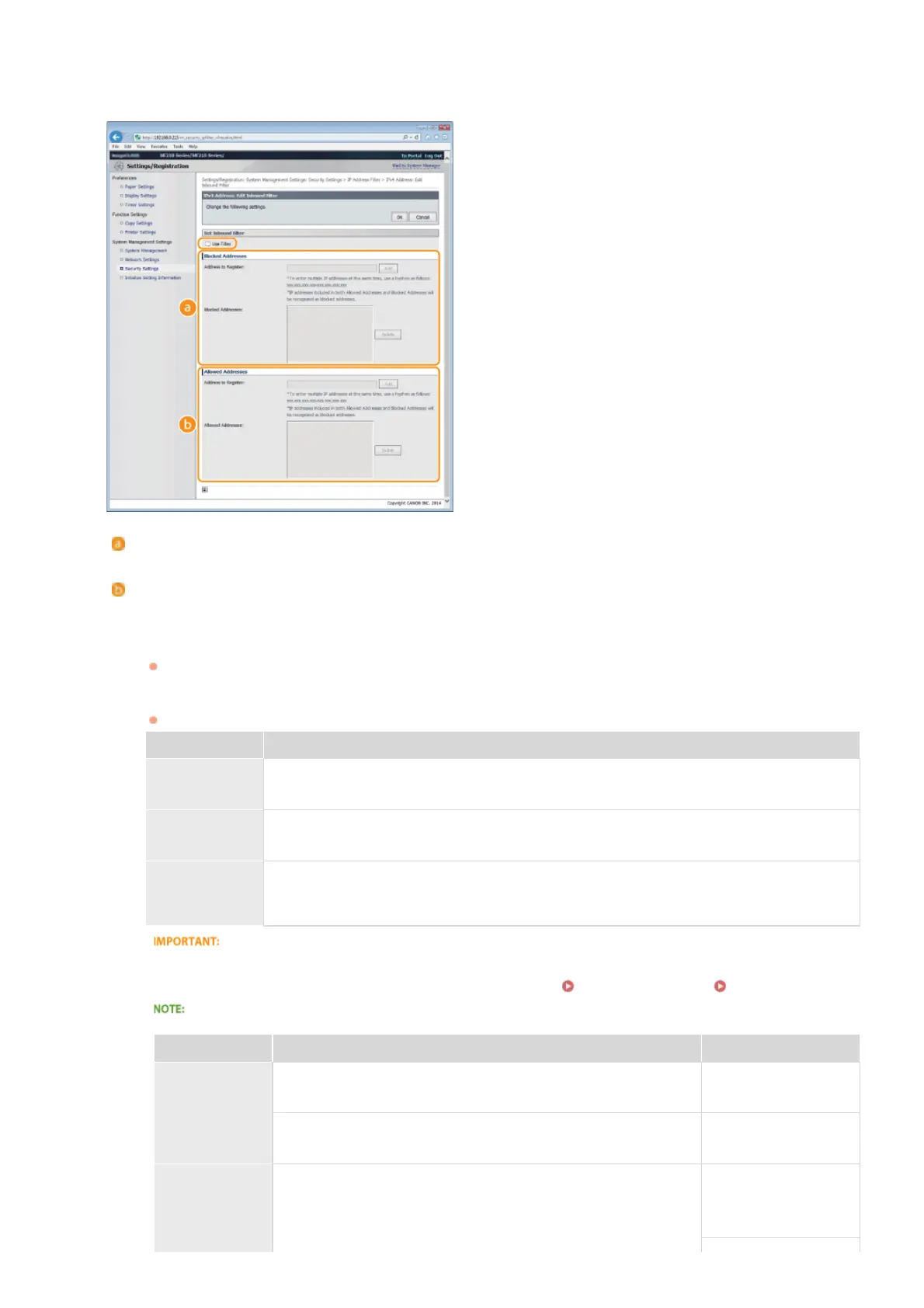
[IPv6 Address: Inbound Filter]
Select to restrict receiving data from the machine to a computer by specifying IPv6 addresses.
Specify the settings for packet filtering.
[Blocked Addresses]
Register addresses to be blocked, as well as check or delete registered blocked addresses.
[Allowed Addresses]
Register addresses to be allowed, as well as check or delete registered allowed addresses.
1
Select the [Use Filter] check box.
Select the check box to restrict communication. Clear the check box to disable the restriction.
2
Specify the address.
Enter the IP address (or the range of IP addresses) in the [Address to Register] text box and click [Add].
Registered address Result
[Blocked
Addresses]
Restricts communication (received) with devices having their IP addresses entered for [Address to
Register]. Communication is allowed with devices with any other IP addresses.
[Allowed
Addresses]
Allows communication (received) only with devices having their IP addresses entered for [Address
to Register], and restricts communication with devices with any other IP addresses.
Registered as
both
Allows communication (received) only with devices having their IP addresses registered in
[Allowed Addresses], and restricts communication with devices with any other IP addresses.
However, communication is restricted for IP addresses also registered in [Blocked Addresses].
Check for entry errors
If IP addresses are incorrectly entered, you may be unable to access the machine from the Remote UI, in which case you
need to set <IPv4 Address Filter> or <IPv6 Address Filter> to <Off>.
IPv4 Address Filter IPv6 Address Filter
Entry form for IP addresses
Description Example
Entering a
single address
IPv4:
Delimit numbers with periods.
192.168.0.10
IPv6:
Delimit alphanumeric characters with colons.
fe80::10
Specifying a
range of
addresses
Insert a hyphen between the addresses.
IPv4:
192.168.0.10-
192.168.0.20
5
㻝㻥㻥㻌㻛㻌㻟㻟㻢








 To Next Page