If streaks adhere to the paper, change the setting with <Special Mode Z>.
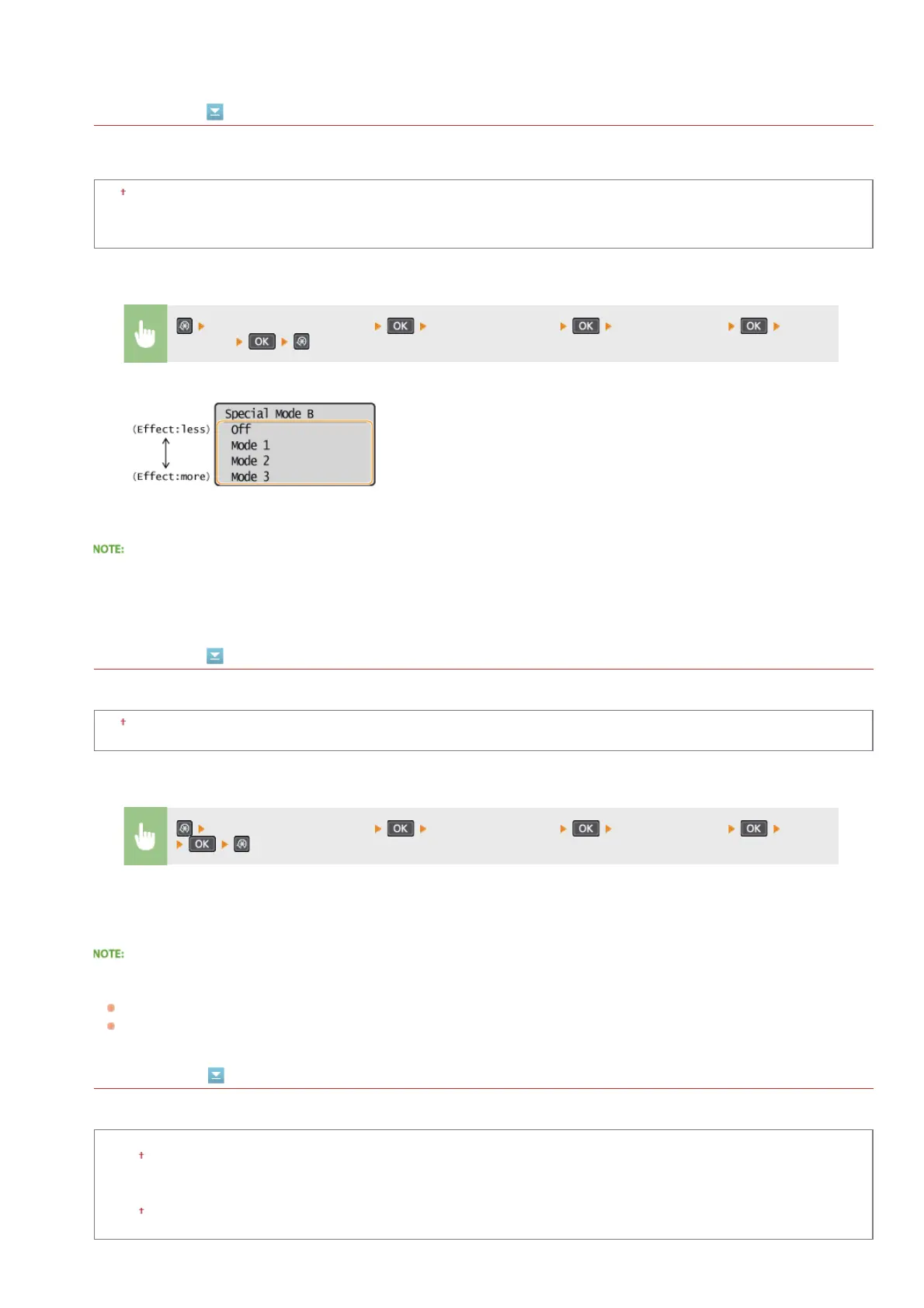
Special Mode B
Adjust this setting if streaks adhere to the print paper after replacing the toner cartridge or after not printing for a long period of
time.
Off
Mode 1
Mode 2
Mode 3
After the setting is enabled
Print speed is slower.
Special Mode C
Adjust this setting if streaks adhere to the print paper.
Off
On
After the setting is enabled
When set to <On>, this setting takes priority over the setting for <Special Mode Z>.
While more effect is gained than with <Special Mode Z>, print speed is slower.
Special Mode D
Adjust this setting if streaks adhere to the print paper.
Copy
Off
On
Print
Off
On
<Adjustment/Maintenance> <Special Processing> <Special Mode B> Select
the mode
<Adjustment/Maintenance> <Special Processing> <Special Mode C> <On>
㻞㻠㻝㻌㻛㻌㻟㻟㻢








 To Next Page